
Lieferung heute & morgen

Qualitätsgarantie

Willkommens-Angebote freischalten: KOSTENLOSE Lieferung | Bis zu 80 % RABATT | Kostenlose 30-Tage-JoyPlus-Testphase
App herunterladen
By Joybuy Product Recommendation Officer, July 28, 2026
Users of the iPhone 15 Pro or newer models who regularly film in ProRes quality know the problem: internal storage fills up quickly. A magnetic SSD for the iPhone 15 seems like the ideal solution for externally expanding storage and recording directly to the drive. However, the market is flooded with products making lofty promises. Before you make a purchase, it's crucial to understand the most common pitfalls that can lead to disappointment and unnecessary expense.
This guide will help you correctly interpret technical specifications and make an informed choice.
Choosing a suitable external SSD can be complicated by misleading marketing. Pay special attention to the following three points to avoid making a bad purchase.
To find the right external hard drive for the iPhone 15 Pro, focus on these three objective criteria.
For recording SSD for ProRes Video, consistent write performance is the most important factor. A brief peak in read speed is irrelevant for this use case. For example, to record 4K video at 60 frames per second in ProRes format, a sustained write rate of at least 220 MB/s is required. Look for manufacturer specifications that explicitly state the write performance, not just the read speed.
The USB interface determines the maximum transfer rate.
An effective magnetic system is essential for mobile use. Models compatible with the MagSafe standard generally offer a stronger and more reliable connection. The weight and dimensions of the SSD also play a role. A lightweight and compact drive puts less strain on the magnetic mount and ensures a more stable fit on the iPhone.
Here are some recommendations tailored to specific user profiles that take the above criteria into account.
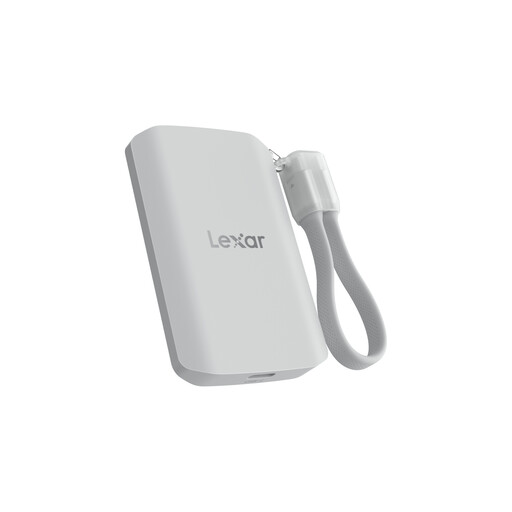
Why This Fits Their Persona: Ideal for professional video producers who need maximum performance and reliability. The high 2TB capacity and explicit support for ProRes recording make it a tool for demanding projects.
The SSD offers high, stable write performance and a rugged IP65-rated housing that counteracts overheating and external elements. MagSafe compatibility ensures a secure hold.
High Write Speed: Up to 2000 MB/s (according to the manufacturer) for demanding workflows. Robust Build: Dust and water-resistant to IP65, drop-proof from up to 3 meters.
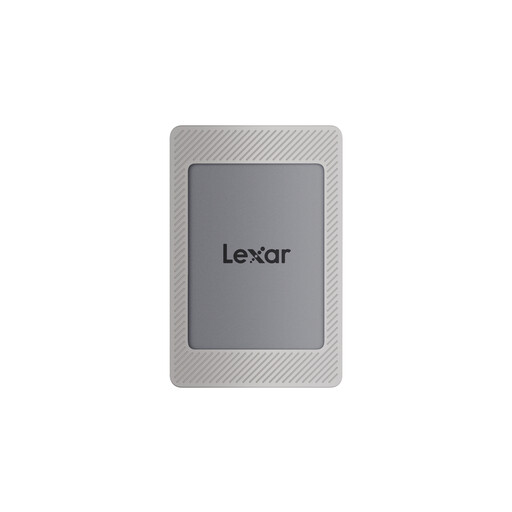
Why This Fits Their Persona: Perfect for users who need a flexible and reliable storage solution for various devices—from an iPhone to a laptop to a gaming console. The included magnetic set makes it highly versatile.
This model advertises realistic USB 3.2 Gen 2 speeds (up to 1050 MB/s) that can be fully utilized by the iPhone 15 Pro. The included kit ensures a secure magnetic attachment.
High Compatibility: Works with iPhone 15/16, Android, laptops, cameras, and PS4/PS5. Complete Package: A magnetic case, magnetic ring, and two cables (USB-C/USB-A) are included in the box.
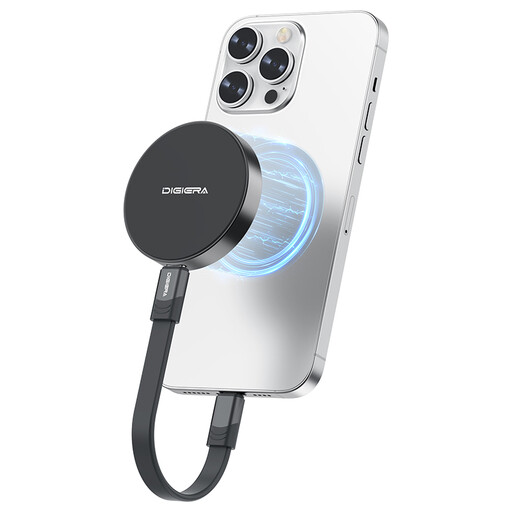
Why This Fits Their Persona: A great choice for users looking for a cost-effective way to externally expand iPhone storage. It offers a high capacity of 1TB and a strong magnetic mount for occasional ProRes recording or large data transfers.
The aluminum housing aids in heat dissipation, preventing thermal throttling. The integrated magnetic system is designed for direct use with the iPhone and provides a reliable hold.
Lightweight and Compact: At only approx. 46 grams, it is extremely portable. Shock-Resistant Design: The drive is engineered for shock and vibration resistance, protecting your data on the go.
We have compiled a complete, up-to-date list of products that fully meet these strict selection criteria and UK safety regulations.
1. Do I need a special case to attach a magnetic SSD to my iPhone?
For optimal adhesion, a MagSafe-compatible case is recommended. However, many SSDs, like the Lexar ES4, come with an additional magnetic ring that can be attached to the back of non-magnetic cases. Attaching it directly to the iPhone without a case is also possible but offers less protection for the device.
2. Can I use a magnetic SSD with other devices like a laptop or a PS5?
Yes. All the SSDs mentioned here use a standard USB-C connector. They can be easily connected to any USB-C SSD for Mac, PC, Android tablet, or gaming console like the PS5 to serve as a fast external storage solution. The magnetic feature is specific to devices with a corresponding mount, but the storage function is universal.
3. Does using an external SSD affect my iPhone's battery life?
Yes, an external SSD is powered by the iPhone's USB-C port. During long recording or copying sessions, the iPhone's battery will drain faster than in normal operation. It is advisable to check your battery level before starting extended recording sessions.