
Lieferung heute & morgen

Qualitätsgarantie

Willkommens-Angebote freischalten: KOSTENLOSE Lieferung | Bis zu 80 % RABATT | Kostenlose 30-Tage-JoyPlus-Testphase
App herunterladen
If you use an iPhone 17, iPhone 17 Pro, iPhone 17 Pro Max or iPhone 17 Air on public transport, at work or in a café, you may not want to share personal content with everyone around you. An iPhone 17 privacy screen protector can limit the viewing angle from the sides while protecting the display from scratches.
However, products vary considerably in fit, privacy, what’s included and how easy they are to install. A high hardness rating alone, for example, says little about how well a screen protector will hold up to everyday use. The criteria below can help you assess marketing claims and choose the right option.
The 9H screen protector rating usually describes scratch resistance according to a pencil hardness test. It is not a general guarantee against every drop or impact. Even toughened glass can break if it takes a knock in the wrong place, such as on an edge.
It’s also worth looking for:
An iPhone 17 anti-spy screen protector usually uses fine louvres or a special filter to make the display look darker when viewed from the side. This helps keep your content private, but can also affect how the display looks from the front when the brightness is low.
Figures such as ±28° should be treated as a technical guide. The actual effect depends on factors including room lighting, screen brightness and your viewing angle. If you often look at photos or videos with other people, you’ll need to weigh maximum privacy against a more open view.
A case-friendly screen protector usually leaves a small gap around the edge of the display, so the case doesn’t lift the glass. Even so, particularly tight-fitting cases or models with raised edges may press against the protector.
Before buying, check:
The iPhone 17, iPhone 17 Pro, iPhone 17 Pro Max and iPhone 17 Air each need a screen protector with a different shape. Even displays that are similar in size can differ in their bezels, camera cut-outs and dimensions. So don’t choose an iPhone 17 privacy screen protector based on screen size alone.
Check the exact model name in the product description. A twin pack for the iPhone 17 Pro or iPhone 17 Air can be handy if you need to replace the protector later.
Toughened glass provides a firm surface to protect against everyday scratches from keys, dust and friction. The commonly quoted 9H hardness is a way of comparing scratch resistance, but it doesn’t guarantee protection against display damage.
For added convenience, look for:
With privacy screen protectors, you should also expect the side filter to reduce perceived brightness. This is a design feature, not automatically a fault.
A bubble-free installation depends largely on a dust-free environment and correct alignment. An installation or EZ Fit frame can make the process easier, but you’ll still need to clean the display.
A useful kit includes:
Don’t install the glass on a damaged display. If the screen protector develops cracks or chips later, remove it carefully and replace it.
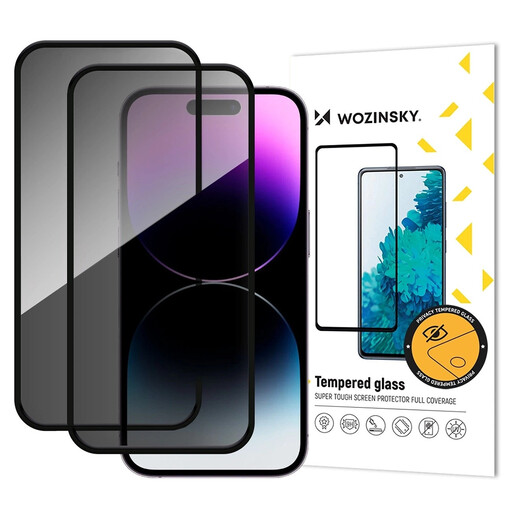
Why this product suits this profile: This twin pack is ideal if you want a spare for a future replacement, while ensuring you choose a protector designed specifically for the iPhone 17 Pro.
The precise compatibility information reduces the risk of ordering the wrong glass. The set includes installation accessories to help you align it carefully.
9H hardness, an anti-spy filter and two protectors per pack, according to the product information.
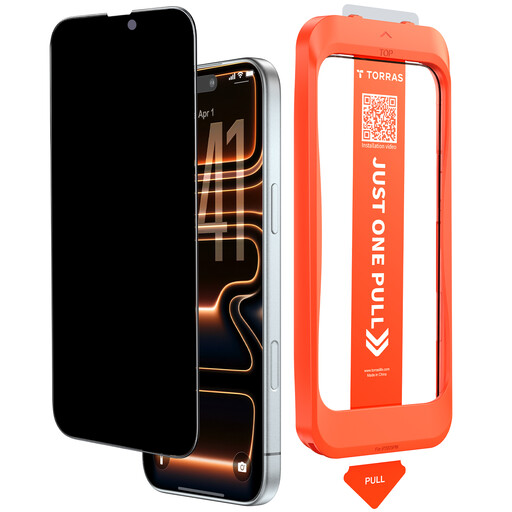
Why this product suits this profile: A good choice if you value light transmission, neatly finished edges and an installation process that’s as straightforward as possible.
The product specifies light transmission of over 92 per cent, 9H hardness and a case-friendly design. Consider these features alongside your own priorities.
Oleophobic surface, reinforced edge with a stated load capacity of over 250 N, and static installation aid, according to the manufacturer.
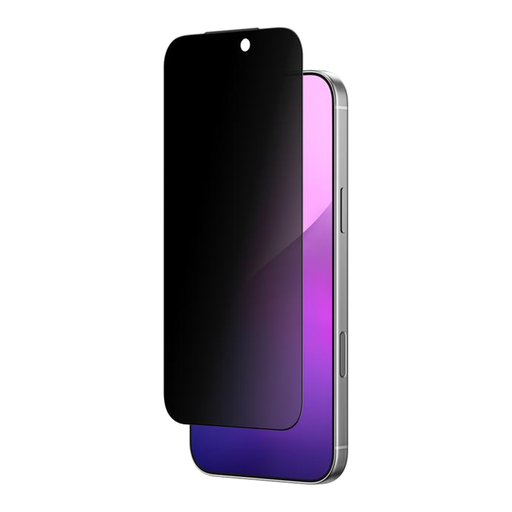
Why this product suits this profile: For commuters and office users looking for a dedicated side-view privacy filter for the iPhone 17 Air, with a defined viewing-angle limit stated in the product description.
Compatibility is explicitly stated for the iPhone 17 Air. The product also mentions a speaker mesh to keep out dust particles, which may be useful when you’re out and about.
A stated viewing angle of ±28°, toughened glass and compatibility with most cases, according to the product description.
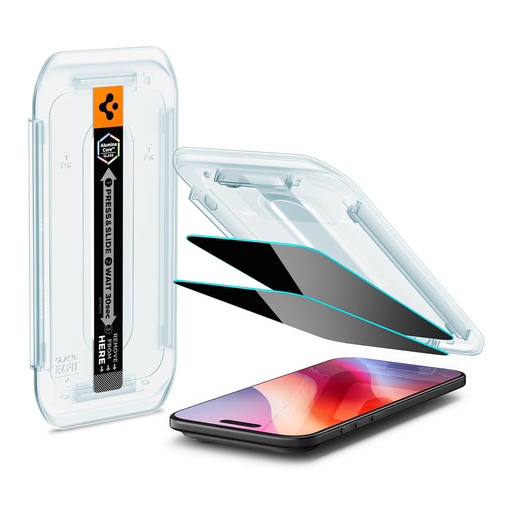
Why this product suits this profile: The EZ Fit frame is a useful feature if you want consistent alignment and are often on the move.
The included frame helps prevent alignment errors and supports a bubble-free installation. Check the exception for the Spigen Geo Armor 360 Case before buying.
Two screen protectors, 9H hardness, an EZ Fit installation frame and precise cut-outs, according to the product details.
We’ve put together a complete, regularly updated list of products that meet these strict selection criteria and fully comply with the safety regulations in force in the EU.
First, clean the display with a wet wipe and a dry cloth. Then use a sticker to remove even the smallest dust particles. Install the glass in a room with as little dust as possible and align it with the cut-outs. An applicator or alignment frame can help you position it correctly. You can often smooth out air bubbles by working from the centre towards the edges.
Its lifespan depends on knocks, friction, your case and everyday use. Replace the screen protector if it develops cracks or chips, has edges that lift, or shows persistent air bubbles. A 2-pack can help reduce the cost of replacing it later.
The side filter can make the display look considerably darker when viewed outside the direct viewing angle. Depending on the product and surroundings, the front-on view may also seem a little dimmer. Increasing the display brightness can partly compensate for this, but uses more power. Before buying, consider whether privacy or an almost unchanged display is more important to you.