
Lieferung heute & morgen

Qualitätsgarantie

Willkommens-Angebote freischalten: KOSTENLOSE Lieferung | Bis zu 80 % RABATT | Kostenlose 30-Tage-JoyPlus-Testphase
App herunterladen
If you use an iPhone 17 Pro or iPhone 17 Pro Max on the go, you’ll usually want to achieve two things: protect the screen from scratches and knocks, while keeping messages, passwords and work content private from fellow passengers or colleagues. An iPhone 17 Pro privacy screen protector with a side-view filter could be a good option. However, products vary considerably in compatibility, viewing angle, installation and everyday usability.
A screen protector for the iPhone 17 Pro won’t necessarily fit the iPhone 17 Pro Max. Similar dimensions or the same screen size aren’t reliable signs of a proper fit either. Cut-outs for the sensors, front camera and screen edges must be positioned precisely.
So check the model name specified by the seller. A product described as an iPhone 17 Pro Max privacy screen protector isn’t designed for the smaller Pro model. Conversely, a screen protector for the iPhone 17 Pro may be too small around the edges of the Pro Max.
An anti-spy screen protector limits the area of the screen that can be seen. This is useful on public transport, in cafés or at the office, but it can make the display look noticeably darker to people sitting beside you. Depending on the design, the screen may also appear slightly less bright when viewed straight on.
So don’t assume that a product described as offering “360° privacy” will be completely invisible from every angle. The specific viewing-angle information and how you plan to use the phone are what matter.
An applicator or an automatic adhesive layer can make fitting easier, but it won’t replace a dust-free environment. Tiny particles trapped under the glass can cause bubbles, adhesion problems or visible specks. Make sure the screen and your hands are clean before applying the protector. Keep the adhesive side of the glass away from dust.
For many products, the 9H tempered glass label refers to the stated surface hardness of the glass. It indicates resistance to everyday scratches, but doesn’t guarantee protection against every type of damage or the effects of a fall. A scratch-resistant screen protector also doesn’t replace a case or automatically protect the entire frame of your smartphone.
Look for additional details such as:
An iPhone privacy screen protector usually uses a filter structure that restricts the view from the side. The screen should remain as clear as possible when viewed straight on. Check whether the seller provides specific information about light transmission or viewing angle.
Terms such as “ultra-clear” or “full sensitivity” are product claims. In practice, touch response also depends on the glass thickness, how it’s fitted and how clean the screen is. For sensitive features such as Face ID, keep the sensor area and top cut-out free from dust and adhesive residue.
A case-compatible screen protector usually leaves a small gap around the edge of the screen, so the case won’t catch underneath the glass. Alignment frames or applicators are particularly handy. For best results, follow these steps:
The recommendations below are based on the features stated for each product, model compatibility and what’s included. They don’t guarantee a particular lifespan or complete protection against breakage.
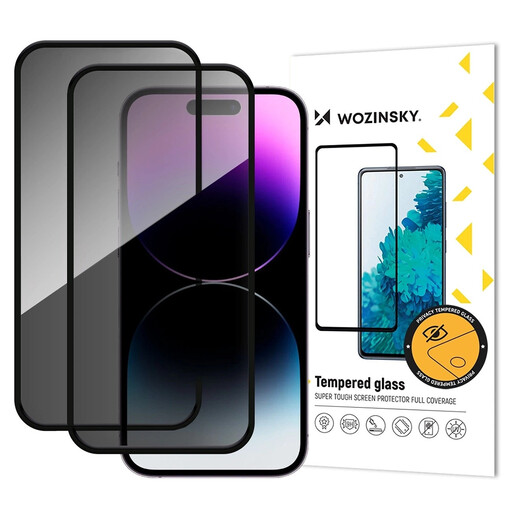
Why it suits this profile: This twin pack is ideal if you’d like to keep a spare handy or replace your screen protector regularly. According to the product details, it’s compatible with the iPhone 17 Pro and made from 9H tempered glass.
The specific model information reduces the risk of a poor fit. The two-glass set also gives you a spare in case the first application doesn’t go to plan or the glass gets damaged.
9H tempered glass, anti-spy filter, reinforced frame and fitting accessories, according to the product description.
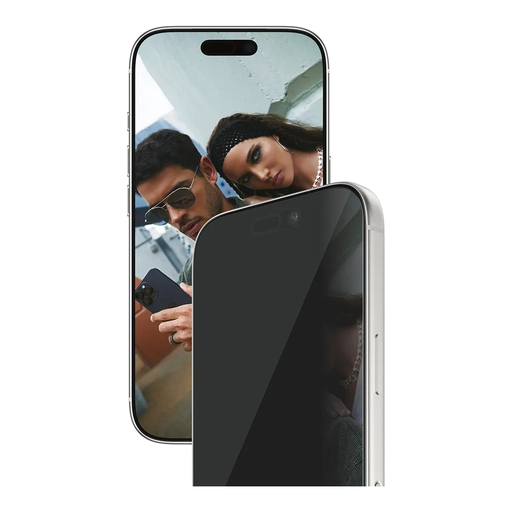
Why it suits this profile: This product is aimed at users who value broad screen coverage and guided installation. According to the product description, the package includes an EasyAligner, cleaning accessories and a side-view privacy filter.
The Ultra-Wide-Fit design is intended to work with a compatible case. The alignment frame supplied helps reduce the risk of fitting the glass crookedly or trapping air bubbles.
Ultra-Wide-Fit, EasyAligner, oleophobic coating and stated touch sensitivity.
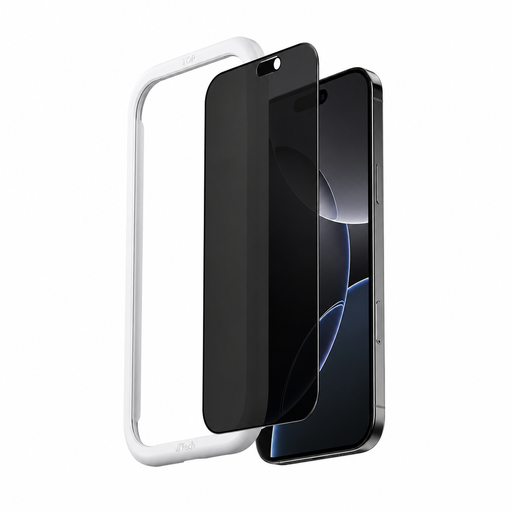
Why it suits this profile: For commuters and anyone who often uses their iPhone 17 Pro Max in public, the seller specifies a side-view privacy filter and automatic adhesion with one-click installation.
The product page explicitly names the Pro Max model, helping you distinguish it from a screen protector for the iPhone 17 Pro.
Stated 9H tempered glass, fingerprint protection, dust protection and automatic application.
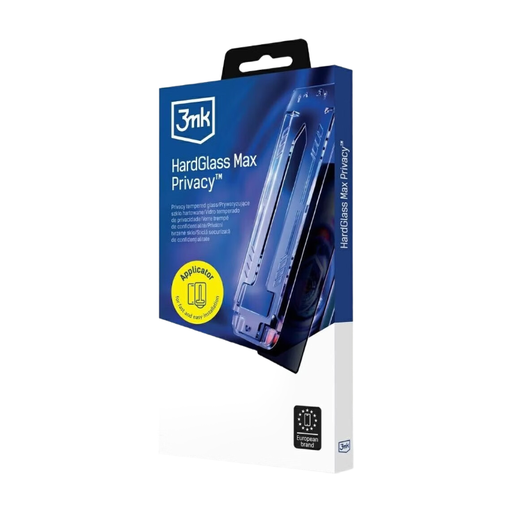
Why it suits this profile: This product combines a single glass screen protector with a supplied applicator. It’s a targeted option for iPhone 17 Pro users looking for a clear display with side-view privacy.
The instructions cover cleaning, alignment and removing air bubbles. Following the steps carefully can help prevent common fitting mistakes.
Privacy filter, tempered glass, stated scratch resistance and an applicator for fitting with fewer bubbles.
We’ve put together a complete, regularly updated list of products that meet these strict selection criteria and the safety regulations in force in the EU.
Clean the screen thoroughly, remove even the smallest dust particles and align the glass before peeling off the protective film. An applicator can make positioning easier. Once the glass is in place, gently press from the centre outwards. Depending on the adhesive, any small remaining air bubbles may disperse over time. Trapped dust particles, however, usually can’t be removed without fitting the protector again.
Its lifespan depends on how you use your phone, the edge of your case, how you carry it and whether it’s dropped. Replace the glass if you notice cracks, chips, sharp edges or reduced adhesion. Repeatedly removing and reapplying it can affect the screen’s oleophobic coating.
A side-view privacy filter can darken the display when it’s viewed from outside the direct viewing angle. Depending on the filter and the direction you’re looking from, the screen may also appear slightly different when viewed straight on. Check the stated light transmission and bear in mind that you can adjust your iPhone’s screen brightness.