
Lieferung heute & morgen

Qualitätsgarantie

Willkommens-Angebote freischalten: KOSTENLOSE Lieferung | Bis zu 80 % RABATT | Kostenlose 30-Tage-JoyPlus-Testphase
App herunterladen
An iPhone screen protector is designed to protect your screen from scratches, knocks and fingerprints in everyday use. However, not every product will automatically be the right fit. Buying the wrong one often comes down to unclear model information, an unsuitable shape or installation that leaves dust and air bubbles trapped beneath the glass.
A screen protector for the iPhone 15 won’t automatically fit a Pro or Pro Max model. Even models with similar-sized bodies can differ in their camera cut-outs, screen edges and sensor positions. So before you buy, check the full model name, not just the screen size.
A particularly wide screen protector may cover a larger area, but it can catch on the edges of some cases. This could cause the screen protector to lift or create pressure points. That’s why case compatibility matters more than coverage alone.
You can install a screen protector without an alignment aid, but even tiny dust particles can leave visible specks underneath. An installation or alignment frame helps reduce this risk. The term “bubble-free installation” should be understood as a product feature, not a guarantee that every installation will be perfect.
Compared with thin plastic films, tempered glass has a hard surface and can protect against scratches from keys, coins and other everyday objects. A stated 9H scratch resistance refers to a standardised hardness rating based on a manufacturer’s test. It doesn’t mean the glass is unbreakable or will withstand every impact without damage.
Replace the screen protector if it cracks. Damaged glass can no longer offer full protection and may shatter when removed.
An Ultra-Wide Fit screen protector extends close to the edges of the screen. This can provide better coverage of the visible area, but it needs to work with the case you use. Check the following:
According to the product details, an oleophobic coating can help reduce the build-up of grease and fingerprints. However, it doesn’t replace regular cleaning with a suitable soft cloth. A privacy screen protector also has a side-view filter, which can restrict the viewing angle and make the screen less visible to people sitting beside you.
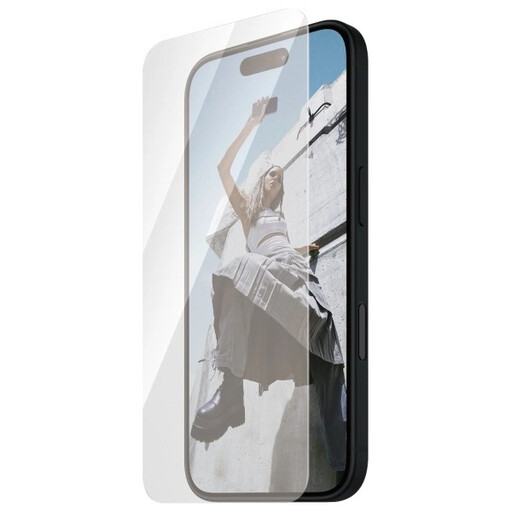
Why this product suits your needs: For iPhone 15 or iPhone 16 users looking for a straightforward everyday solution, with wide coverage that’s compatible with cases.
The iPhone 16 | 15 model information and Ultra-Wide Fit details make it easier to choose than a vague size description.
Tempered glass, an oleophobic anti-fingerprint coating and, according to the product details, easy, bubble-free installation.
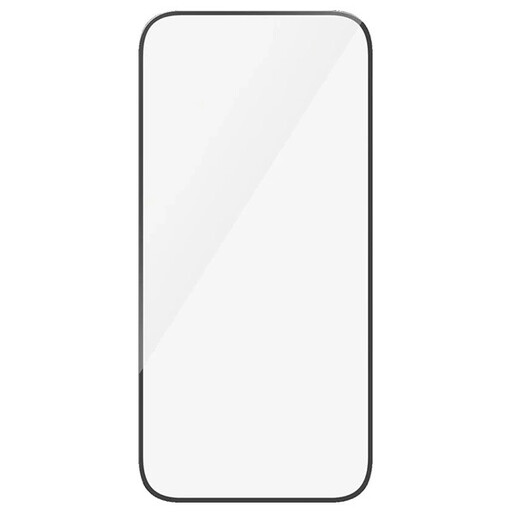
Why this product suits your needs: A good choice if you want a clear screen, full touch functionality and coverage that extends as far as possible.
The stated compatibility with iPhone 15 and iPhone 16, along with the information on case compatibility, helps you check the fit.
According to the product details, it offers 100% clarity, full touch sensitivity, an oleophobic coating and automatic adhesion when pressed into place.
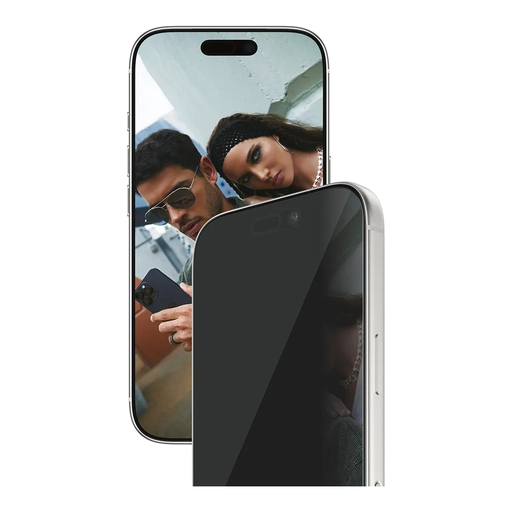
Why this product suits your needs: An option for commuters and frequent users who want to limit the view of their screen on public transport, in cafés or during meetings.
The integrated side-view privacy filter provides the added privacy some users want. The EasyAligner system helps reduce the risk of fitting it at an angle.
Compatible with iPhone 17 Pro, Ultra-Wide Fit, EasyAligner, an oleophobic coating and, according to the product details, 60% recycled material.
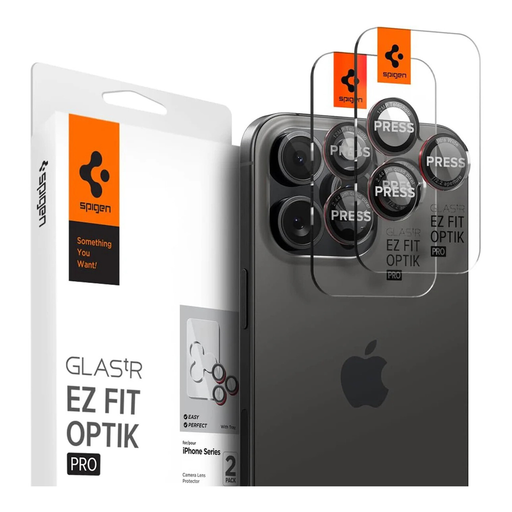
Why this product suits your needs: For anyone looking specifically for iPhone camera lens protection for several Pro and Pro Max models, especially if they take photos often or use their phone on the go.
The EZ Fit frame helps you position it accurately. The model list covers iPhone 14 Pro to iPhone 17 Pro, but you should still check your model before buying.
Includes two pieces of protective glass, a stated 9H hardness rating, an oleophobic coating and compatibility with most cases according to the product description.
We’ve put together a complete, regularly updated list of products that meet these strict selection criteria and fully comply with the safety regulations in force in the EU.
Good preparation is key to a clean installation:
If your screen protector comes with an EasyAligner, follow the instructions supplied by the manufacturer. Don’t bend or put excessive pressure on the glass during installation.
Its lifespan depends on knocks, scratches, cleaning products and everyday wear. Replace it as soon as it cracks, becomes heavily scratched or starts to lift at the edges. Even if there’s no visible damage, check regularly that it’s still firmly attached.
Tempered glass has a hard, smooth surface and is often chosen for its feel. Plastic films are usually thinner and more flexible. The key factors are the fit for your model, the level of scratch resistance you want, case compatibility and your preferred installation method.
A side-view privacy filter can limit what’s visible from an angle. Depending on the product, the screen content should still be visible when viewed straight on. If you often share what’s on your screen with others, consider whether a privacy filter suits the way you use your phone.