What should you look for?
First, check whether you can read the pit-lane information from your usual seat. Then make sure the format, desk space and your computer’s capabilities all work together.
| Priority |
What to check before buying |
Who should pay particular attention? |
| Reading the pit-lane information |
Check the resolution, screen size and viewing distance against the game you play. |
If I want to spot the speed limit and my speed in the HUD in good time, readability from my driving position matters. Around 32% of consumers would put this first. |
| Desk space |
Check the desk’s width and depth, as well as the dimensions of the specific monitor and stand. |
If I share a bedroom desk, the monitor needs to fit without forcing me to sacrifice more screen space than necessary to make room. Around 25% of consumers would prioritise the space available. |
| Smooth motion |
Check the standard refresh rate, connections and VRR support against your hardware. |
If smooth visuals while driving matter more to me than extra resolution or screen width, I’ll check the frame rate my computer can actually output. Around 19% of consumers would put motion performance first. |
| A wide view on a single monitor |
Check the monitor’s width, game support and single-monitor settings. |
If I want a wide racing view on just one monitor, the format and in-game view need to suit my desk and viewing distance. Around 12% of consumers would prioritise a wider view. |
| Being considerate in a shared room |
Check whether the specific model has speakers, an audio output and an EU energy label. |
If someone else in the room needs peace and quiet, I’ll want to choose how audio is played or keep it quiet, while considering how we share the space. Around 12% of consumers would prioritise consideration for others and use in a shared room. |
Joybuy monitors for different spaces
These Joybuy monitors cover compact Full HD, QHD and ultrawide setups. Compare the screen format and dimensions with your desk, and check that your computer and game support the resolution you want.
 No image available
Gawfolk GF340C-H 34-inch curved gaming monitor
An option if you want a wide view on a single monitor and have enough space for the screen; also check that the game you play supports the format.
34 inches, 3440 × 1440 pixels, 1500R, 165 Hz, VA panel.
Joybuy
 No image available
Gigabyte GS27QCA 27-inch curved QHD gaming monitor
Could suit you if you want QHD on a 27-inch screen and your computer can output the frame rate you want in your game.
2560 × 1440 pixels, 180 Hz, AMD FreeSync.
Joybuy
 No image available
Samsung Odyssey G5 G50F 32-inch QHD gaming monitor
A larger QHD option if the screen and stand fit on your desk and your computer can deliver the frame rate you want.
32 inches, IPS, 2560 × 1440 pixels, 180 Hz, FreeSync.
Joybuy
 No image available
KTC H24B9S 24-inch gaming monitor
Could work for a smaller desk if Full HD is enough for you and you can comfortably read the game’s information from your seat.
24 inches, 1920 × 1080 pixels, IPS, 144 Hz, Adaptive Sync.
Joybuy
 No image available
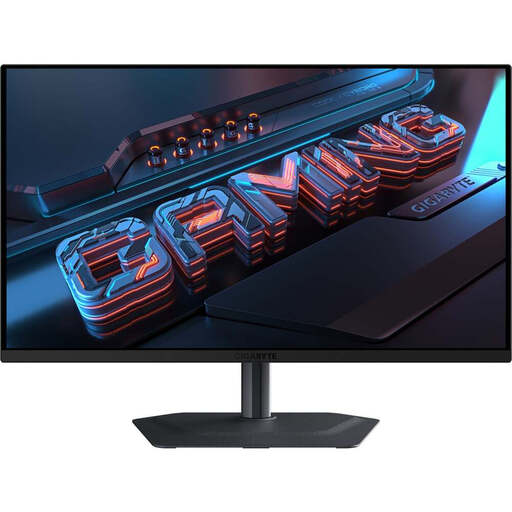
GIGABYTE MO27Q2A 27-inch QD-OLED gaming monitor
A QD-OLED option if you have display and refresh-rate needs beyond racing games; consider the protection features and terms for the specific model.
27 inches, QHD at 2560 × 1440 pixels, 240 Hz. The product description lists USB-C and built-in speakers.
Joybuy
Frequently asked questions
Will a fast monitor alone help you stick to the pit-lane speed limit?
No. According to iRacing, the HUD displays the speed limit and your current speed, among other information, as you approach the pit lane. You still need to brake yourself. Practise braking in good time and adjust the display to suit you.
How do I set up a single monitor for iRacing?
In your normal driving position, measure the distance from your eyes to the screen and the screen’s width. Enter these measurements in iRacing’s monitor settings, select a flat or curved single monitor, then choose “Compute”. These instructions are for iRacing and don’t necessarily apply to every racing game.
How do I clean a monitor in a bedroom?
LG recommends unplugging the monitor before cleaning it and using a lightly dampened microfibre cloth without applying too much pressure. Don’t spray cleaning products directly onto the display, and also follow the instructions for your specific model.
What should I know about energy labels and old devices in Germany?
The European Commission’s energy labelling rules generally cover computer monitors too, so check the label for the specific device. Germany’s Federal Environment Agency advises against putting old electrical equipment in household waste; dispose of it separately instead, for example at a recycling centre.
Can I return a monitor bought online?
For a standard online purchase from a trader in Germany, you generally have a 14-day right to cancel, starting from delivery. This is separate from your rights if the goods are faulty. You may have to pay the return postage if the trader has properly informed you of this and doesn’t cover the cost themselves; check the terms of the specific offer.


