Who are the different types of speaker suited to?

Jazz listeners at a fixed desk

If you listen to full albums in one place and can set up two speakers, start by checking their stereo positioning and the right connection for your source. Genelec notes that positioning both monitors as similarly as possible is important for a balanced stereo image.

Computer and CD listeners

If you play albums from a computer or CD player, check its audio outputs against the inputs on the specific model. KEF lists USB-C for connecting a computer to the LSX II LT, while Edifier lists analogue connections for the MR4.

Streamers with limited space

If you mainly play albums wirelessly and are short on space, a single speaker could be a good fit. Also consider whether you might want to add a stereo pair later. Sonos lists Wi-Fi, Bluetooth and AirPlay 2 for the Era 100; a stereo pair requires two compatible speakers of the same model.

What should you look for when buying?

Active stereo pair

A good fit if: you have space for two speakers and mainly play albums from a computer or a compatible analogue source.

Consider: Inputs vary by model. Edifier lists analogue connections for the MR4, while Audioengine lists USB-C audio for the A2+ Gen 3.

Single Wi-Fi or Bluetooth speaker

A good fit if: streaming and a compact setup matter more to you than having two separate channels straight away.

Consider: You’ll need a second compatible speaker for a Sonos stereo pair; analogue sources require a separately sold adapter for the Era 100.

All-in-one streaming stereo system

A good fit if: you want separate speakers, network streaming and a direct USB-C connection to your computer; KEF lists these connection options for the LSX II LT.

Consider: KEF says an inter-speaker cable connects the two units, so check beforehand that you can route the cable around your workspace.

Compact studio monitors

A good fit if: you want a wired setup at a fixed listening position and your source has compatible outputs.

Consider: Genelec lists one 8010A monitor per pack, with an XLR input. You’ll need two for stereo.

Buying priority What to check Who is it important to?
Stereo positioning Check that you have space for two speakers and how many are included; Genelec recommends positioning the monitors as similarly as possible. I usually listen at a fixed desk and want to be able to position separate speakers on the left and right. Around 36% of consumers put stereo positioning first.
Connecting your album source Check the actual audio outputs on your computer or CD player against the inputs on the exact model. I want to use my computer or CD player without needing an incompatible connection or an adapter. Around 29% of consumers say the source connection is the deciding factor.
Wireless control Check the music service, playback device and setup method; Bluetooth is not the same as an analogue input. If I’d rather start albums from my mobile device, wireless control matters more to me than a wired-only connection. Around 21% of consumers put wireless convenience first.
Total cost Factor in the number of speakers you need, cables, adapters and, if necessary, an audio interface. I want to know upfront whether I’ll need a second speaker or an adapter for a complete setup. Around 14% of consumers look at the total cost first.

Which buying misconceptions should you avoid?

  • Assuming a single speaker is the same as a stereo pair

    You need two speakers for separate left and right channels. Sonos lets you pair two compatible speakers of the same model for stereo; the Genelec 8010A is sold individually.

    Before buying, check how many speakers are included, the pairing requirements and whether both will fit on your desk.

    A second compatible unit may be needed for a stereo setup.

  • Assuming a USB-C port means USB audio

    A USB-C connection doesn’t serve the same purpose on every speaker. Sonos describes the Era 100’s port as being for Line-In or Ethernet with the appropriate adapters; KEF lists USB-C for connecting a computer to the LSX II LT.

    Check what the connection does on the exact model, not just the shape of the port.

    You’ll need a separately sold adapter to connect an analogue input to the Era 100.

  • Focusing on the device and overlooking the signal path

    An XLR monitor and an app-controlled speaker have different requirements when connecting to the same album source.

    Before you decide, make a note of the source, outputs, inputs, number of units required and any accessories you’ll need.

    Depending on your setup, you may also need a second monitor, cables, adapters or an audio interface.

Useful brands to consider

Edifier

The MR4 is an active speaker pair with analogue connections, designed for a fixed listening position.

  • Edifier lists AUX, RCA and balanced TRS connections, as well as Monitor and Music modes, for the MR4.
  • Check that its analogue inputs match the outputs on your album source.

JBL

The 104-BT is a desktop monitor pair with Bluetooth and wired connection options.

  • JBL lists Bluetooth, an analogue input selector and a headphone connection on the front.
  • Check that the listed inputs work with your existing source.

Sonos

The Era 100 is designed for wireless playback and app control.

  • Sonos lists Wi-Fi, Bluetooth and AirPlay 2 for the Era 100.
  • A stereo pair requires two compatible speakers of the same model; you’ll need a separately sold adapter for analogue sources.

KEF

The LSX II LT combines a separate stereo system with streaming and computer connections.

  • KEF lists Wi-Fi, Bluetooth, USB-C and HDMI ARC; an inter-speaker cable is included to connect the units.
  • Plan the cable route between the speakers and make sure you have space to position them.

Genelec

The 8010A is a compact active monitor for use with a compatible wired source.

  • Genelec lists one analogue XLR input per monitor.
  • Each pack contains one monitor; you’ll need two for a stereo setup, along with a compatible source.

Speakers at Joybuy

The options below include compact stereo and desktop speakers, as well as a wireless tabletop speaker. For each model, check that its inputs and stated speaker configuration suit your album source and listening position.
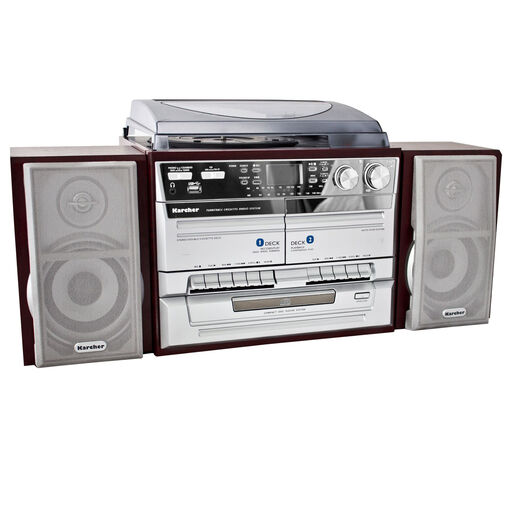
Karcher KA 320 Hi-Fi stereo system with turntable, CD and cassette player, radio, USB, SD card reader, MP3 encoding, line-out and headphone connection

Karcher KA 320 Hi-Fi stereo system with turntable and CD player

Could be worth considering for CD albums and the various playback options listed in the product name.

The product name lists a turntable, CD and cassette player, radio, USB, SD card reader, MP3 encoding, line-out and headphone connection.

Joybuy
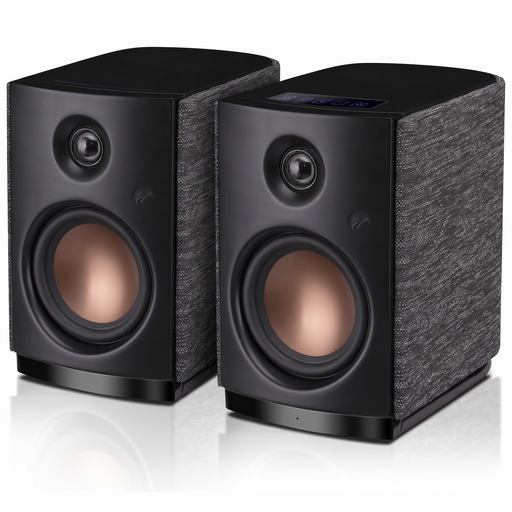
HiVi-Swans OS-10 active Hi-Fi stereo bookshelf and computer speakers with Bluetooth 5.0 and 4-inch woofer

HiVi-Swans OS-10 active stereo speakers

A possible option if you’d like to use active stereo speakers at your desk.

The product name lists Bluetooth 5.0, a 4-inch woofer and 62 W RMS.

Joybuy
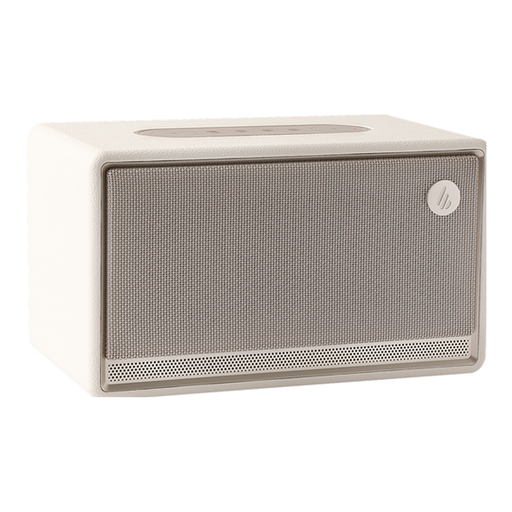
Edifier ES300 tabletop speaker in Ivory with Bluetooth

Edifier ES300 tabletop speaker, Ivory

Could be a good fit if you’re considering a tabletop speaker for wireless playback.

The product name lists Bluetooth audio.

Joybuy
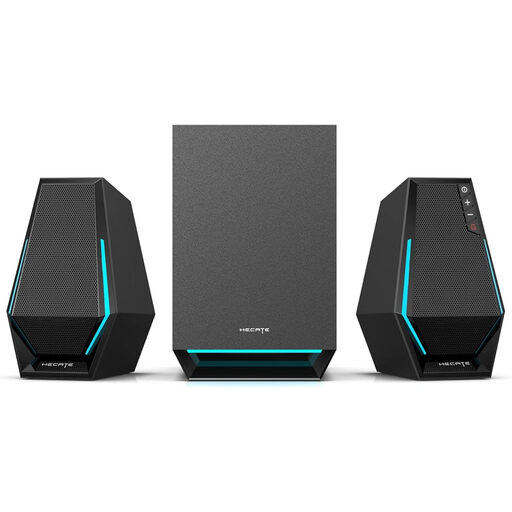
Edifier Hecate G1500 MAX 2.1 speaker system with subwoofer, Bluetooth 5.3, USB, Type-C and 3.5 mm AUX

Edifier Hecate G1500 MAX 2.1 speaker system

The product name describes a 2.1 system for your desk; check that its connections match your source.

Listed features include 60 W, Bluetooth 5.3, USB, Type-C and a 3.5 mm AUX input.

Joybuy
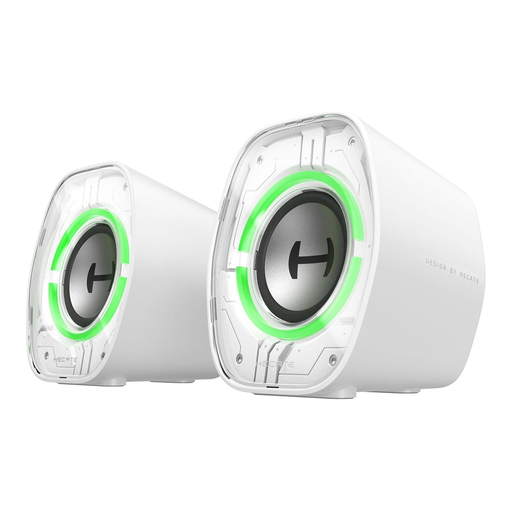
Edifier G1000 II desktop computer speakers with 2.5-inch full-range driver, Bluetooth 5.4, USB-C and AUX

Edifier G1000 II desktop computer speakers

Could suit computer or laptop playback at your desk; check which connection works with your album source.

The product name lists a 2.5-inch full-range driver, Bluetooth 5.4, USB-C and AUX.

Joybuy

Frequently asked questions

Is one speaker enough for jazz albums?

A single speaker could be a good fit if space is limited and easy streaming is your priority. For separate left and right channels, you’ll need a suitable pair; Sonos says you can pair two Era 100 speakers of the same model for stereo.

Can I connect a CD player directly to a Sonos Era 100?

For a compatible analogue audio output, Sonos lists a separately sold Line-In or Combo Adapter. Check your CD player’s output too. According to Sonos’ instructions, USB-C on the Era 100 is intended for Line-In and Ethernet with the appropriate adapters, not as a general USB-C computer audio input.

How should I position two speakers at my desk?

Start by positioning them as symmetrically as possible, then angle both towards your fixed listening position. Genelec explains that positioning and room reflections affect playback, but studio listening distances aren’t a requirement for every desk.

What warranty applies if a product develops a fault after purchase?

According to the European Union’s consumer information, eligible purchases from business sellers are covered by a minimum two-year legal guarantee from the date you receive the goods, and claims are made against the seller. The circumstances of each case still apply; an additional manufacturer’s warranty does not replace your legal guarantee.

Can I return a speaker bought online without giving a reason?

For an eligible distance purchase from a business seller, you generally have a 14-day right to cancel from the date of delivery, as explained by Your Europe. You may have to pay the return postage if you were told about this in advance; also check whether an exception applies.