
Lieferung heute & morgen

Qualitätsgarantie

Willkommens-Angebote freischalten: KOSTENLOSE Lieferung | Bis zu 80 % RABATT | Kostenlose 30-Tage-JoyPlus-Testphase
App herunterladen
The search for reliable wireless headphones can quickly become overwhelming. Especially in the budget-conscious on-ear segment, where models like the JBL Tune 520BT reside, many manufacturers promise impressive features. However, it's not uncommon for lofty marketing claims to prove impractical in everyday use. Before you make a decision, it's crucial to understand the most common pitfalls that lead to buyer's remorse.
Two of the most frequent problems are unrealistic battery life and an uncomfortable design that only becomes apparent after extended use. Many users report headphones whose batteries last far shorter than advertised at normal volume, or whose clamping force on the ears becomes unpleasant after just an hour. These factors are more critical to daily satisfaction than many heavily promoted extra features.
To avoid a poor purchase, you should focus on a few, but decisive, technical parameters. These determine whether a pair of headphones like the JBL Tune 520BT will truly deliver in daily life.
Long battery life is essential for commuters, students, and anyone who is frequently on the go. Look for models that offer a playback time of at least 40 hours. Manufacturer specifications are often based on tests at moderate volume. In practice, the runtime can be lower at higher volumes or in cold environments.
Even more important is a quick-charge function. A good pair of headphones with long battery life should be ready for several more hours of use after just a few minutes of charging (e.g., 5 minutes). The USB-C port has established itself as the standard here, as it is robust and compatible with most modern charging cables.
A stable connection is the be-all and end-all for wireless headphones. Models with Bluetooth 5.3 or higher offer a more energy-efficient and stable connection than older standards. This reduces audio dropouts, especially in environments with many wireless networks, such as train stations or offices.
Another practical feature is Multipoint connectivity. A Multipoint headphone can be connected to two devices simultaneously, for example, a laptop and a smartphone. This allows you to watch a video on your laptop and seamlessly take a call on your smartphone without having to manually switch the connection.
Comfort is particularly crucial for on-ear Bluetooth headphones. Since the cushions rest directly on the ears, the following points should be checked:
Based on these objective criteria, we have identified a few models that are suitable for different needs and budgets.
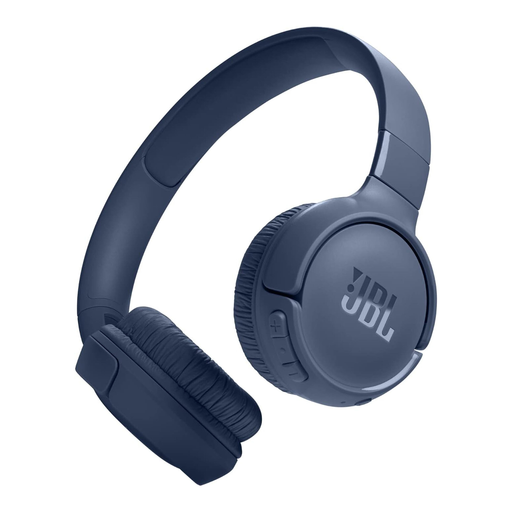
Why This Fits Their Persona: Ideal for students and commuters looking for reliable headphones for daily use. It combines a very long battery life with a lightweight, foldable design and the signature JBL Pure Bass sound, without breaking the bank.
With a battery life of up to 57 hours (manufacturer's specification) and a quick-charge function (3 hours of playback after 5 minutes of charging), it bypasses the worry of a dead battery. The low weight and soft cushions counteract the problem of an uncomfortable fit.
Bluetooth 5.3 for a stable connection and the practical Multipoint function for seamlessly switching between two devices.
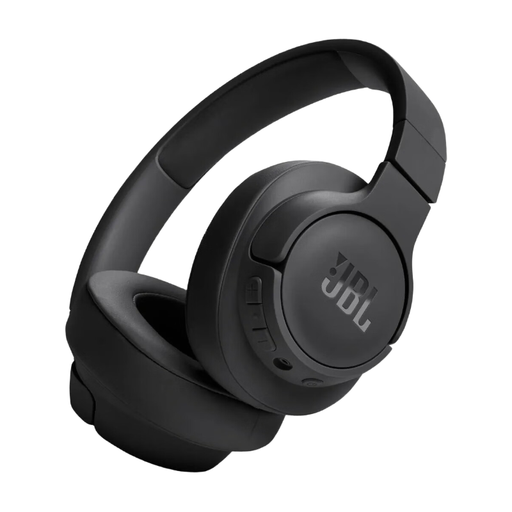
Why This Fits Their Persona: For users who listen to music for many hours daily or work from home. The over-ear design completely encloses the ears, which increases long-term comfort and passively dampens ambient noise.
With a battery life of up to 76 hours (manufacturer's specification), the headphones only need to be charged about once a week. The over-ear design distributes pressure around the ear instead of on it, which avoids the comfort pitfall of on-ear models during continuous use.
Enormous battery life and the option to also use the headphones with the included audio cable when needed.
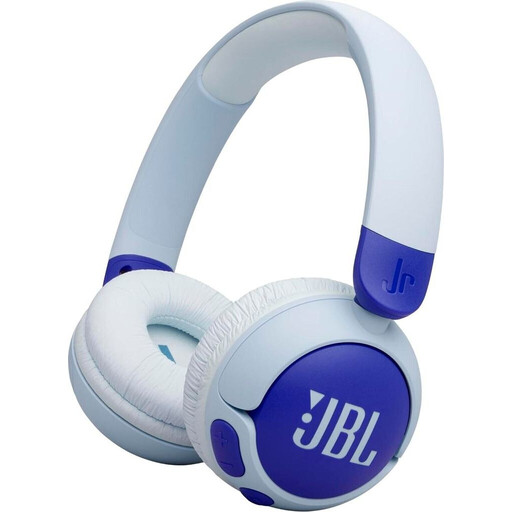
Why This Fits Their Persona: Specifically designed for children, safety is the top priority here. Parents can be confident that their children's hearing is protected while they enjoy their favourite music or audiobooks. The robust design also withstands less-than-gentle handling.
The biggest concern for parents is excessive volume. This model features JBL Safe Sound technology, which limits the maximum volume to a safe 85 dB. This is a built-in safety feature that cannot be bypassed.
Integrated volume limit to protect hearing. Kid-friendly, large controls and a long battery life of up to 50 hours.
We've compiled a complete, up-to-date list of products that fully meet these strict selection criteria and relevant safety regulations.
To use the Multipoint feature, first connect the headphones to the first device (e.g., your laptop) via Bluetooth as usual. Then, disconnect them in that device's Bluetooth settings. Now, connect the headphones to the second device (e.g., your smartphone). Finally, turn the Bluetooth connection back on for the first device. The headphones should now be connected to both devices.
According to the manufacturer, the JBL Tune 520BT offers up to 57 hours of playback time. This value is typically achieved at a volume of about 50% and under lab conditions. With daily use at a higher volume (approx. 70-80%), you can realistically expect a runtime of 45 to 50 hours, which for most users means more than a week without recharging.
On-ear headphones can be a challenge for glasses wearers, as the cushions press on the ear and thus also on the glasses' arms. Models with very soft cushions and low clamping force, like the JBL Tune 520BT, are often a better choice. It is advisable to slightly adjust the position of the glasses' arms so they rest above or below the cushion to minimise pressure. For very long periods of wear, over-ear headphones might be a more comfortable alternative.