What should you look for when buying?
Compare the complete set-up at your jewellery bench, not just the cameras. The lens or fixed lens, working distance, mount, lighting and recording time you need all have to work together.
Mirrorless camera with a close-up lens
Best if: you want small steps to appear large in the frame and can choose a lens and mount specifically for your workbench.
Consider: You’ll need to plan for a lens and mount separately. Sony Germany lists a distance of 2.4 cm between the front of the SEL30M35 lens and the subject at close range, which may limit space for your hands and tools.
USB document camera above the bench
Best if: you mainly need a fixed overhead view at your computer. IPEVO lists an autofocus range starting at 10 cm and a maximum shooting area of 34,2 × 25,5 cm for the V4K PRO.
Consider: Whether small pieces of jewellery appear large enough depends on the subject and framing. You’ll also need space on the bench for the base, arm, cable and computer.
Compact camera with a fixed lens
Best if: you want to switch between an overview of the bench and closer shots without changing lenses. Canon lists a minimum focusing distance of 0,05 m for the PowerShot V1.
Consider: A short focusing distance alone doesn’t tell you how large small parts will appear in the video. You can’t swap the built-in lens for a macro lens.
| Priority |
What to check when buying |
Who it matters most to |
| Showing small details |
The magnification and usable working distance of the specific lens; film your subject from the position you plan to use. |
If I need to see clasps and settings as I work, the framing matters to me, as long as there’s enough room for my hands. Around 36% of consumers prioritise being able to see small parts clearly. |
| Keeping the work surface clear |
Test the mount’s height and footprint, as well as its position and cable routing, with both hands and tools on the bench. |
If you need both hands to assemble pieces while filming, you’ll want to keep the camera and mount out of your work area. Around 29% of consumers say having a clear work surface is their top priority. |
| Controlling the lighting |
Test your existing lights on the jewellery and check for reflections and possible banding in the image. |
If I want even footage under my existing room lights, I pay particular attention to how shiny pieces look. Around 21% of consumers prioritise controllable lighting. |
| Recording longer tutorials |
Check the power supply, storage, operating temperature and recording set-up for the specific model. |
If you want to record longer steps in one take, you’ll need to avoid interruptions caused by power or storage. Around 14% of consumers put their recording workflow first. |
For flickering light sources with a mains frequency of 50 Hz, Sony Germany recommends trying a shutter speed of 1/50 or 1/100 second, if your camera allows you to set it. Whether this helps with a particular light depends on the camera and light source.
Joybuy products for filming at your workbench
The Joybuy products below include a webcam and compact action cameras for filming on a PC or mobile device. Test them with your own subject to see whether they show small jewellery details clearly enough while leaving your work surface free.
 No image available
AOC 4K PRO webcam with Sony IMX363 sensor
A webcam could be an option for recording on a computer. Check the framing and focus on your piece of jewellery from the position you plan to use.
The product name lists PDAF autofocus, two microphones, a lens cover, a 75° field of view and USB-A/USB-C.
View at Joybuy
 No image available
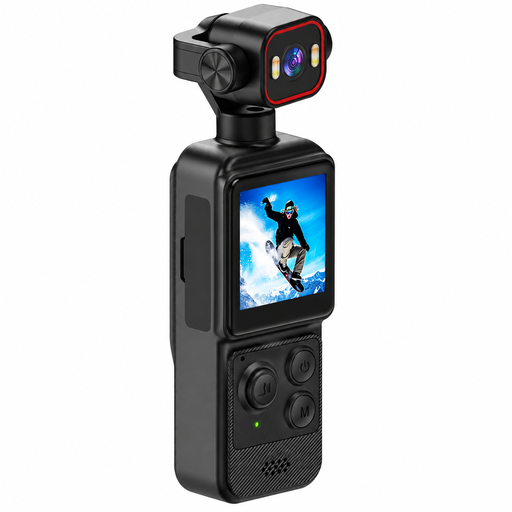
4K mini action camera with clip, 1.54-inch display
A compact camera with a clip is worth considering for supplementary video. Test whether you can set up the fixed framing you want at your workbench.
The product name lists a 1.54-inch display, a 140° wide-angle lens, app control, LED lighting and a 1200-mAh battery.
View at Joybuy
 No image available
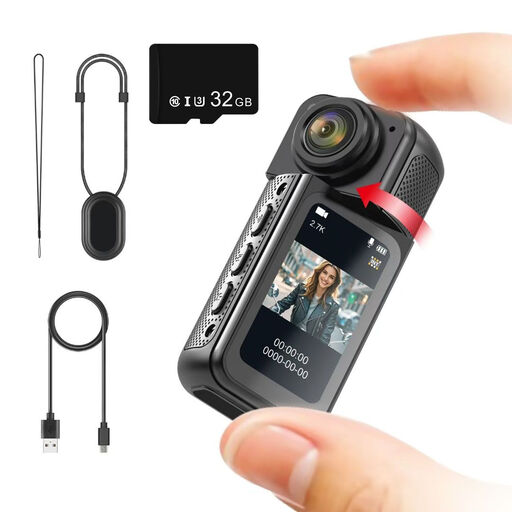
NAXSIR 2.7K mini action camera
The rotating lens may be useful for changing your viewing angle. Check at your workbench whether it captures the assembly process as you want while keeping your hands free.
The product name lists 2.7K, a 180° rotating lens, a magnetic mount, a 1.47-inch IPS display and a 32-GB memory card.
View at Joybuy
 No image available
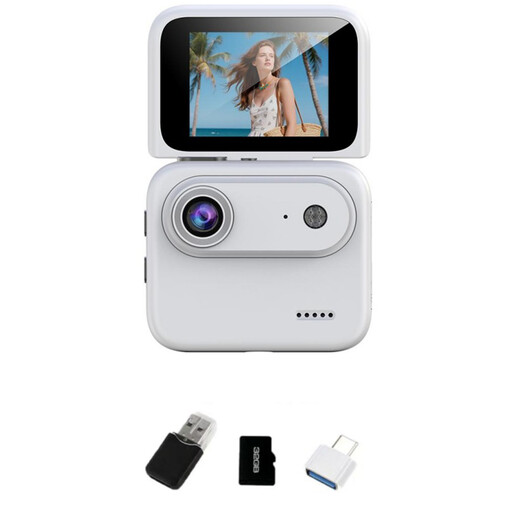
NAXSIR 4K mini action camera, White
The flip screen can help when positioning the camera. Check whether it gives you the framing you want from your planned mounting position.
The product name lists a 2.0-inch flip screen, a 143° wide-angle lens and built-in image stabilisation.
View at Joybuy
 No image available
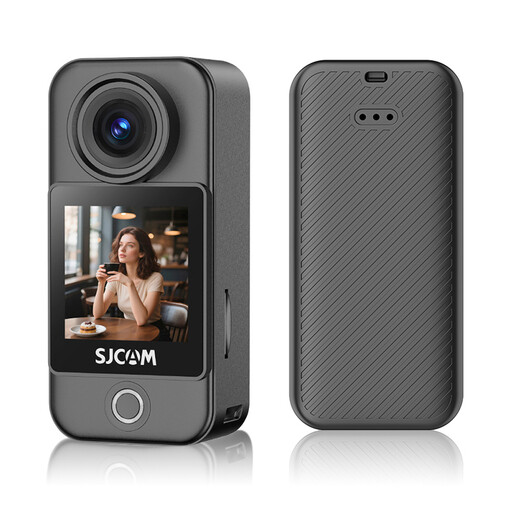
SJCAM C400 Pocket Action Camera 4K
If you’re planning to record longer videos, check the recording time you need and the fixed framing at your workbench in advance. Product specifications are no substitute for testing it yourself.
The product name lists 6-axis stabilisation, a 1.3-inch touchscreen, 4K/30-fps video and a 64-GB memory card.
View at Joybuy
Frequently asked questions
How can I check before buying whether small clasps will be visible in the video?
Film the actual piece of jewellery from a position that leaves room for both hands, then check the framing you want. The maximum magnification of 1:1 listed by Sony Germany applies to the SEL30M35; a figure for the minimum focusing distance alone is no substitute for testing the shot.
What can I try if there are bands in the image under room lighting?
First, test the light you’re using and the camera settings available. For light sources with a mains frequency of 50 Hz, Sony Germany recommends trying a shutter speed of 1/50 or 1/100 second to reduce flicker, if your camera allows you to adjust it. This won’t guarantee results with every LED light.
What extra equipment should I plan for my recording set-up?
Check whether your recording set-up requires a suitable lens, mount, lighting, storage medium or computer. Make room for the equipment and cables too, so your hands and tools can move freely at the bench.
Can I publish footage that shows other people?
Under § 22 KunstUrhG, images of a person may generally only be distributed or displayed publicly with their consent. If anyone other than your hands and jewellery is identifiable, obtain the necessary consent before publishing the footage.
What should I know about consumer rights when buying a camera in Germany?
The seller’s statutory liability for defects is different from a voluntary guarantee. The consumer advice centre explains the difference; different contractual terms may apply to business purchases.


