For a journal with multiple versions, the first priority is a backup method that saves older versions and lets you restore them — not simply choosing between an HDD and an SSD. An HDD is better suited to large project archives that are usually backed up in one place; an SSD is an option if you often carry your backups with you. Check your storage needs and connections, and test a restore. Keep important backups separate from your work device.
Who is this comparison for?
Writers with lots of versions
If you revise journal entries or projects, what matters is whether you can restore an earlier version when you need it. Microsoft Support and Apple Support describe ways to do this using File History and Time Machine respectively.
Anyone with a growing project archive
If you keep large project folders and older full versions as well as your writing, work out how much storage you need, including for future versions. The German Federal Office for Information Security recommends allowing enough storage space for backups.
Journal writers who work on the move
If you take backups between work locations, check the connection and cable, and consider how to protect confidential entries. The German Federal Office for Information Security explains how encryption can protect data on lost or stolen storage devices.
What should you look for when buying?
| What matters |
What to look for |
Who is it most relevant to? |
| Older versions |
Check whether the backup method saves and restores older versions. Microsoft Support describes this for File History, while Apple Support explains how it works with Time Machine. |
If I want to bring back an earlier draft, version history matters more than the type of drive; around 36% of consumers rank restoring older versions as their top priority. |
| Space for your archive |
Work out the size of all your project folders and allow room for the future versions you want to keep. For Time Machine, Apple recommends a backup volume with at least twice the storage capacity of your Mac; this is not a general minimum for other types of backup. |
My archive is growing with project folders and older full versions; around 29% of consumers prioritise space for multiple versions. |
| Privacy and separate backups |
Check how to encrypt your backup and unlock it again. The German Federal Office for Information Security also advises keeping a physical backup device somewhere other than where you keep your computer. |
For personal, irreplaceable entries, I want to consider privacy and keep a separate copy; around 21% of consumers put this need for protection first. |
| Connection when you're out and about |
Check that the connection and included cable are compatible with your computer. Manufacturers’ claims about transfer speeds or enclosure protection apply to the specific version and depend on having compatible devices. |
If I’m backing up on the move, I first check that the cable and connection work with my computer; around 14% of consumers prioritise easy mobile backups. |
Common mistakes with journal backups
-
Confusing a drive with versioned backup
Saving a copy of the current version alone won’t automatically keep the older versions you may want to restore later.
Set up a backup method with version history, then test restoring an older project file.
-
Choosing capacity based only on the journal as it is today
Project folders, attachments and saved versions all take up space. If you choose too little capacity, it can be harder to keep older versions.
Check the size of all the folders you want to back up and consider how many versions you want to keep. Don’t assume Apple’s Time Machine recommendation applies to other types of backup.
-
Assuming USB speed or an enclosure rating guarantees a safe backup
Peak speeds quoted by manufacturers depend on your computer and cable. A protected enclosure won’t prevent logical data loss or replace a copy stored separately.
Check the connection requirements and the specific protection rating for the model. Keep an important backup separate.
-
Formatting a drive that already contains files without checking first
Setting up a drive or changing its format may erase any files already stored on it.
First, save any existing files somewhere else and check the format requirements of your backup software.
Relevant brands at a glance
Western Digital
The My Passport range includes portable HDDs for backups where capacity is a priority. The overview considered here includes a 4 TB version, among others.
- According to Western Digital, the documented My Passport version offers password protection and 256-bit AES hardware encryption when protection is enabled.
- These details don’t automatically apply to other WD ranges or versions. Check the model number and backup software before buying.
Seagate
Expansion Portable is a range of USB-powered HDDs. The data sheet covers the 4 TB version STKM4000400, among others.
- The data sheet lists USB 3.0 and an included cable.
- According to Seagate, the drive needs to be reformatted for use with Time Machine. Before setting it up, check whether you need to keep any files already stored on it.
Samsung
The portable SSD T7 Shield is represented here by the German 2 TB version MU-PE2T0S/EU.
- Samsung lists an IP65 rating under controlled test conditions, along with sequential peak speeds of 1.050 MB/s for reading and 1.000 MB/s for writing.
- Maximum speeds depend on compatible host and cable conditions. Samsung says that damage caused by liquid or dust isn’t covered by the warranty.
Kingston
The XS1000 range includes compact external SSDs with 1 or 2 TB of storage.
- According to Kingston, the box includes a USB-C-to-USB-A cable and a USB-A-to-USB-C adapter.
- The quoted peak speed requires a compatible host. Also check device compatibility and how much storage you actually need.
Crucial
The X9 Pro is covered here using the 2 TB version CT2000X9PROSSD9.
- Crucial lists exFAT as the supplied format and describes using BitLocker To Go or FileVault on compatible devices.
- According to Crucial, reformatting erases any existing data on the drive. Save it somewhere else first.
Joybuy products for project archives
The Joybuy picks below are external WD Elements HDDs with different storage capacities for journal and project archives.
 No image available
WD Elements Portable 5 TB USB-C
An HDD option for a growing archive with multiple project versions.
Listed capacity: 5 TB. USB-C.
The drive doesn’t create a version history by itself, so set up a suitable backup method.
View at Joybuy
No image available
WD Elements Portable 6 TB USB-C
An HDD option for a large archive with multiple project versions.
Listed capacity: 6 TB. USB-C.
The drive doesn’t create a version history by itself, so set up a suitable backup method.
View at Joybuy
No image available
WD Elements Portable 4 TB USB-C
An external HDD for project files and additional backup copies.
Listed capacity: 4 TB. USB-C.
The drive doesn’t create a version history by itself, so set up a suitable backup method.
View at Joybuy
 No image available
WD Elements 2 TB Portable, USB-C, USB 3.2 Gen 1, exFAT
A portable HDD for project files and multiple versions.
Listed capacity: 2 TB. USB-C, USB 3.2 Gen 1 and exFAT.
The drive doesn’t create a version history by itself, so set up a suitable backup method.
View at Joybuy
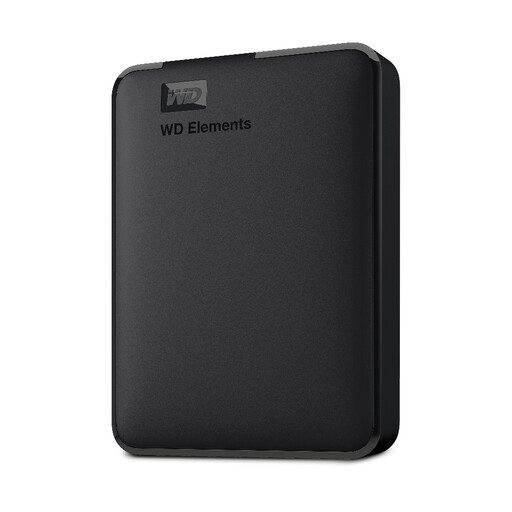 No image available
Western Digital Elements Portable 1 TB
A portable HDD for project files and backup copies.
Listed capacity: 1 TB.
For the described use with macOS, the drive needs to be reformatted to a compatible file system. It doesn’t create a version history by itself.
View at Joybuy
Frequently asked questions
Does an external SSD or HDD automatically save older journal versions?
No. You need a backup method with version history, and you should check that it includes your journal or project folder. Microsoft Support explains how to restore earlier file versions using File History; Apple Support describes similar options with Time Machine. Test that you can restore an older version.
How much storage do I need for multiple project versions?
Choose a drive based on all the folders you want to back up and how many older versions you want to keep. For Time Machine, Apple recommends a backup volume with at least twice the storage capacity of your Mac; this recommendation doesn’t apply generally to other types of backup.
How can I set up a drive without losing existing files?
Before setting it up, check which file system you need and save any files already stored on the drive somewhere else. Apple notes that setting up Time Machine may offer to erase the selected volume; Seagate says the Expansion Portable needs to be reformatted for use with Time Machine.
Are a manufacturer’s warranty and your statutory rights the same thing?
No. The German consumer advice centre distinguishes your statutory rights against the seller if goods are faulty from a voluntary manufacturer’s warranty, which has its own terms and conditions. If you need to make a claim, check your rights with the seller and read the terms of any additional warranty being advertised.
Can you put a disused external hard drive in household rubbish in Germany?
No. According to the German Environment Agency, old electrical equipment must be collected separately from unsorted household waste. Take the drive to a designated collection point.


