A USB stick stores files, but it won’t automatically manage older versions of a journal. To do that, create separate project versions or use a suitable version history feature, then test whether you can restore an older version. The Federal Office for Information Security recommends checking that backups are complete and readable. Next, choose a stick based on the storage space you need and your device connections. If your notes are confidential, it’s also important to have access protection you can use, and your backup plan should include another separate copy.
Who is this selection for?
Writers with lots of versions
If you want to retrieve older project versions, a clear backup routine and a restore test matter more than the product name. The Federal Office for Information Security recommends checking from time to time that your backup contains all your data and that it’s readable.
Writers with a confidential journal
You want to protect personal notes from prying eyes if your stick is lost, while making sure you can still access them yourself later.
Writers using several devices
If you save or open versions on devices with different USB ports, check the connectors, file access and, where applicable, how to unlock the stick on each device.
Which buying criteria matter?
Start by considering how you’ll find and restore earlier versions. Then think about storage space and access across your devices. Security and write speed depend on how and where you use the stick.
| What you need |
What to look for when buying |
Who will find this most important? |
| Restore older versions |
Set up separate version folders or a suitable version history feature; try restoring and opening an older file. |
If I want to open an earlier project version, I need separate, easy-to-find versions rather than just one current copy. Around 28% of consumers prioritise restoring older versions. |
| Space for several versions |
Work out the size of the folders you need to back up and how many versions you’ll keep; compare this with the usable storage on the specific model. |
If I have several complete versions and their related project files, I need enough space for everything. Around 22% of consumers prioritise having enough storage. |
| Protect confidential entries |
Check the specific model to see which data is protected, how unlocking works and what happens after incorrect code entries. |
If I take personal journal entries out with me, I want to limit access if the stick is lost without locking myself out. Around 22% of consumers prioritise confidentiality. |
| Open files on several devices |
Check the ports and file access on all the devices you plan to use; test any unlocking software you need as well. |
If I switch between devices with different connections, I need to know that I can open the files on each one. Around 17% of consumers prioritise device compatibility. |
| Write time for large copies |
Compare write speeds or tests for the exact capacity variant and the computer port you’ll use. |
If I often copy larger project folders, the time taken to write files is an important factor. Around 11% of consumers prioritise write speed. |
Which mistakes should you avoid?
-
Using the USB stick as your only copy of your journal
It’s not possible to predict reliably exactly when a storage device will reach the end of its useful life. If the stick fails, you could lose your only copy.
Use the stick as one part of a backup plan, keep another copy separately and test that you can restore it.
-
Overwriting older versions when copying files again
You’ll only be able to retrieve an earlier version if your chosen storage or backup method actually keeps it.
Save versions in separate, clearly named folders or set up a suitable version history feature. Try opening an older version to check it works.
-
Confusing encryption with backing up your data
Encryption protects data from unauthorised access, but it doesn’t create a second copy. According to the manufacturer, the Verbatim Keypad Secure USB-A 128 GB needs to be reformatted after 20 incorrect code entries.
Before using it, check how to unlock the stick, keep your access code somewhere safe and take note of the security update mentioned by the manufacturer. Keep an independent, restorable copy as well.
-
Comparing only the USB standard or read speed
Write performance also matters if you often copy larger project folders. Manufacturers’ maximum speeds apply under specific conditions and aren’t a guarantee of the speed you’ll get on your own device.
Compare the write speed or a relevant test for the exact model and capacity variant, as well as the computer port you’ll use.
Relevant brands at a glance
Kingston
The DataTraveler Exodia M and DataTraveler Duo ranges are worth considering if you need USB-A or a combination of USB-A and USB-C for your devices.
- Kingston lists USB-A and USB-C connectors for the DataTraveler Duo.
- The connector type and USB 3.2 Gen 1 don’t mean you’ll get automatic version management or a particular write speed.
Verbatim
The Keypad Secure USB-A 128 GB is an option for confidential copies if you want to enter a code directly on the stick.
- According to Verbatim, the model uses AES-256 hardware encryption to encrypt all data.
- According to the manufacturer, the stick needs to be reformatted after 20 incorrect code entries. Verbatim also highlights a security update.
Transcend
The JetFlash 930C is designed for users who want to switch between USB-A and USB-C devices.
- Transcend describes backup and restore features for its Elite software.
- According to the manufacturer, you can’t use both connectors at the same time. Mobile devices must support external storage.
SanDisk
The Extreme PRO USB 3.1 range is designed for data transfer. Make sure you check the exact version when choosing one.
- COMPUTER BILD praised the read and write speeds of the 128-GB model it tested.
- The review noted its large design. Manufacturer maximum speeds apply under specific conditions, and a protected file store isn’t the same as encrypting all the data on the stick.
Intenso
The High Speed Line is a range of USB-A sticks with different capacity options for local copies.
- The Intenso data sheet lists write speeds of up to 100 MB/s for the 128 GB and 256 GB versions.
- COMPUTER BILD rated write performance as slow on the 128-GB version it tested. The manufacturer’s figure and the test result are based on different conditions.
Joybuy products for journal backups
The models below include basic USB-A sticks, versions with USB-A and USB-C, and a stick with a keypad. You’ll need to manage older versions separately using your chosen storage or backup method.
 No image available
Kingston DataTraveler SE9 G3, 64 GB, USB 3.2 Gen 1
For local copies on devices with a compatible USB-A port; you’ll need to organise older versions separately.
64 GB; USB 3.2 Gen 1; metal casing according to the product name.
View at Joybuy
 No image available
Kingston IronKey 200, 32 GB, Keypad, AES-256
For confidential copies if you’re considering a stick with a keypad and code entry.
32 GB; USB 3.2 Gen 1; AES-256 encryption according to the product information. The product description states that FIPS 140-3 Level 3 certification is pending, not complete.
View at Joybuy
 No image available
MOVESPEED YSUSP05-128GSR, 128 GB, USB 3.2 Gen 1 and Type-C
For switching between devices with USB-A and Type-C ports; check that you can access your files on every device you plan to use.
128 GB; dual interface according to the product name; the product listing states a read speed of 570 MB/s.
View at Joybuy
 No image available
Lexar D40E, 128 GB, Dual USB 3.2 Gen 1 Type-C (LJDD40E128G-BNSNG)
For local copies on devices with USB-A and USB-C ports; version management is still down to the backup method you use.
128 GB; USB-A and USB-C according to the product description.
View at Joybuy
 No image available
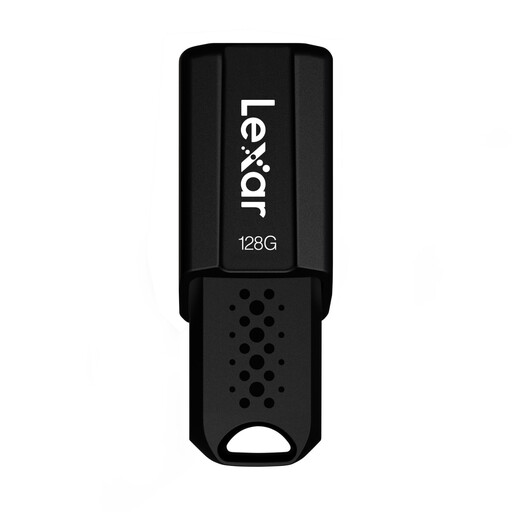
Lexar JumpDrive S80, 128 GB, USB 3.1
For local copies on devices with a compatible USB port; you’ll need to keep earlier versions using your chosen storage method.
128 GB; the product name lists a read speed of up to 150 MB/s.
View at Joybuy
Frequently asked questions
Does a USB stick automatically save earlier versions of my journal?
No. A USB stick on its own doesn’t provide version history. On Windows, File History can back up and restore earlier file versions on an external drive. Check that your journal folder is included and that you can open an older version.
How can I check that my backup is usable?
Try restoring a journal version and opening it. The Federal Office for Information Security recommends checking from time to time that your backup contains all your data and that it’s readable.
What happens if a product develops a fault after purchase?
For consumer purchases in the EU, there is generally a statutory minimum guarantee period of two years from the date you receive the goods. Your Europe explains that these rights apply against the seller. They don’t replace a backup or guarantee that lost journal files can be recovered.
Do I need to buy an encrypted stick for a purely personal journal because of the GDPR?
The GDPR doesn’t impose a blanket requirement to buy an encrypted stick for this purpose. The European Commission explains that GDPR rules don’t apply to processing by individuals for purely personal or household activities. For work or business projects, you should consider the legal context separately; encryption remains a personal choice for protecting confidential private entries.


