First, measure the available width and depth in your gaming area, including the stand and space for your controls. A compact Full HD monitor is an obvious starting point. If you have enough room and a suitable device to connect, a 27-inch QHD model is also worth considering. Ultrawide makes most sense for a supported PC game and when you have considerably more desk space. Check the frame rate and connection on your console or PC rather than assuming the monitor’s maximum refresh rate is the same as the game’s frame rate.
Who’s looking for a monitor for kart racing?
Gamers with a small desk
If your screen, stand and controls need to fit into a limited space, the monitor’s overall dimensions matter. AOC lists the 24G4X as a 23.8-inch model, while LG gives the 34GP63AP-B’s dimensions with stand as 809 mm wide and 312 mm deep.
Console gamers checking connections
If you’re connecting a console, consider the game’s and console’s resolution and frame rate alongside the input you’ll be using on the monitor. Nintendo’s information and manufacturers’ specifications for individual monitors show that the output you can use depends on these factors.
PC gamers looking for a wider view
QHD or ultrawide could be an option if you have more desk space and the specific racing game supports the format you want. With ultrawide, take both the extra space required and the game settings into account.
What should you look for when choosing one?
| Consideration |
What to check before buying |
Who is this especially important to? |
| Desk space and seating position |
Measure the width and depth, including the stand, and allow room for a steering wheel or other controls. |
If I need to fit both a screen and steering wheel on a small desk, I’ll measure the stand and available depth first. Around 36% of consumers say desk space is their top buying priority. |
| Frame rate and connected device |
Check the game, platform, resolution and frame rate you want, as well as the specific HDMI or DisplayPort input. |
If I don’t want to pay for a frame rate my game or connection can’t output, I’ll check the entire setup. Around 29% of consumers put compatibility with their connected device first. |
| Aspect ratio and view of the race |
Check which aspect ratios the specific game supports and how wide a monitor you’ll need. |
If a wider view of the race matters to me, I’ll check whether my PC game supports the format first. Around 21% of consumers prioritise a wider view of the race. |
| Running costs and service |
Compare the energy label and product information sheet for the specific model; for OLED, check the care and warranty terms. |
If the size and connections are right, I’ll also check the energy information and service terms. Around 14% of consumers put these points first. |
Common buying mistakes
-
Comparing screen size alone
The diagonal measurement doesn’t tell you whether the monitor and stand will fit on your desk. For the LG 34GP63AP-B, LG gives dimensions of 809 mm wide and 312 mm deep with the stand; you’ll also need room for your controls.
Measure the usable width and depth of your gaming area, then compare them with the dimensions of the exact model, including its stand.
Depending on your setup, you may need to position it differently or use a suitable mount.
-
Assuming the stated refresh rate is the game’s frame rate
The output you can use also depends on the game, platform, resolution and input. Dell lists up to 165 Hz via DisplayPort and 144 Hz via HDMI for the G2724D.
Check the supported modes all the way from your gaming device to the monitor input you’ve chosen.
-
Assuming ultrawide guarantees a wider view of the race
A wider format needs more space. Whether more of the image appears at the sides depends on the specific game and its settings.
Check that your kart game supports the aspect ratio before choosing an ultrawide model for a wider view.
-
Assuming OLED care or a warranty eliminates all risk
MSI describes OLED Care 2.0 as a way to reduce the risk of burn-in, not eliminate it. A manufacturer’s warranty has its own terms and is separate from your statutory rights.
Read the terms for the specific model and check any statutory rights separately from a voluntary manufacturer’s warranty.
Key brands to consider
AOC
The 24G4X is an example of a 23.8-inch Full HD monitor.
- AOC specifies Fast IPS, Adaptive Sync and up to 180 Hz for this model.
- These manufacturer’s specifications don’t tell you how it performs in a particular racing game or whether the stand and monitor will fit your desk.
Dell
The G2724D is a 27-inch QHD example where the connection you use affects the frame rate.
- Dell lists up to 165 Hz via DisplayPort and 144 Hz via HDMI for this model, as well as a height-adjustable stand.
- These specifications apply to the G2724D. Check the connection specifications for the model you’re considering and your gaming platform.
LG
The 34GP63AP-B illustrates how much desk space a single 34-inch ultrawide monitor can take up.
- LG lists a 21:9 format for this model, with dimensions of 809 mm wide and 312 mm deep including the stand.
- A wider image depends on the specific game. Measure the space required for your chosen model before buying.
Samsung
The 25-inch Odyssey G40B is a comparison point for a smaller 16:9 monitor with a high specified refresh rate.
- Samsung lists 240 Hz for this model and describes a switchable 21:9 view.
- The monitor’s specifications don’t confirm that your kart game can output 240 frames per second or show extra content at the sides.
MSI
The MPG 271QRXDE QD-OLED is a QHD OLED example for gamers with enough desk space and a suitable PC.
- MSI specifies QHD and 360 Hz for this model.
- MSI describes OLED Care 2.0 as reducing the risk of burn-in, not eliminating it. Check the warranty cover and terms separately.
Joybuy products for compact setups
This selection includes compact and portable gaming monitors for setups with limited desk space. As well as screen size, check the actual dimensions of the monitor and stand.
 No image available
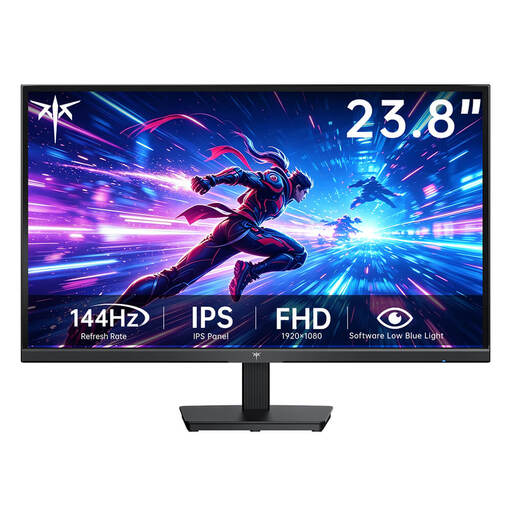
KTC H24B9S-2 23.8-inch Fast IPS Full HD 144Hz
A compact 23.8-inch monitor could suit a small desk; still, remember to measure the monitor and stand.
Listed in the product title: Fast IPS, 1920 × 1080, 144 Hz and VESA compatibility.
View at Joybuy
 No image available
TCL 25G54 25-inch Mini LED Full HD 144Hz
The stated 25-inch diagonal makes this a compact-sized monitor. Check that it will fit on your desk with the stand before buying.
Listed in the product title: Mini LED, IPS, Full HD and 144 Hz.
View at Joybuy
 No image available
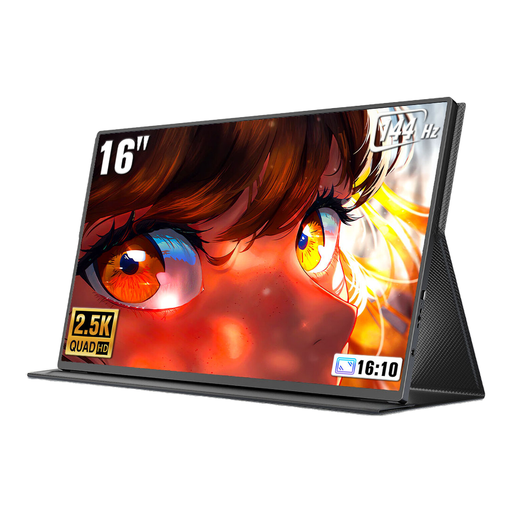
UPERFECT 16-inch 2K 144Hz Portable Monitor
This portable 16-inch format could work if you have particularly little desk space. Check how you’ll position it and whether it has the right connections for your gaming device.
Listed in the product title: 2560 × 1600, 16:10, 144 Hz, Mini HDMI, USB-C and VESA compatibility.
View at Joybuy
 No image available
UPERFECT 18.5-inch 120Hz Portable Gaming Monitor
This portable 18.5-inch format is an option if you have limited desk space. Compare its dimensions with the space available.
Listed in the product title: 1920 × 1080, 120 Hz, IPS, USB-C, Mini HDMI and VESA compatibility.
View at Joybuy
 No image available
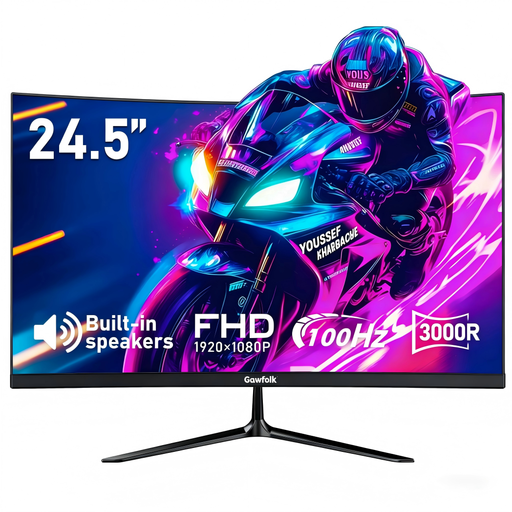
Gawfolk 24.5-inch Full HD Curved Monitor 100Hz
The 24.5-inch diagonal could suit a compact setup. Measure the available space before choosing.
Listed in the product title: Full HD, 100 Hz, FreeSync, HDMI, DisplayPort and VESA 75 × 75 mm.
View at Joybuy
Frequently asked questions
Will 180 or 240 Hz on the spec sheet make kart racing smoother?
Not necessarily. What matters is the output supported by the specific game and device, as well as the input you’re using. Nintendo lists up to 120 fps for Switch 2 only under certain conditions, and a maximum of 60 fps at 4K. For the G2724D, Dell lists different maximum refresh rates for HDMI and DisplayPort.
How can I set up a monitor and steering wheel in a small space?
Measure the space from your usual seating position, then position the screen and controls so the steering wheel doesn’t block important parts of the picture. Asetek recommends checking the screen centre, seating position and view of the track together for sim racing; this doesn’t mean there’s one fixed viewing distance you must use.
How can I compare power consumption, and what happens if there’s a fault?
Compare the EU energy label and product information sheet for the specific monitors rather than assuming consumption based on screen size alone. If a product develops a fault, statutory rights against the seller and a voluntary manufacturer’s warranty are separate matters. Check the terms that apply to each.
Can I put an old monitor in the household bin in Germany?
No. The German Environment Agency explains that waste electrical equipment must be collected separately. Options include local collection points and retailer take-back schemes.


