Students entering lots of count data
If you regularly transfer bird counts to spreadsheets, you’ll need to weigh the convenience of having number keys close at hand against the space a number pad takes up.


If you regularly enter figures from bird counts, a keyboard with a number pad is an obvious choice. If space is limited, a TKL or mini model may be a better fit. You’ll also want to consider the actual typing noise in a shared room, a German layout and a connection that works with your computer. A manufacturer’s claim that a keyboard is quiet is no substitute for a like-for-like noise test.
If you regularly transfer bird counts to spreadsheets, you’ll need to weigh the convenience of having number keys close at hand against the space a number pad takes up.
If you’re writing notes and analysing data while others in the room are studying or sleeping, a keyboard that’s as unobtrusive as possible is an important consideration. CHERRY and Logitech describe certain models as quiet, but this doesn’t provide comparable noise measurements.
If you need to make room for observation notes as well as your laptop and mouse, a keyboard without a full-width number pad may fit your workspace better.
First, consider whether you regularly enter long sequences of numbers. Then weigh up noise, size and how the keyboard connects to your computer.
| Criterion | What to check before buying | Who should pay particular attention? |
|---|---|---|
| Typing noise | Check the key type on the exact model and, if possible, compare its noise with other keyboards in similar conditions. | If I work in a shared room, I want to disturb others as little as possible while typing. Around 27% of consumers prioritise a typing experience that is as unobtrusive as possible. |
| Entering numbers | Check whether the model has a number pad and whether you have enough desk space for it. | If I regularly enter count data, having a number pad within easy reach matters more to me than a narrower design. Around 27% of consumers put entering lots of numbers quickly first. |
| Space required | Consider the desk space available and which keys you need. | If my laptop, mouse and notes all need to fit on my desk at once, a narrower keyboard matters to me. Around 20% of consumers prioritise space for their work materials. |
| Hand and mouse position | Check that the keyboard and mouse are easy to reach and that your hand position feels comfortable. | For longer analysis sessions, I want to be able to position my keyboard and mouse to suit my workspace. Around 13% of consumers prioritise a hand and mouse position that works for them. |
| Layout and connection | Check the German layout, operating system compatibility, Bluetooth or the right USB port, and what’s included with the exact model. | If I need to connect the keyboard to my computer, the layout and connection shouldn’t get in the way. Around 13% of consumers prioritise device compatibility. |
According to CHERRY, the CHERRY STREAM KEYBOARD TKL doesn’t have a number pad. This could make entering lots of counts more difficult.
Before deciding, think about how often you enter numbers in sequence, then weigh that against the desk space you’d save with a TKL model.
Without a built-in number pad, you may need to spend more time entering figures or use a separate number pad.
CHERRY and Logitech describe certain keys as quiet or noise-reduced, but this doesn’t provide a consistent set of measurements to compare the models mentioned.
If you share a room, compare the keyboards under similar conditions if you can.
Products with similar-sounding names can differ in model, layout or bundle.
Check the full model name, manufacturer’s product number, layout and what’s included on the specific product page.
A different layout or bundle may not be suitable for the computer or workflow you have in mind.
The STREAM KEYBOARD is a wired model with a number pad, while the STREAM KEYBOARD TKL is narrower. According to the manufacturer, the KW 9100 SLIM offers Bluetooth or 2.4 GHz wireless connectivity.
The MX Keys Mini is designed for compact workspaces, while the MX Keys S is a larger wireless alternative.
According to Keychron, the K3 Pro is a compact mechanical keyboard with configurable keys.
The models below cover compact wireless typing and a keyboard with a separate number pad. Check that the stated layout and connection are right for your computer.
 No image available
If you type in German, the stated QWERTZ layout is relevant. According to the product description, you can connect the keyboard to three devices and switch between them.
The product description mentions a slim design and 15 × 15 mm keycaps.
 No image available
The foldable design and built-in touchpad may suit a small or shared workspace where a separate mouse would take up valuable room.
The product description lists three Bluetooth connections and a weight of 228 g. The folded dimensions are given as 7,1 × 4,5 × 0,7 Zoll.
 No image available
For a shared workspace, the product description lists scissor keys that are described as quiet; this isn’t a comparable noise measurement.
According to the description, the keyboard supports Bluetooth and 2.4 GHz wireless, can connect to up to three devices and charges via USB-C. Folded dimensions: 149 × 85 × 16 mm.
 No image available
The built-in touchpad may be useful if you work without a separate mouse, and the product name specifies a German QWERTZ layout.
The product description lists a connection to up to three Bluetooth devices, a thickness of 5 mm and a weight of 228 g.
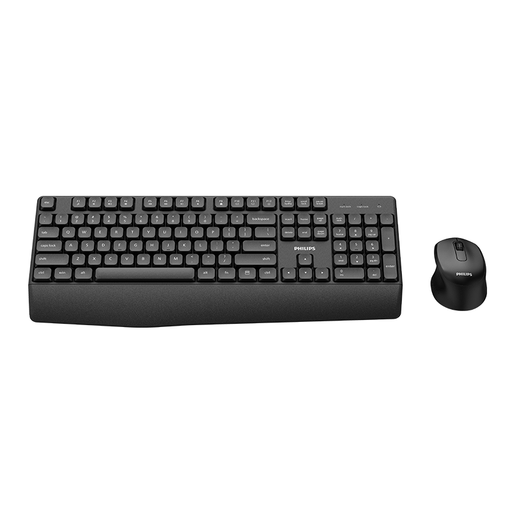 No image available
If you regularly enter numbers, the stated number pad is useful. This model is described as a German version with a QWERTZ layout.
The product description lists a 2.4 GHz connection via a USB nano receiver and a full-size keyboard.
Not necessarily. If you often enter long sequences of numbers, compare a model with a number pad against your current workflow. If you need more room for reports, your mouse and notes, a TKL keyboard may be a good fit; it doesn’t have a built-in number pad.
Check whether your computer supports Bluetooth or has a suitable USB port for the receiver, and whether your operating system is compatible with the exact model. Logitech lists requirements for the MX Keys Mini for Business; don’t assume these apply to other versions without checking.
According to the Verbraucherzentrale, online purchases generally come with a 14-day right to cancel, although exceptions and the terms of the specific contract apply. Your statutory rights if a product is faulty are separate from any voluntary manufacturer’s guarantee. For new goods, the Verbraucherzentrale generally states that you have two years to make a claim against the seller.
No. According to the European Union, the CE mark is the manufacturer’s declaration that the product meets the relevant requirements; there isn’t a central EU body that issues a blanket certificate. In Germany, the Bundesnetzagentur monitors requirements for radio equipment, among other things. CE marking alone doesn’t mean that the product has undergone an independent quality assessment or guarantee a particular typing experience.
Try positioning the keyboard and mouse together at your workspace, and check that both are easy to reach. The German Social Accident Insurance (Deutsche Gesetzliche Unfallversicherung) notes that intensive use can be associated with discomfort, and that choosing suitable input devices depends on individual needs; a product name doesn’t prove a health benefit.