Developers with limited desk space
You want your keyboard and mouse to be within easy reach at a small workstation. Compare compact and split designs by checking how much space they actually take up.


If you mainly need more room for your mouse, start with a compact keyboard and check that you can still reach the navigation and function keys you rely on. Programmable keys are most useful if you regularly repeat commands. A split design may allow for a different hand position, but it won’t necessarily take up less desk space. Before buying, compare the layout, connections and dimensions with your workspace.
You want your keyboard and mouse to be within easy reach at a small workstation. Compare compact and split designs by checking how much space they actually take up.
You use commands regularly and want the relevant keys close to hand or remapped to suit you, without making room for features you don’t need.
You write longer stretches of code or text and want to choose a design and setup that suit your hand position and the space available.
When choosing a keyboard for browser development on a small desk, consider how much space it takes up, how easily you can access commands, your hand position and the connections you need.
| Consideration | What to check | Who it matters most to |
|---|---|---|
| Space and mouse position | Compare the keyboard’s dimensions with the space you need for your mouse and hands; check that the specific layout has the keys you need. | If I’m short of space for my mouse and hands at a small desk, the usable area is what matters. Around 36% of consumers put desk space first. |
| Access to development commands | Make a note of the commands you use most and check that the key positions and configuration software are compatible with your system. | If I use development commands regularly, I want to reach the keys I need easily or remap them to suit me. Around 29% of consumers prioritise access to commands. |
| Hand position and typing feel | Consider your workspace and hand position together; with mechanical models, check which switch option you’re choosing. | If I write longer stretches of code, I want the hand position and typing feel to suit my workspace. Around 21% of consumers prioritise hand position. |
| Connectivity and switching between devices | Check Bluetooth support, the USB connection and the available operating modes against the devices you use. | If I switch between work devices, I want suitable connections and an easy way to switch between them. Around 14% of consumers put these requirements first. |
You still need enough room to position a smaller keyboard alongside your mouse and hands. According to Perixx, the split PERIBOARD-335 measures 398 × 202 × 44 mm.
Measure the width and depth of the keyboard, allowing for the mouse position you want.
Keychron’s product page for the K3 Max lists several layout and switch options; the first configuration shown was ES-ISO rather than DE-ISO.
Check the selected layout, switch option and hot-swap feature in the specific listing. Choosing the wrong version may mean you need to exchange it.
According to Perixx, the downloadable configuration software for the PERIBOARD-335 is limited to Windows, even though the keyboard is described as compatible with other systems.
Before buying, check that you can set up the key mapping you want with your operating system.
The K3 Max range is worth comparing if you’re looking for a compact layout, customisable keys and a choice of connection types.
The KW 7100 MINI BT is a slim, compact keyboard to consider for small workspaces and switching between Bluetooth devices.
The PERIBOARD-335 is a split mechanical alternative if hand position matters more to you than keeping the footprint as small as possible.
The Joybuy keyboards below are compact options for a small workspace. Depending on the model, they prioritise extra room for your mouse, customisable keys or a choice of connection types.
 No image available
According to the product description, the tenkeyless format without a number pad is designed to give you more room to move your mouse.
German QWERTZ layout, Mecha-Membrane keys and a USB connection. The product description says the programmable keys require Razer Synapse; it connects by cable.
 No image available
The 75% format combines a compact key arrangement with a German ISO-DE layout.
Mechanical keyboard with VIA support for macros and key mapping, hot-swap functionality and an 8000-mAh battery listed in the product name. The three connection types are described as Tri-Mode.
 No image available
With its stated 65% format and 68 keys, this is a compact option if desk space is limited.
Listed features include Bluetooth, 2.4 GHz and wired operation, as well as hot-swap functionality and a detachable wrist rest. Before buying, check that the stated key layout suits the way you type.
 No image available
The 75% format and ISO-DE layout combine a compact arrangement with a German key layout.
The product name lists hot-swap functionality, V3 Pro Cream Yellow Switches, and Bluetooth, 2.4 GHz and USB-C connections.
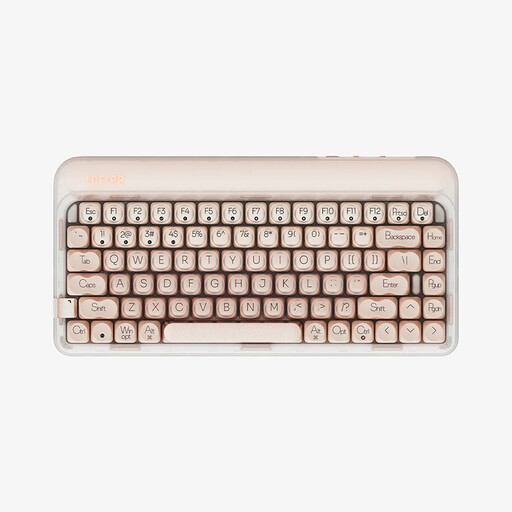 No image available
The 75% format is a compact option for a workspace with limited room.
This model is listed with a US QWERTY layout, 84 keys, hot-swap functionality and linear switches. Bluetooth, 2.4 GHz and USB-C are listed as connection options. Check carefully that the US layout suits the way you type.
No. Compare the position of the keys you use most with your own list of commands. You can customise keys on the Keychron K3 Max using QMK/VIA, but still check which layout version you’re selecting.
Position your keyboard and mouse so there’s enough room for your hands too. For the workplaces covered by ASR A6, the guidance recommends positioning the keyboard centrally and separately from the screen, while maintaining a neutral posture. This applies to the workplaces specified in the guidance, including work premises and home-working spaces.
Check that your devices support the connection you need: the CHERRY KW 7100 MINI BT lists Bluetooth, the Keychron K3 Max also offers 2.4 GHz and wired connections, and the PERIBOARD-335 comes with a USB-A cable. Follow the cleaning instructions for your specific model; information from another brand doesn’t confirm that the materials are compatible.
For consumer purchases in the EU, the official Your Europe portal explains that goods are covered by a legal guarantee of at least two years from the date you receive them. For standard online distance sales, you generally have 14 days from delivery to withdraw from the purchase; exceptions and possible return costs may apply. This is separate from any voluntary manufacturer’s guarantee.
No. ASR A6 does not set a standard keyboard size for every private hobby workspace. It specifies requirements for workplaces within its scope, and the Federal Institute for Occupational Safety and Health makes the guidance available. Whether a particular workspace is covered depends on its type.