
Lieferung heute & morgen

Qualitätsgarantie

Willkommens-Angebote freischalten: KOSTENLOSE Lieferung | Bis zu 80 % RABATT | Kostenlose 30-Tage-JoyPlus-Testphase
App herunterladen
A keyboard is one of the most frequently used input devices at work and at home. Yet it is often only after buying one that you discover whether the layout, keys, connectivity and design really suit your everyday needs. A compact gaming keyboard can be a sensible choice for small desks, while people who type a lot often prefer a German QWERTZ keyboard with a number pad.
That is why our selection is based on clear, practical criteria rather than eye-catching marketing claims.
Some budget gaming keyboards are advertised as offering “international compatibility”, but actually feature a US QWERTY layout. The positions of Y and Z, as well as special characters such as Ä, Ö and Ü, differ from those on a German QWERTZ keyboard. This can lead to a period of adjustment and typing errors when writing German text.
Before buying, always check the following:
A keyboard described as having a “mechanical feel” may actually be a membrane keyboard. The MageGee TS91, for example, is specified as using membrane technology with a mechanical typing feel. A genuine mechanical keyboard, on the other hand, uses individual switches beneath the keys. It can feel and sound noticeably different when pressed, and may require different maintenance.
If you are looking for a mechanical keyboard, pay attention to specific details about the switch type, such as linear or tactile switches. The term “Mechanical Feel” on its own is not enough.
Splash resistance does not automatically protect against submersion or larger quantities of liquid. The MageGee TS91 is specified as having an IPX4-rated circuit board; according to the safety information, the USB connection and other components are not waterproof. Even with a USB keyboard described as splash-resistant, any liquid should be removed immediately and the device disconnected from the computer before cleaning.
A full-size QWERTZ keyboard usually includes a number pad and separate function keys. This is practical for spreadsheets, accounting and office software. A compact keyboard measuring 60 or 75 per cent of the standard size, on the other hand, saves space and gives your mouse more room to move.
The different sizes have some typical consequences:
If you regularly enter numbers, you should not go without a number pad. For gaming or smaller workspaces, a compact gaming keyboard may be a better fit.
A USB keyboard connects directly and generally does not require batteries. It is suitable for fixed workstations and gaming PCs. Depending on the model, a wireless keyboard works via a USB receiver, Bluetooth or both.
Bluetooth is particularly convenient for laptops, tablets, smartphones and Macs. A 2.4 GHz receiver can provide a simple plug-and-play solution for PCs, but it does occupy a USB port. A multi-device keyboard allows you to switch between several devices. When choosing one, check the following:
Membrane and scissor keys are often flatter and quieter. Mechanical switches provide different feedback, but depending on the switch type, they can be considerably louder. A quiet keyboard is useful in an open-plan office, a shared household or during video conferences.
An ergonomic keyboard can provide a different hand position through curved shapes, a palm rest or adjustable feet. However, that does not automatically mean it will suit everyone. Width, height, tilt angle and the distance to the mouse are all important factors.
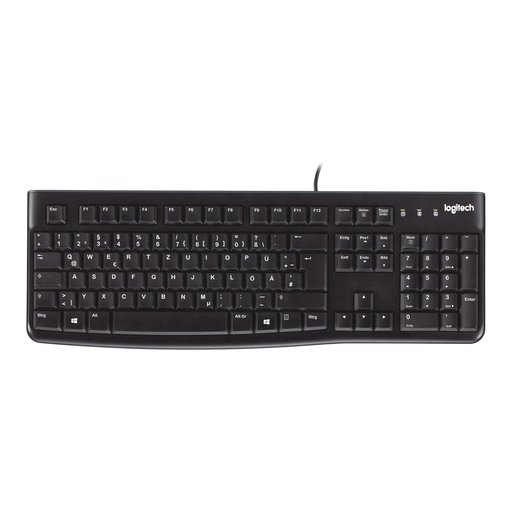
Why this product suits this profile: This wired keyboard offers a German QWERTZ layout, 104 keys and a number pad for everyday tasks.
The layout is explicitly specified as German QWERTZ. The USB connection requires neither batteries nor wireless pairing.
Full-size layout, splash-resistant design according to the product specifications, and adjustable feet.
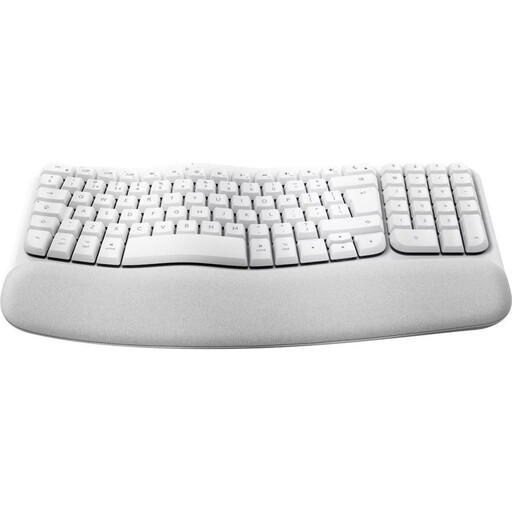
Why this product suits this profile: The curved full-size design, memory foam palm rest and Bluetooth connectivity are well suited to longer typing sessions at your desk.
The German QWERTZ layout is clearly specified. The details state that it uses quiet membrane technology rather than an unclear mechanical designation.
Bluetooth connectivity, a stated range of up to 10 metres, nine media keys, and support for macOS, iPadOS and iOS.
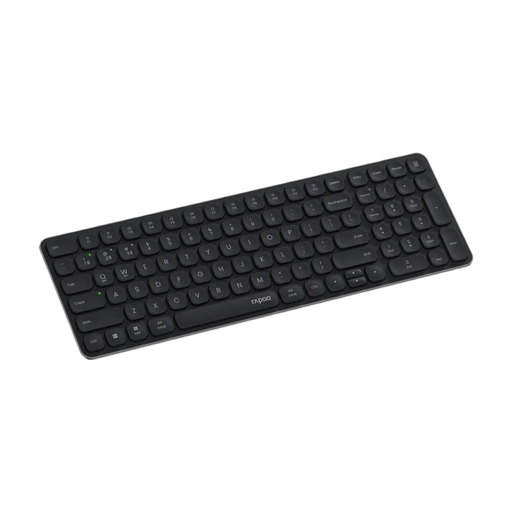
Why this product suits this profile: The compact 99-key layout with a number pad is ideal for users who switch between a PC, Mac, tablet and smartphone.
Bluetooth 4.0, Bluetooth 5.0 and 2.4 GHz are all clearly specified. This makes the connection method clear before purchase.
Up to four devices, scissor mechanism, multimedia keys and, according to the product specifications, up to twelve months of battery life.
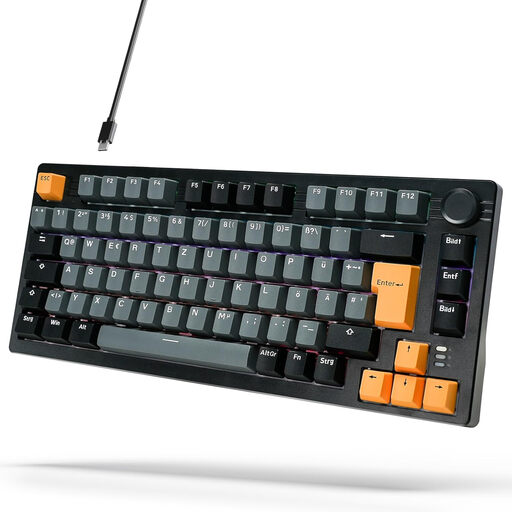
Why this product suits this profile: This wired 75 per cent keyboard combines a German layout with mechanical red linear switches in a compact design.
Mechanical switches, a USB-C cable and DE layout are all clearly specified. The compact size is supplemented by dimensions of 33,3 × 14 × 3,99 cm.
According to the product specifications, 18 lighting modes, a volume control, an aluminium construction and sound-absorbing layers.
We have put together a complete, regularly updated list of products that fully meet these strict selection criteria and the safety regulations applicable in the EU.
For working from home, a German QWERTZ keyboard, quiet keystrokes and a suitable palm rest are important considerations. A Bluetooth keyboard reduces cables on your desk, while a USB keyboard does not require battery changes. During long typing sessions, you should also consider the keyboard’s width, tilt angle and distance from the mouse.
Its lifespan depends on the switch type, usage, cleaning and build quality. Some models specify a key lifespan, such as five million keystrokes for certain scissor keyboards. This figure is a product parameter, not a guarantee of a specific service life. Liquids, dust and damaged cables can shorten a keyboard’s lifespan.
With a wireless keyboard, the main costs are batteries or occasionally recharging an integrated battery. Models with an energy-saving function and a stated battery life of up to twelve months can reduce maintenance. A wired keyboard, by contrast, generally needs no additional power source, but it does occupy a USB port. The key consideration is therefore whether freedom of movement or low-maintenance continuous use matters more to you.