Commuters short on luggage space
If you move between your seat tray and your bag, a keyboard that’s easy to pack away could be a good fit. Also check how you’ll prop up your screen.


If you have limited space on the train or switch between devices, a compact, separate keyboard could be a good option. For longer stretches of typing on a fixed, compatible tablet, a keyboard case with a stand and, where available, a trackpad may be more practical. A separate keyboard may need its own screen stand, while a case is designed for specific device models. Before buying, check exact compatibility, the German keyboard layout, and whether the keyboard and screen will both fit on your tray table.
If you move between your seat tray and your bag, a keyboard that’s easy to pack away could be a good fit. Also check how you’ll prop up your screen.
For longer lesson-planning sessions on a particular tablet, a compatible case with a stand and, where available, a trackpad could be worth considering. The exact model match is key.
If you’re working alongside other passengers, you may want to prioritise how much noise the keys make. However, a manufacturer’s claim that keys are quiet is no substitute for trying them out in your own working conditions.
First, decide whether you want to use the keyboard with several devices or pair it with a particular tablet. Then compare the stand, typing feel and power options with your train routine.
| Criterion | What to check before buying | Who it matters most to |
|---|---|---|
| Pack size and tray space | Consider the combined dimensions of the keyboard and device; check whether you’ll need a separate stand. | If I’m typing on a small tray, I want enough room for both my keyboard and screen, and to be able to pack everything away quickly. Around 25% of consumers put compact size and ease of setup first. |
| Device compatibility | Check the exact tablet model, operating system, connection type and German keyboard layout. | If I want to keep using my current tablet, it’s important that the keyboard and device really are compatible. Around 25% of consumers prioritise compatibility with their writing device. |
| Typing noise | Try the specific keyboard if possible; don’t judge how noisy it is based on its design alone. | If I’m working alongside other passengers, I want to be considerate and keep typing noise to a minimum. Around 20% of consumers put quiet typing first. |
| Typing and screen positioning | Check whether the specific version has a trackpad or stand, and whether the screen and keyboard will fit on the tray. | If I’m editing longer drafts, I need to position the screen comfortably and want an easy way to control the cursor. Around 20% of consumers prioritise text editing and screen positioning. |
| Power | Check whether the exact model uses batteries, a rechargeable battery or power from the device connection. | If I don’t want to be caught out by a flat keyboard while travelling, I check the charge or battery level in advance and find out what accessories I’ll need. Around 10% of consumers put power options first. |
Tablets with similar screen sizes may need different cases. Apple lists the Magic Keyboard Folio variant described here for the iPad (A16); Samsung identifies EF-DX715 as a Book Cover Keyboard for the Galaxy Tab S9.
Before deciding, compare the full model numbers of the tablet and keyboard case, as well as the layout you want.
A cover protects the keyboard, but it won’t necessarily prop up the screen. Logitech describes the Keys-To-Go 2 as having an integrated keyboard cover; Apple lists an adjustable stand for the Magic Keyboard Folio.
Check what will hold your tablet securely on the train table. With a separate keyboard, you may need an additional stand.
Samsung model numbers EF-DX715 and EF-DX725 refer to different versions. A similar-sounding name alone doesn’t prove that products are identical or have the same features.
Compare the full model number, layout and features of the specific version.
The range includes separate portable keyboards and keyboard cases designed for specific iPads.
The KW 9200 MINI is aimed at buyers who need several connection options in a compact keyboard.
The Magic Keyboard Folio is designed for iPad (A16) users who want to use a keyboard, stand and trackpad together.
The Book Cover Keyboard range includes tablet cases; EF-DX715 is designed for the Galaxy Tab S9.
The German manufacturer’s catalogue lists keyboard cases for specific iPad generations.
This selection from Joybuy includes separate compact keyboards and keyboard cases for specific iPad models, to suit different needs when writing on the go.
 No image available
The foldable design could be a good fit if you’re looking for a compact, separate keyboard to take with you.
The product title lists a touchpad, three Bluetooth channels and compatibility with iPadOS, Android and Windows.
 No image available
This set is an option if you’d also like a mouse and a way to prop up your screen when writing on the go.
The product title lists a 99-key layout with number pad, an adjustable stand, a carry case and compatibility with Windows, iOS and Android.
 No image available
The foldable design and magnetic stand listed in the product title could be useful if you want to prop up your keyboard and screen while travelling.
The title describes a rechargeable model with an aluminium case and keys said to be quiet. This is a product description, not an independent noise measurement.
 No image available
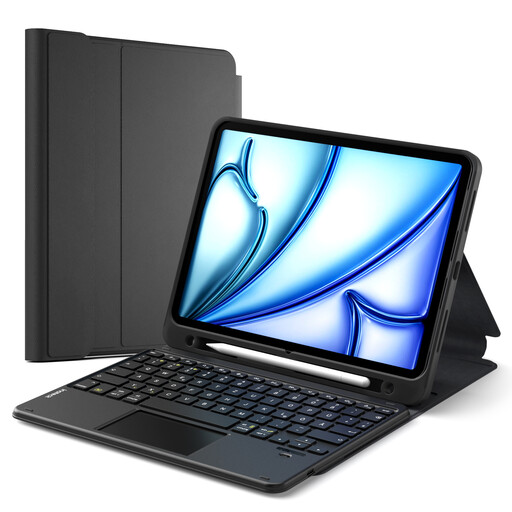
This case could be a good fit if you have a compatible iPad and want to combine a keyboard with a screen stand.
The product description lists the iPad 11 (A16 2025), iPad 10th Gen., iPad Air 11" M4/M3/M2 (2026/2025/2024), Air 5/4 and iPad Pro 11, as well as a touchpad, pen holder and detachable keyboard.
 No image available
This keyboard case is an option if your iPad is one of the listed models and you want to adjust the screen to different positions.
The product title lists the iPad 11 (A16 2025), iPad 10th Gen., iPad Air 11" M4/M3/M2 (2026/2025/2024), Air 5/4 and iPad Pro 11 4/3/2/1. The title also lists a keyboard and touchpad.
A device-specific keyboard case needs to match your tablet. For the Magic Keyboard Folio described here, Apple specifically lists the iPad (A16) and iPadOS 18.3 or later; Samsung identifies EF-DX715 as a model for the Galaxy Tab S9. Before buying, compare the full model details rather than just the screen size.
Before your journey, check the connection and try the keyboard and screen stand together on a similarly small surface. Logitech describes the Keys-To-Go 2 as having an integrated cover for the keys, not a guaranteed tablet stand. Apple lists an adjustable stand for the compatible Magic Keyboard Folio.
According to Deutsche Bahn, Wi-Fi is available throughout its ICE fleet, but only on some Intercity services and selected regional trains. Where possible, have the documents you need available offline and make sure you’re authorised to use them. A keyboard doesn’t provide internet access or replace your school’s approval for an application.
Protect the keys while travelling and check the power supply for your specific model before setting off. Logitech lists an integrated keyboard cover for the Keys-To-Go 2; CHERRY describes the KW 9200 MINI as having a rechargeable battery and charging cable. Also follow the instructions for your particular model.
Wireless products covered by the relevant EU harmonisation legislation must carry CE marking. Among other things, the German Federal Network Agency recommends checking the product identity, manufacturer details, German-language instructions and declaration of conformity. A keyboard doesn’t automatically allow you to process pupils’ personal data on a private device: the Ministry of Education of North Rhine-Westphalia says this requires a declaration of commitment from the teacher and approval from the school management. Whether and under what conditions this applies to you depends on the rules set by your federal state, school authority and device.