
Lieferung heute & morgen

Qualitätsgarantie

Willkommens-Angebote freischalten: KOSTENLOSE Lieferung | Bis zu 80 % RABATT | Kostenlose 30-Tage-JoyPlus-Testphase
App herunterladen
The search for a new keyboard can quickly become overwhelming. The market is filled with a multitude of models, all advertising different features. However, not every advertised feature is relevant in practice or lives up to its promise. Before you make a decision, it's important to know some common pitfalls that can lead to a poor purchase.
To make an informed decision, you should focus on a few crucial technical parameters. These are the primary factors that determine the user experience, longevity, and suitability for your specific use case.
The technology under the keycaps defines the typing feel and durability.
The way the keyboard connects to your computer is crucial for reliability and its range of applications.
The size and layout of the keyboard should match your workspace and your tasks.
Based on these objective criteria, we have put together a selection of products for different user groups.
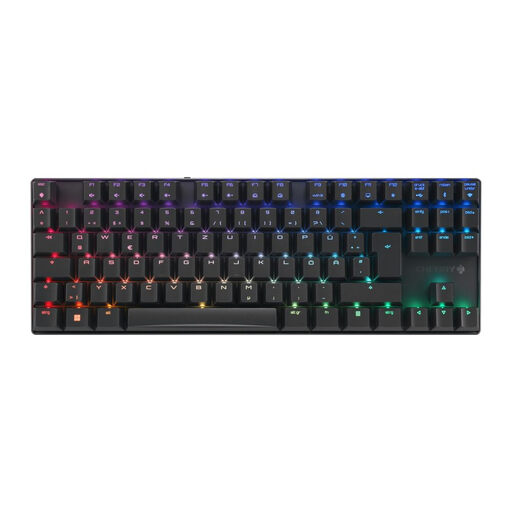
Why It's a Great Fit: This model is aimed at users seeking a high-performance gaming keyboard without compromise. The compact TKL form factor creates space for the mouse, while the aluminium frame ensures stability. Its triple connectivity offers maximum flexibility.
It bypasses the wireless trap with a special gaming mode delivering sub-1ms latency via 2.4 GHz wireless. Instead of vague promises, it uses specific, high-quality CHERRY MX2A Brown switches for precise, tactile feedback.
Versatile connectivity (2.4 GHz, Bluetooth, USB-C) and a robust die-cast aluminium housing for superior durability.
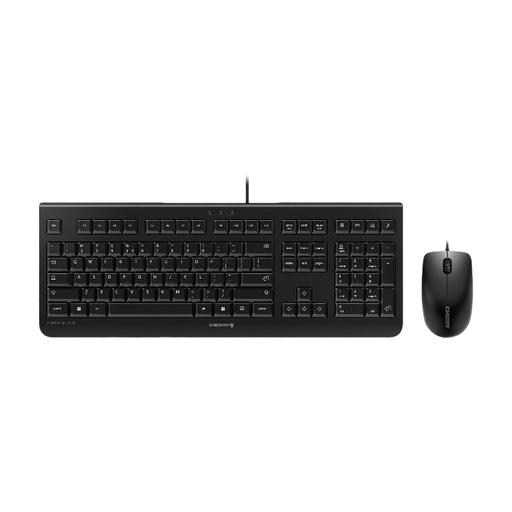
Why It's a Great Fit: This keyboard and mouse set is designed for reliable, continuous use in the office. The full-size layout with a number pad and the straightforward wired setup make it a productive workhorse.
The wired connection eliminates all potential issues with latency, dropouts, or dead batteries from the outset. It offers maximum reliability for the workday.
Durable construction rated for up to 10 million keystrokes (per manufacturer specifications) and simple plug-and-play installation via USB.
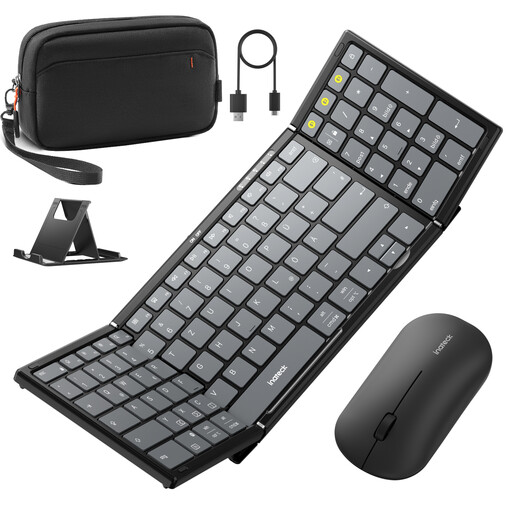
Why It's a Great Fit: This set is designed for users who need to be productive on the go. Its foldable design, included pouch, and ability to connect with tablets, phones, and laptops make it a versatile companion.
It solves the layout problem of many portable keyboards by offering a near-full-size layout with 99 keys, including a number pad. The use of modern Bluetooth 5.3 ensures a stable connection, avoiding the dropouts common with older standards.
A combination of portability, a layout with a number pad, and the ability to connect multiple devices via Bluetooth and 2.4 GHz (mouse).
We have compiled a complete, real-time updated list of products that fully meet these strict selection criteria and safety regulations.
The main difference lies in the technology beneath the keys. A membrane keyboard uses a single rubber dome sheet to register keystrokes. This results in a softer, often less precise feel and a shorter lifespan. A mechanical keyboard has an individual, physical switch for each key. This allows for more precise, tactile feedback and significantly higher durability.
Battery life varies greatly depending on the model, frequency of use, and especially the use of backlighting. Keyboards with RGB lighting enabled may need to be recharged every few days to a few weeks. Models without lighting or with conservative use can last several months on a single charge or set of batteries. Many modern wireless keyboards can still be used via the USB cable while charging.
For basic typing functions, no software is usually required; most keyboards work via Plug & Play. However, if you want to use advanced features like customising RGB lighting, creating macros, or remapping keys, you will need to install the manufacturer's provided software.