
Lieferung heute & morgen

Qualitätsgarantie

Willkommens-Angebote freischalten: KOSTENLOSE Lieferung | Bis zu 80 % RABATT | Kostenlose 30-Tage-JoyPlus-Testphase
App herunterladen
A new keyboard and mouse combo can significantly improve your daily work at the PC—or become a source of constant frustration. Many users invest in a set that looks great at first glance, only to find after a few months that the connection drops, the keys stick, or the ergonomics lead to strain. As your Joybuy Product Recommendation Officer, I'll help you identify the common pitfalls and make an informed decision.
The three most common mistakes when buying a keyboard and mouse combo are:
To avoid a bad purchase, you should focus on a few crucial technical features. These largely determine the durability and user comfort of your new set.
The choice of connection technology is fundamental and should depend on your workspace and devices.
The typing feel is determined by the mechanics built under the keycaps. The two most common types for office environments are:
Good design goes beyond mere aesthetics. Pay attention to the following aspects to ensure comfort and efficiency:
Based on these criteria, we have selected a few products that are suitable for different requirements and work styles.
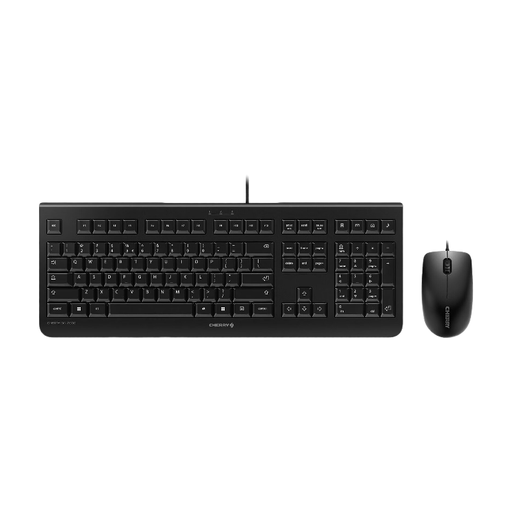
Why This Fits Their Persona: Ideal for users seeking maximum reliability and durability for a fixed workstation in the office or home office, and who can forgo the convenience of wireless.
The wired USB connection completely eliminates the risk of signal interference, dead batteries, or connection dropouts—a common problem with budget wireless sets.
Simple plug-and-play installation with no drivers required. The keyboard is rated for up to 10 million keystrokes, according to the manufacturer, which promises high durability.
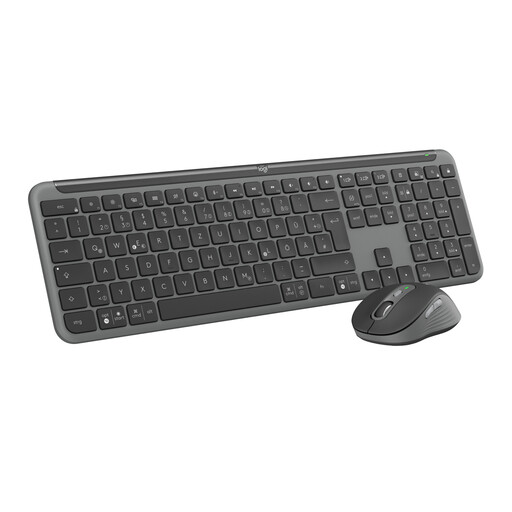
Why This Fits Their Persona: Perfect for users who seamlessly switch between multiple devices (e.g., a work laptop and a personal tablet) and appreciate a quiet, uncluttered workspace.
It offers both a stable Logi Bolt connection and flexible Bluetooth, thus avoiding the trap of an inflexible wireless solution. The SilentTouch technology ensures quiet clicks and prevents noise disturbance.
Easy-Switch function for up to three devices. The keys and mouse are extensively customisable via the Logi Options+ app for Windows and macOS to speed up workflows.
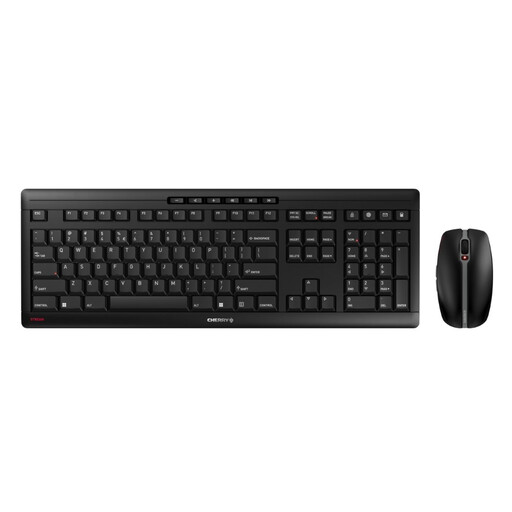
Why This Fits Their Persona: For users who type for many hours daily and value a high-quality, quiet, and stable typing experience, as well as the convenience of rechargeable batteries.
The integrated metal plate provides high stability and prevents the flexing common in many plastic keyboards. Rechargeable batteries eliminate the recurring cost and waste of disposable batteries.
The CHERRY SX scissor technology enables a precise and whisper-quiet typing feel. The batteries can be conveniently charged via USB-C, even while in use.
A high-quality set is an investment. With proper care, you can significantly extend the lifespan and performance of your PC accessories.
Cleaning your keyboard is an important step. Dust, crumbs, and other particles can accumulate under the keys and impair their function. For a thorough yet gentle cleaning, a compressed air duster is ideal. The JUFINX X7 Compressed Air Duster, for example, produces a strong, targeted airflow to remove debris from hard-to-reach spaces without touching the sensitive electronics.
For PC enthusiasts and gamers, an upgrade can also be worthwhile. On many mechanical keyboards, the gaming keyboard accessories can be replaced. With an ASUS Keyboard Accessories RX PBT Keycap Set, for example, you can replace the original keycaps with more durable ones made of PBT plastic. This material is more resistant to wear and doesn't develop the unsightly shine known from cheaper ABS keycaps.
We have compiled a complete, up-to-date list of products that fully meet these strict selection criteria and German safety regulations.
Battery life varies greatly depending on the model, usage frequency, and battery type. Sets with disposable batteries can often last from several months to over a year. Models with rechargeable batteries, like the CHERRY STREAM DESKTOP RECHARGE, also offer weeks or months of use per charge and have the advantage of being usable while charging.
Yes, this is usually possible without any issues. A USB or Bluetooth keyboard from one brand will work with a USB or Bluetooth mouse from another. The only drawback is that with 2.4 GHz wireless devices, you will need two separate USB dongles, whereas a combo set often uses a single receiver for both devices.
A 2.4 GHz wireless keyboard and mouse uses a dedicated USB dongle and typically offers a slightly more stable connection with lower latency. This is ideal for a fixed workstation. Bluetooth does not require a dongle and can connect to a variety of devices (laptops, tablets, smartphones), making it more flexible for mobile use or for switching between devices.