
Lieferung heute & morgen

Qualitätsgarantie

Willkommens-Angebote freischalten: KOSTENLOSE Lieferung | Bis zu 80 % RABATT | Kostenlose 30-Tage-JoyPlus-Testphase
App herunterladen
Choosing the right keyboards and mice can significantly impact your daily work on the PC. However, the market is flooded with marketing buzzwords and features that often overpromise and underdeliver. As your Joybuy Product Recommendation Officer, I'll help you identify the crucial features and avoid common purchasing traps, so you can make an informed decision for your PC accessories.
Before diving into the technical details, it's important to know three common marketing traps that often lead to unsuitable purchases.
To make the right choice, you should focus on objective, technical parameters that meet your specific needs.
The technology under the keycaps determines the typing experience, noise level, and durability.
These two values are critical for the accuracy and responsiveness of a mouse.
The connection type affects flexibility, while the layout is crucial for usability in your region.
Here are some recommendations tailored to specific user profiles that take the above criteria into account.
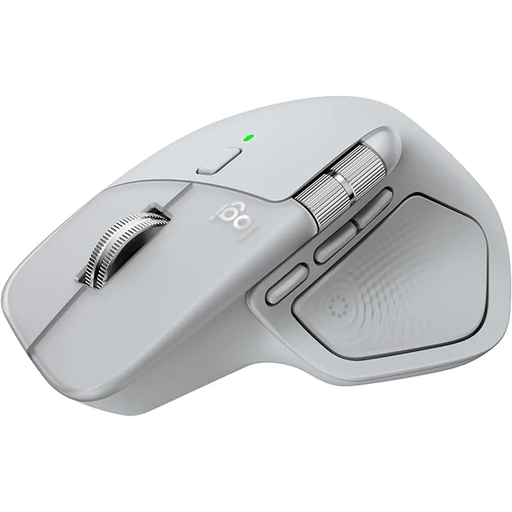
Why This Fits Their Persona: Ideal for power users and creatives who spend many hours at their PC daily. This mouse is designed for controlling multiple devices and accelerating workflows.
Instead of a vague ergonomic promise, this mouse offers a thoughtfully sculpted shape with a thumb wheel and a natural wrist posture, proven to reduce fatigue.
MagSpeed scroll wheel for rapid or precision scrolling; 8K DPI sensor that tracks even on glass; multi-device pairing for up to 3 devices.
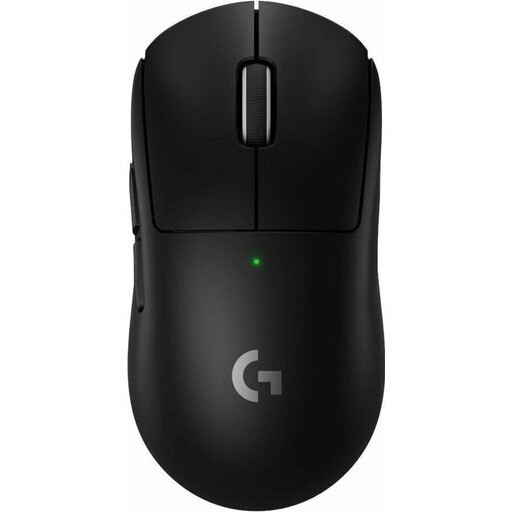
Why This Fits Their Persona: Designed for competitive gaming, where every millisecond and every gram counts. This mouse focuses on pure performance and precision.
It avoids the "gaming tax" by forgoing unnecessary RGB lighting and instead investing in tangible performance: an extremely low weight of 60g and a high-precision sensor.
HERO 2 Sensor with up to 44,000 DPI for maximum precision; LIGHTFORCE Hybrid Switches for fast and reliable clicks; PTFE feet for a frictionless glide.
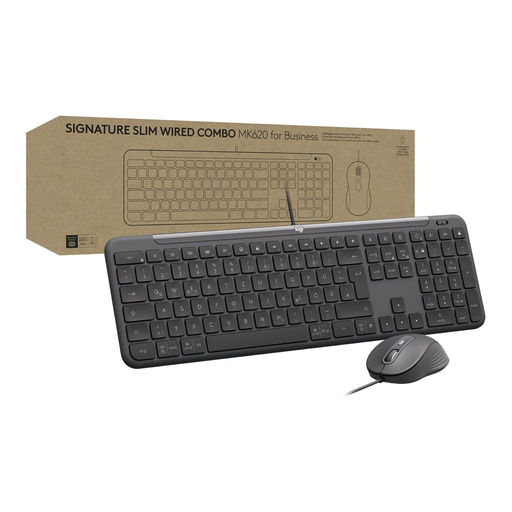
Why This Fits Their Persona: A reliable keyboard and mouse combo for professional environments where a stable, wired connection and a standard layout are priorities.
This set focuses on functional reliability over marketing gimmicks. It offers a standard QWERTY layout and a stable USB-C connection without compromise.
Plug-and-play via USB-C; multi-OS compatibility (Windows, macOS, ChromeOS); dedicated productivity keys for meetings and AI functions.
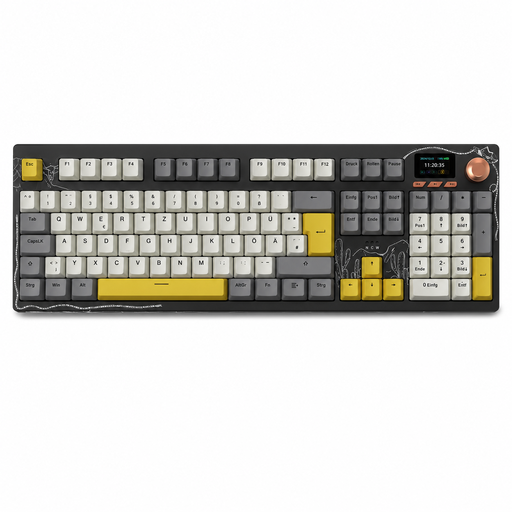
Why This Fits Their Persona: Perfect for users looking to enter the world of mechanical keyboards, who value customisation and modern features without breaking the bank.
This keyboard avoids the opaque switch trap by offering a hot-swap feature. Users can change the switches without soldering, allowing them to customise the typing feel to their preferences.
Standard QWERTY layout; tri-mode connectivity (Bluetooth/2.4G/USB-C); integrated TFT color screen and multi-function rotary knob.
We have compiled a complete, up-to-date list of products that fully meet these strict selection criteria and regional safety standards.
The main difference lies in the key mechanism. A mechanical keyboard uses an individual, spring-loaded switch for each key, resulting in precise, tactile feedback and a longer lifespan. A membrane keyboard uses a continuous rubber sheet under the keys, which makes it quieter and cheaper but often provides a less defined typing feel.
The QWERTY layout is essential for users in most English-speaking countries. It positions all keys and special characters (like @, #, $) where you expect them. Using a keyboard with a different regional layout (like the German QWERTZ or French AZERTY) requires a significant adjustment period and makes typing in your native language cumbersome.
Regular cleaning is crucial. For keyboards, using compressed air to remove dust and crumbs from between the keys is recommended. The surface can be cleaned with a lightly damp microfiber cloth. For mice, the sensor area should be kept clean to ensure tracking accuracy. Avoid contact with liquids on all electronic devices.