For longer quiz texts, a familiar key layout and a keyboard shape that suits the way you type are a sensible starting point. If desk space is limited, a model without a number pad can free up room. A split keyboard takes time to get used to, while device switching and customisable keys are most relevant when they fit your workflow. The Federal Institute for Occupational Safety and Health considers separate input devices useful when using a laptop for extended periods at a quasi-stationary workstation.
Who writes educational quiz questions?
Quiz writers who type a lot
You write lots of questions, answers and explanations, and look for a layout and typing feel that suit your writing sessions. The Federal Institute for Occupational Safety and Health recommends adjusting your keyboard, screen and work surface to support a comfortable posture; CHERRY describes the STREAM KEYBOARD as having a low-profile SX scissor mechanism.
Quiz editors with a small desk
You need room for notes and a mouse alongside your keyboard, and are weighing up whether you can manage without a number pad. CHERRY describes the STREAM KEYBOARD TKL as a version without a number pad.
Quiz writers working across multiple devices
You switch between devices when drafting or editing and need to choose a connection and key layout that suit your setup. Logitech and Keychron list device-switching features or customisable keys on selected models.
What should you look for when buying a keyboard?
Start by considering how you type, which keys you need, how much space you have and whether you regularly switch between devices.
| Consideration |
What to check when buying |
Who it matters most to |
| Typing comfort and hand position |
Layout and design; with split models, also consider the time needed to get used to them. |
When I write longer questions, answers and explanations, I want a keyboard that suits the way I type and my hand position. Around 36% of consumers would cite longer writing sessions and a suitable hand position as their main concern. |
| Keys for editing |
Check that the navigation and function keys you need are available, and that you can customise the actions you want. |
When I regularly edit quiz questions, I want easy access to the keys and recurring actions that suit my workflow. Around 29% of consumers would prioritise editing and easy-to-reach keys. |
| Desk space |
Measure the space available and decide whether you need a number pad. |
If I need to leave room for a mouse and papers beside my keyboard, a more compact format could be a good option. Around 21% of consumers would put the available desk space first. |
| Switching between devices |
Check the supported connections and the key layout of the specific version. |
When I edit quiz drafts on multiple devices, the connection and switching options need to suit my setup. Around 14% of consumers would name switching between devices as their main concern. |
Which buying mistakes should you avoid?
-
Choosing a compact model without considering the number pad
The CHERRY STREAM KEYBOARD TKL does not have a number pad. If you often enter numbers using one, this could change the way you work.
Before choosing a format, think about how often you use the number pad.
A separate number pad could take up additional desk space.
-
Assuming a split keyboard will feel familiar straight away
Perixx notes that the PERIBOARD-512 takes time to get used to. The design alone does not prove that it will relieve any particular discomfort.
Choose a keyboard to suit the way you type, and make sure the rest of your workstation is set up appropriately too.
Allow time to get used to the changed key layout.
-
Assuming the product family name tells you which layout you’ll get
Several ISO layouts are listed for the Keychron K3 Max; the selected option shown may not be the German version.
Check the layout, switches and what’s included for the specific version in the listing you choose.
Which brands are relevant to these requirements?
CHERRY
The STREAM KEYBOARD is a low-profile, wired option for a fixed workstation; the STREAM KEYBOARD TKL does not have a number pad.
- CHERRY describes the SX scissor mechanism on both models as low-profile and the keystrokes as quiet.
- The noise description comes from the manufacturer and is not based on an independent comparative test. The TKL model does not have a number pad.
Logitech
The MX Keys S is designed for customisable key actions and backlighting; the Wave Keys combines an ergonomic wave shape with device-switching features.
- The features described offer different ways to handle recurring tasks or switch between devices.
- Features vary by model. Check the layout and specification of the specific listing.
Perixx
The PERIBOARD-512 is a wired split keyboard available with a German QWERTZ layout.
- Perixx lists an integrated wrist rest.
- The manufacturer advises that it takes time to get used to the split keyboard. This does not substantiate claims that it prevents discomfort.
Keychron
The K3 Max is aimed at buyers looking for a compact mechanical layout and customisable key assignments.
- The product page lists DE-ISO as one of the selectable versions, as well as wireless and wired modes.
- The preselected option may have a different layout. Check the details of the specific version you choose.
Joybuy keyboards for writing educational quiz questions
This selection includes keyboards for fixed wired workstations, split designs and workflows involving multiple devices.
 No image available
Inateck KB01003G Bluetooth keyboard, QWERTZ
For drafting quiz questions across multiple devices when you want a wireless QWERTZ keyboard.
Product details list Bluetooth 5.3, connections for up to three devices and 1.5 mm key travel.
View at Joybuy
 No image available
Logitech ERGO K860, QWERTZ
An option if you’d like to try a split key layout.
The product description lists Bluetooth and a USB receiver, a wrist rest and feet with three tilt angles.
View at Joybuy
 No image available
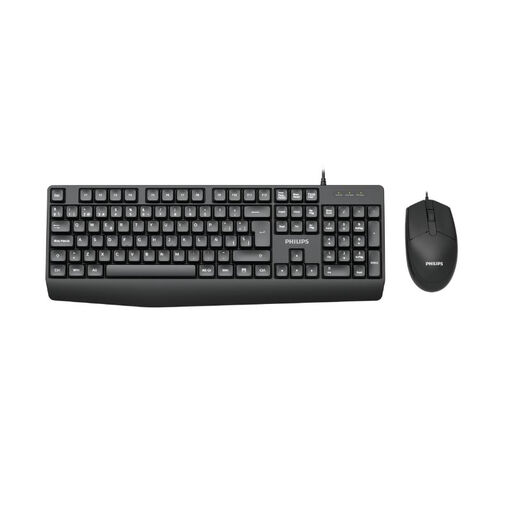
Philips SPT6237B/26 keyboard and mouse set, German QWERTZ
For a fixed workstation when you want a wired keyboard with a number pad.
Product details list a full-size keyboard with a number pad, a low-profile design and a USB-A cable set with mouse. The description says the keys are quiet.
View at Joybuy
 No image available
Logitech MX Mechanical, Tactile Quiet, German QWERTZ
For a multi-device workflow when you’re looking for a mechanical keyboard with a German layout.
Product details list Bluetooth and Logi Bolt, as well as switching between up to three devices. This version is specified as Tactile Quiet.
View at Joybuy
 No image available
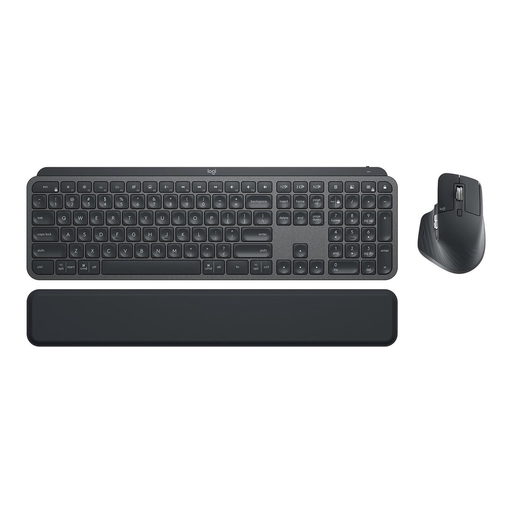
Logitech MX Keys Combo for Business Gen 2, German QWERTZ
For writing quiz questions on your computer and switching between work devices when you’re looking for a keyboard and mouse set.
The set includes MX Keys and MX Master 3S. Product details list Bluetooth, Logi Bolt, Easy-Switch and backlighting.
View at Joybuy
Frequently asked questions about keyboards for writing educational quiz questions
Do I need a number pad for writing quiz questions?
If you mainly write question text, you could consider a model without a number pad. If you often enter numbers using one, you should take it into account when comparing options. CHERRY specifically describes the STREAM KEYBOARD TKL as a more compact version without a number pad.
What should I set up when using a laptop at a fixed home office workstation?
For extended laptop use at a quasi-stationary workstation, the Federal Institute for Occupational Safety and Health considers separate input devices, usually a keyboard and mouse, useful. Adjust your keyboard, screen and work surface to suit your posture; this does not mean you have to buy a particular type of keyboard.
What should I know about using a split keyboard?
Allow time to get used to the key layout: Perixx specifically notes that the PERIBOARD-512 takes time to get used to. You can’t infer a medical benefit from a product description alone.
What are my rights if a keyboard is faulty in Germany?
If a new keyboard is faulty, you can contact the seller and ask them to put things right; the statutory warranty period is generally two years. The consumer advice centre distinguishes statutory consumer rights from a voluntary manufacturer’s guarantee.


