Readers without access to charging
You want to type notes while you’re out and need to plan how both your keyboard and reading device will be powered.


Start by choosing a keyboard that suits your reading device and the way you make notes. A separate Bluetooth keyboard can be used with several compatible devices, while a tablet keyboard case combines a stand and keyboard. Then check the power supply, keyboard layout and features of your reading or note-taking app. A compatible keyboard alone won’t make an app capable of handling annotations.
You want to type notes while you’re out and need to plan how both your keyboard and reading device will be powered.
You switch between your smartphone, tablet and computer while reading and taking notes, so you need a suitable connection and keyboard layout.
You want to use your screen, keyboard and, where available, trackpad together as one setup. You’ll need to choose a case that fits your exact iPad model.
A good fit if: you type on a compatible smartphone or tablet and don’t want to charge your keyboard from a power socket.
Bear in mind: You’ll need a separate stand for your reading device. The battery type and layout depend on the model and variant.
A good fit if: you prefer a rechargeable battery and can charge the keyboard before you set off.
Bear in mind: Without access to a power socket, how long you can use it depends on how much charge is left. Any quoted battery life is provided by the manufacturer.
A good fit if: you have a specifically supported iPad and want to combine a stand, keyboard and, where available, trackpad.
Bear in mind: The case is designed for specific iPad models and may use power from the tablet’s battery.
| What matters | What to check before buying | Who it matters most to |
|---|---|---|
| Power supply | Check the battery type or charge level. If you’re buying a case, factor in the tablet’s battery too. | When I’m out and don’t have access to a power socket, I want to know before I leave whether my keyboard and reading device have enough power. Around 33% of consumers say power supply is their top concern. |
| Device compatibility | Check the operating system and version, Bluetooth support or exact iPad generation. | I want to be sure the keyboard works with my reading device and the way I want to use it. Around 27% of consumers put compatibility first. |
| Size and setup | Consider the keyboard and device together, and check whether you have a suitable stand. | When I’m reading on the go, I need a screen position and a packed size that suit where I’ll be using it. Around 20% of consumers prioritise size and setup. |
| Ease of use when annotating | Check the layout and the special characters you need, and test typing in the app you use. | When I’m writing notes, I want the right keys and easy navigation at my fingertips. Around 20% of consumers focus most on ease of use when annotating. |
Logitech and Apple keyboard cases are designed for specific iPad models. A similar screen size doesn’t necessarily mean a case will fit.
Check the full iPad model name and, where applicable, the required iPadOS version against the exact case variant.
Logitech says the Combo Touch is powered via the Smart Connector. The setup still relies on the connected iPad’s battery.
For longer reading sessions, keep an eye on the battery level of the whole setup, not just a separate keyboard.
The keyboard case uses power from the connected iPad’s battery.
A model range may be available with different layouts. A Joybuy listing for the CHERRY KW 7100 MINI BT specifically states that it has a US International QWERTY layout.
Check the layout details and product images in the listing, especially if you often type German special characters.
The Keys-To-Go 2 and Pebble Keys 2 K380s are separate keyboards; the Combo Touch is a case for specifically supported iPads.
The KW 7100 MINI BT is a compact standalone keyboard for switching between compatible devices.
The Lyra is a compact standalone keyboard with a rechargeable battery.
The Smart Keyboard is designed for switching between devices and has Samsung-specific shortcut keys; the older Smart Keyboard Trio 500 is a separate model.
The Magic Keyboard is a keyboard case for specifically listed iPad models, not a universal Bluetooth keyboard.
This selection includes separate Bluetooth keyboards and keyboard cases for specific iPads. Before buying, pay particular attention to the layout, device compatibility and power supply.
 Image unavailable
For taking notes on compatible devices if you’re looking for a separate keyboard powered by batteries.
QWERTZ layout; the product description lists two AAA batteries and connections to up to three devices. Windows, iPadOS, Android and iOS are listed as compatible.
 Image unavailable
A foldable option for taking on the go if you want a keyboard and touchpad navigation in one device.
QWERTZ layout, touchpad and three Bluetooth channels. The description lists Windows, iPadOS and Android as compatible systems.
 Image unavailable
For typing on one of the 11-inch iPad Pro models with an M4 or M5 chip listed in the product listing.
The title describes a wireless keyboard; the description lists Bluetooth, 78 keys and single-colour backlighting. Compatibility is limited to the iPad Pro models specified.
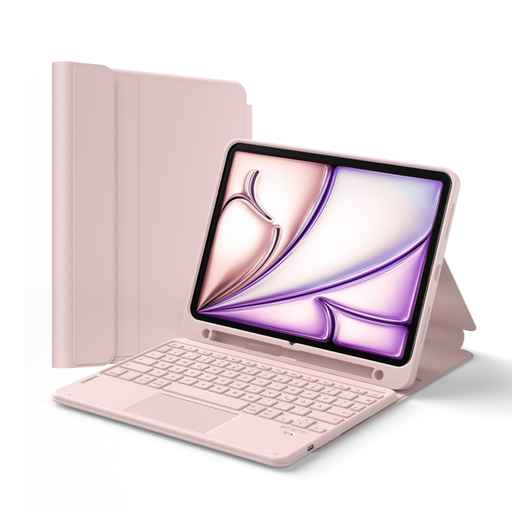 Image unavailable
For reading and typing on one of the specifically listed compatible iPads if you’re looking for a case with a stand and touchpad.
QWERTZ layout and detachable keyboard. The listing names iPad (A16 2025 and 10th generation), iPad Air 11-inch (M4, M3 and M2), Air 5/4 and iPad Pro 11-inch. Check the full model name against the listing.
 Image unavailable
For taking on the go if you’re looking for a foldable keyboard set with a mouse that can connect to several devices.
USB-C charging port, three connection modes and connection to up to three devices. The title lists Windows, Android and iOS as compatible systems.
Pair the Bluetooth keyboard with your compatible device in advance, then test typing in your reading or note-taking app. Samsung explains that for the Trio 500, you select the keyboard in the Bluetooth menu and confirm using the code shown on screen. The steps may differ for other models.
Not necessarily. Logitech says the Combo Touch for the compatible iPad version connects via the Smart Connector and is powered by the iPad. Check the exact case variant and remember to factor in the iPad’s battery level.
No. A compatible keyboard alone doesn’t add annotation features to an app. Check whether the app you use supports the text input you want and the features you need for your notes.
Check the layout specified for the product variant and test whether it has the special characters you need. The model range alone doesn’t always tell you which layout is available.