Collectors with lots of inventory numbers
If you regularly record numbers alongside where you found a shell and its species, consider whether a numeric keypad is worth the extra desk space.


If you enter lots of inventory numbers, a numeric keypad is an important factor to consider. When checking similar records, easily accessible navigation and editing keys can help. Programmable keys can trigger supported commands, but they can’t detect duplicates: compare records in your catalogue software and save a copy before deleting entries. Microsoft Support notes that data removed using the ‘Remove Duplicates’ feature is permanently deleted. Also check the German layout, connection type, space for your mouse and how you sit during longer sessions.
If you regularly record numbers alongside where you found a shell and its species, consider whether a numeric keypad is worth the extra desk space.
Easily accessible navigation and editing keys can help when comparing similar records. Your catalogue software, or your own checks, will need to determine whether entries are actually duplicates.
If you spend a long time typing, consider how your keyboard, mouse and hands are positioned at your workstation. The Federal Institute for Occupational Safety and Health also highlights use of the numeric keypad as a factor when choosing between a full-size keyboard and more compact options.
First, think about whether you mainly check records or enter lots of numbers when cataloguing. Then you can compare the key layout, space requirements and connection type with your workstation.
| What you need | What to look for when buying | Who is it important for? |
|---|---|---|
| Checking for duplicates | How easy the navigation and editing keys are to reach; check whether assignable keys can trigger commands in your catalogue software. | If you want to compare and edit similar shell records carefully, rather than leaving the decision to a key. Around 36% of consumers put checking for duplicates first. |
| Entering numbers and text | Balance how often you enter numbers against the space needed for your mouse; check the German layout and numeric keypad. | If you often enter inventory numbers and descriptions, the right balance between input space and desk space matters. Around 29% of consumers prioritise entering numbers and text. |
| Long sessions | Check the space available and your hand position; allow time to get used to a split keyboard layout. | If you spend a long time cataloguing, consider how the keyboard and mouse suit the way you position your hands. Around 21% of consumers give greatest priority to their typing posture. |
| Space and connection | Check whether USB-A or Bluetooth is compatible with your device; factor in software setup and, where applicable, charging. | If you have limited desk space or switch between devices, choose a connection that suits your workstation. Around 14% of consumers put space-saving design and a straightforward connection first. |
A programmed key can trigger a supported command, but it can’t tell you whether two shells with similar descriptions are the same item in your collection.
Compare the relevant fields in your catalogue software and save a copy before removing duplicates. Microsoft Support notes that the ‘Remove Duplicates’ feature can permanently delete data.
A numeric keypad can be useful if you enter lots of numbers, but it takes up space next to the letter keys. The Federal Institute for Occupational Safety and Health cites how often you actually use the numeric section as one factor when choosing a keyboard size.
Estimate how often you enter numbers, and check the space available for your keyboard and mouse before buying.
Perixx notes that it takes time to get used to the split keyboard layout of the PERIBOARD-512. A different arrangement won’t necessarily feel comfortable straight away, and manufacturer claims don’t prove that it treats discomfort.
Factor the shape into your decision, check how much space it needs and allow time to adjust.
Worth considering if you’re looking for a wired keyboard with a German full-size layout.
An interesting option if you want to work wirelessly and customise frequently used commands.
A potential option if you’re looking for a split keyboard with a numeric keypad in a German layout.
Worth considering if you’re looking at a mechanical keyboard with customisable key mappings.
These keyboards could suit entering collection data, from compact models for limited desk space to full-size options. Pay particular attention to the layout, number entry and the connection you need.
 No image available
Suitable for frequently used commands, provided your catalogue software supports them; Smart Actions can’t detect duplicates.
The product name lists USB-C/A, Bluetooth and a Logi Bold Adapter. Check that the German layout and setup via Logi Options+ suit your workflow.
 No image available
The compact design could be a good fit if you want to save desk space; if you enter lots of inventory numbers, a full-size numeric keypad may be more important.
The product name lists a 65% layout, tri-mode connectivity via 2.4 GHz, Bluetooth or USB-C, and MX Speed switches.
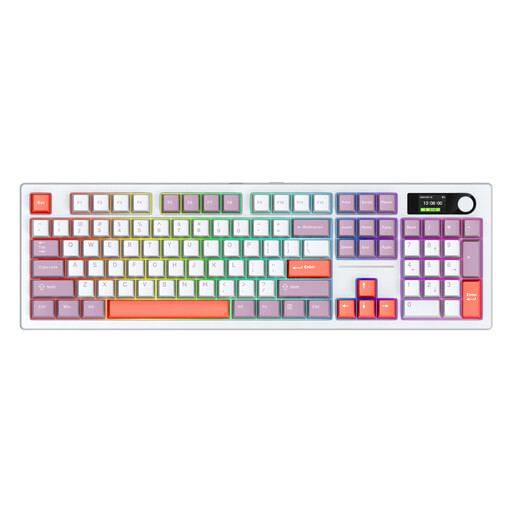 No image available
The listed full-size version with 104 keys could be useful for extensive data entry. The US layout may differ from the German key labels you want.
The product name lists Bluetooth, 2.4 GHz wireless and Type-C as connection options.
 No image available
The compact layout could leave more room on a smaller desk. If you enter numbers often, check whether you’ll miss having a full-size numeric keypad; US QWERTY differs from a German layout.
The product description lists programmable macros and key mappings. They can carry out supported commands, but can’t tell whether two records are duplicates.
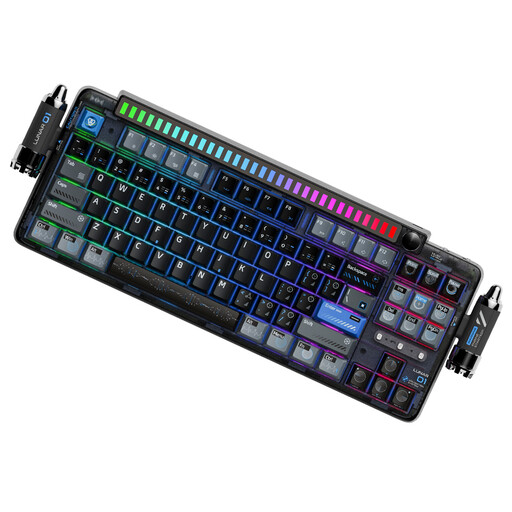 No image available
The 80% layout could suit a narrower workstation. Check whether it meets your number-entry needs and whether the US QWERTY layout works for you.
The product name lists tri-mode connectivity, hot-swappable switches and a 4000-mAh battery. The description also mentions programmable keys and macros, but these can’t check for duplicates.
No. Programmable keys can only trigger supported commands; you’ll need to check the content in your catalogue software. In Excel, you can highlight duplicates first and review them. Microsoft Support recommends saving a copy before using ‘Remove Duplicates’, as removed data is permanently deleted.
Check that the keyboard’s connection is compatible with your computer. The CHERRY KC 1000 and PERIBOARD-512 B are listed as using USB-A. If you want to use Smart Actions on the MX Keys S, also check that Logi Options+ and the commands in your catalogue software suit your workflow.
Leave enough room to position your keyboard and mouse comfortably. People working at fixed screen workstations have additional workplace-specific requirements; using a collection at home doesn’t automatically make it a workplace.
Statutory liability for defects is separate from a voluntary guarantee. For ordinary consumer goods, § 438 BGB generally sets a two-year limitation period from delivery. The rights and exceptions that apply in a particular case depend on the specific purchase.
An old keyboard is electrical waste and should go to an authorised collection or take-back point, not in your general waste. The Federal Ministry for the Environment lists local collection points, manufacturers and retailers. Whether a particular retailer is required to take it back depends on the legal conditions.