People entering metadata
You transfer theatre reviews to a database and repeat permitted field values or actions. Logitech, Keychron and CHERRY offer key customisation features; the crucial test is how they work with your own form.


If you often enter the same metadata, first check whether your data-entry software works with programmable keys or macros. For long reviews, typing feel and a suitable key layout matter more; the number pad, form factor and German layout should suit the data you actually enter. No keyboard can create or validate custom fields on its own.
You transfer theatre reviews to a database and repeat permitted field values or actions. Logitech, Keychron and CHERRY offer key customisation features; the crucial test is how they work with your own form.
You write longer reviews and want to choose your key layout and typing posture carefully, rather than basing your decision solely on macro features. The German Social Accident Insurance (DGUV) and the F.A.Z. Kaufkompass cover ergonomics as a factor in choosing a keyboard; this does not mean that any particular model will have the same effect for everyone.
You need room for paperwork and a mouse. CHERRY describes the TKL version as a model without a number pad; whether that suits you depends on how often you enter numbers.
If you enter the same fields repeatedly, first check compatibility with the form you actually use. Typing feel, layout and the space available can then help you choose a keyboard that fits your workflow.
| Priority | What to check when buying | Who is this important to? |
|---|---|---|
| Recurring field entries | Test switching between fields, special characters and macro activation in the form you actually use; also check whether you’re allowed to install the required software. | If I often enter the same permitted details, I want to customise my workflow without filling in the wrong fields. Around 36% of consumers prioritise recurring entries. |
| Typing comfort for long texts | Check the key layout, how easy it is to reach frequently used keys and the typing feel; decide whether a split design feels right for you. | If I write long reviews, I want a key layout that works well for me. Around 29% of consumers focus above all on extended typing sessions. |
| German layout and the keys you need | Check that the specific version has a German layout, the special characters you need and a number pad. | If I enter names, titles and dates, I need a familiar layout and the right keys. Around 21% of consumers prioritise entering data accurately. |
| Space and connection | Measure the space available and check that the connection or wireless setup works with your computer. | If I need room on my desk for paperwork and a mouse as well as my keyboard, the size of the keyboard matters too. Around 14% of consumers focus mainly on space and connectivity. |
Programmable keys don’t guarantee that an unfamiliar theatre database will accept the entries in the right fields.
Before using a workflow, test field switching, special characters and the result of every macro in the form you actually use.
Allow time for setup and for checking entries for errors.
The CHERRY STREAM KEYBOARD TKL saves space by dispensing with a number pad.
Consider how often you enter dates and numbers to decide whether a TKL model or a keyboard with a number pad better suits your workflow.
The Keychron V6 Max is available with different ISO layouts; according to Perixx, the downloadable software for the PERIBOARD-335 is limited to Windows.
Before buying, check that you’ve selected the DE-ISO or QWERTZ version you need and that the configuration software is supported by your operating system.
Changing the layout may mean taking extra time to get used to it or reconfiguring your setup.
The MX Keys S offers configurable workflows, while the ERGO K860 is a split alternative for longer typing sessions.
The STREAM KEYBOARD is a low-profile wired keyboard; the STREAM KEYBOARD TKL is the more compact version without a number pad.
The V6 Max is a full-size option with configurable keys and a choice of DE-ISO version.
The PERIBOARD-335 is a compact, split mechanical keyboard available with a German layout.
This selection includes keyboards with a German layout, as well as models for recurring entries, longer typing sessions and limited desk space. For each version, check that the layout and features suit the form you actually use.
 No image available
For a mobile workspace with a German layout, this model folds away and has an integrated touchpad.
The product title lists three Bluetooth channels and compatibility with iPadOS, Android and Windows.
 No image available
If recurring entries are your priority, test the programmable layout in your own form; the product title lists ISO-DE and VIA compatibility.
The title describes it as a mechanical keyboard with three connection modes and Creamy Rye switches.
 No image available
For a smaller workspace, the product title lists a compact 65% form factor with 68 keys and a detachable palm rest.
The title describes it as a mechanical keyboard with three connection modes.
 No image available
For data entry, the German QWERTZ layout listed in the title is worth noting; check whether the tactile Quiet switches suit your typing style.
The title lists Bluetooth, Logi Bolt and adjustable backlighting.
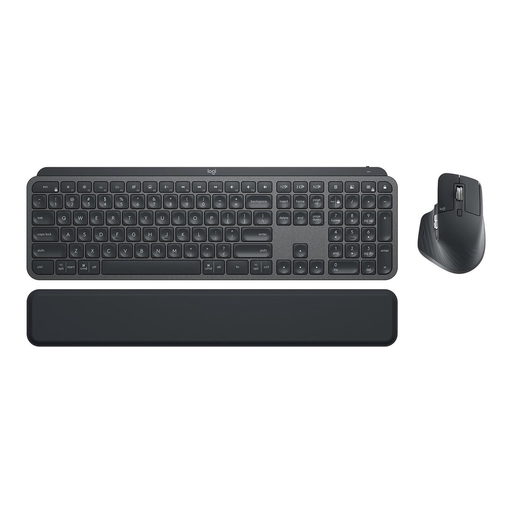 No image available
If you’re looking for a keyboard and mouse set, the product title lists the MX Keys Combo with a German QWERTZ layout.
The title also lists Logi Bolt, Bluetooth, backlighting and support for multiple devices.
Depending on the model, it can trigger key actions or text sequences. Whether entries land in the right fields and are accepted depends on the form and its configuration. Test a complete record before using the workflow in practice.
First check the layout, connection and, if applicable, whether your operating system supports the configuration software. Test macros in the data-entry form you actually use; if you’re considering a split keyboard, also check whether its different key layout feels right for you.
For consumer purchases in the EU, you have a statutory legal guarantee against the seller for at least two years from the date you receive the goods. An additional manufacturer’s warranty does not replace this right; this does not necessarily apply to a business purchase.
The Federal Network Agency (Bundesnetzagentur) explains that products covered by relevant EU harmonisation legislation must carry the CE marking. Check the marking and product identity for the specific item you’re considering. According to the Federal Environment Agency (Umweltbundesamt), old electrical appliances must not go in household waste; take them to a suitable separate collection or return point instead.