What should you look for when choosing?
Base your choice on what you need most often at work: direct navigation, a comfortable hand position, custom shortcuts or a straightforward connection.
| Priority |
What to check before buying |
Who is this most relevant to? |
| Layout and navigation |
Check for a German layout and dedicated arrow and function keys, or find out how to access them through layers. |
If you repeatedly work through forms and booking steps without a mouse, you’ll want to reach the keys you need quickly. Around 34% of consumers are likely to prioritise a familiar layout and direct navigation. |
| Typing comfort |
Try out the design and hand position at your own workstation. |
If you spend long periods typing, you’ll want to choose a design that feels right for your hand position, without assuming it will relieve any discomfort. Around 26% of consumers are likely to prioritise typing comfort. |
| Customisable commands |
Check how to set up your own layouts and access the arrow and F keys. |
If you want to use recurring development commands, you’ll want to know whether you can set up the keys and layers you need. Around 20% of consumers are likely to make customisable commands their main priority. |
| Connection to your workstation |
Check the available ports, supported operating system and, if applicable, the receiver. |
If your computer usually stays at the same workstation, you’ll want a connection that works with it. Around 20% of consumers are likely to prioritise a straightforward connection. |
Keyboards for development and testing
The following Joybuy products are physical keyboards with a German layout, suited to development and keyboard testing. Depending on the model, they offer either a full-size or compact layout, with customisable keys also available.
 No image available
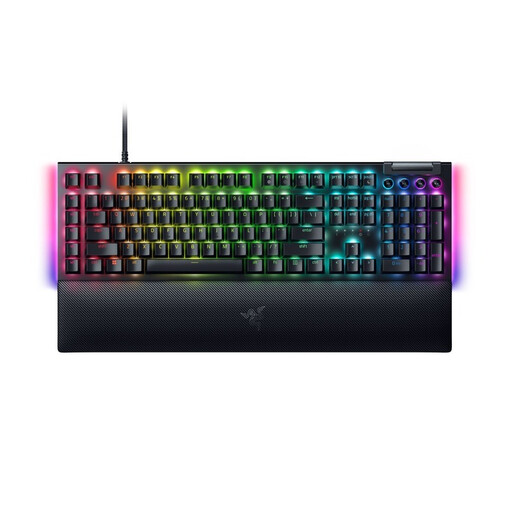
Razer BlackWidow V4 Yellow Switch German Layout
An option if a German layout and recurring commands matter to you.
Mechanical keyboard with Yellow Switches. According to the product information, key layouts and macros require Razer Synapse.
View at Joybuy
 No image available
Razer Ornata V3 Tenkeyless German Layout
A compact option if you want a German layout and can do without a number pad.
Tenkeyless design without a number pad. According to the product information, Razer Synapse is required to customise the keys.
View at Joybuy
 No image available
Akko 5087S V1 TKL ISO-DE QWERTZ
A wired option if you’re looking for a compact design with a clearly specified German layout.
TKL design, ISO-DE QWERTZ, V3 Pro Cream Yellow Switches, hot-swappable keys and RGB backlighting. According to the product information, the lighting can be adjusted using Akko software.
View at Joybuy
 No image available
CHERRY MX 2.0S MX2A Red, German QWERTZ layout
A wired option if you prefer a full-size German layout for typing and development.
Full-size design, 110 keys, MX2A Red Switches and full RGB backlighting. According to the product information, lighting and software functions can be adjusted using CHERRY UTILITY.
View at Joybuy
 No image available
CHERRY MX-LP 2.1, 65%, German QWERTZ layout
A compact option if you want a German layout and are happy to work with fewer easily accessible keys.
65% design, low-profile MX Speed Switches and RGB lighting. The product name specifies tri-mode connectivity with 2.4GHz, Bluetooth and USB-C. According to the product information, use CHERRY UTILITY to adjust the lighting.
View at Joybuy
Frequently asked questions
Can a special keyboard automatically make a ticketing website usable without a mouse?
No. A keyboard is an input device; the website itself needs to be tested too. In particular, check that focus remains visible and that you can leave focused controls using only the keyboard. The W3C Web Accessibility Initiative covers these requirements in its guidance on keyboard accessibility.
What should I check when connecting and testing the keyboard?
Check that the connection and supported operating system are compatible with your computer. Then go through the booking process without a mouse, checking navigation, how focus moves and whether you can leave controls that appear on screen.
Do I need extra software to customise keys?
It depends on the model and the functions you want. Logitech specifies Logi Options+ for Windows or macOS to customise the ERGO K860. On the Dygma Raise 2, the arrow and F keys are on additional layers, which you’ll need to get used to. Before buying, check which functions you actually need.
Does the Accessibility Strengthening Act apply to online theatre ticket sales?
An online purchase aimed at consumers may count as an e-commerce service covered by section 1 of the BFSG for services provided after 28 June 2025. Whether a particular operator is covered depends on several factors. The Federal Government Commissioner for Matters relating to Persons with Disabilities’ Accessibility Competence Centre notes that service providers are exempt if they are micro-enterprises with fewer than ten employees and an annual turnover of no more than €2 million. For services that are covered, the Competence Centre says the requirements also apply to identification, authentication, security and payment functions when these are provided as part of the service. Using a keyboard does not prove that these requirements have been met.


