Frequent typists
If you write and edit longer texts, first check the German layout, the keys you need and how the specific version feels to type on. CHERRY and Keychron’s product information describes a range of layouts and designs.


For longer texts, start by considering the German keyboard layout and how the keys feel to you. A full-size keyboard offers a familiar layout and a number pad, but takes up more room alongside your mouse and reference images. A compact layout can free up desk space, although the keys are arranged differently. If you spend long periods typing, a split keyboard may also be worth considering. Programmable keys are only useful if your chosen editor supports the commands you want to use.
If you write and edit longer texts, first check the German layout, the keys you need and how the specific version feels to type on. CHERRY and Keychron’s product information describes a range of layouts and designs.
If you often refer to images or use a mouse while writing, the space available beside your keyboard matters too. Information from CHERRY and Keychron shows that keyboard sizes and key arrangements vary.
During longer sessions, consider whether a different hand and arm position would suit your workspace. The BAuA, Logitech and the F.A.Z. Buying Guide cover workspace design or the design of the Logitech ERGO K860; this does not establish any individual health benefit.
| What matters | What to check before buying | Who it matters most to |
|---|---|---|
| Layout and typing feel | Check that it is the DE or ISO-DE version, and compare the keys you need and the switch or mechanism type. | When I write longer texts, I want a familiar key layout and a typing feel that suits me. Around 33% of consumers would put layout and typing feel first. |
| Space for a mouse and images | Measure the space available and check the position of the keys you use most often. | If my mouse and reference images need room on my desk, I factor the keyboard’s design into my choice. Around 25% of consumers would prioritise space for a mouse and images. |
| Hand and arm position | Consider the layout, space required and hand position at your own workstation. | During long typing sessions, I want to see whether a different hand and arm position feels right for me, without assuming it will have a particular effect. Around 25% of consumers would prioritise hand and arm position. |
| Devices and editor commands | Check the connection options, device switching and whether your editor supports the shortcuts you want to use. | If I switch between devices or use recurring commands, the connection and software need to suit the way I work. Around 17% of consumers would see device switching and commands as their main concern. |
A good fit if: you mainly write at a fixed computer, want to use a number pad and have a USB-A port available.
Consider: A full-size keyboard takes up more room for your mouse and reference images, and you’ll need to check the layout version carefully.
A good fit if: there is little space beside your keyboard and you use recurring commands supported by your editor.
Consider: The keys are arranged differently from a full-size keyboard. Check the version you want and make sure it has the navigation and function keys you need.
A good fit if: you want to try a different hand position during long typing sessions and have enough room on your desk.
Consider: The key layout may take some getting used to; no individual health benefit has been established.
A model may be available with different country-specific layouts. For the CHERRY KC 6000 SLIM, the manufacturer distinguishes a DE version from a Joybuy listing with a US layout.
Before buying, compare the full variant code and the exact key layout shown on the product page.
According to the manufacturer, the Keychron K3 Max has a 75% layout. This means the keys may be arranged differently from those on a full-size keyboard.
Check the specific layout to make sure it includes the keys you need for your editor, navigation and image work, and that they are easy to reach.
A positive review of the Logitech ERGO K860 does not prove that it will have a particular health benefit for you. For workplace screen-based work, the BAuA considers the workstation as a whole.
Assess the design, hand position and available space in your actual workspace rather than assuming a particular benefit.
The KC 6000 SLIM is an example of a slim, wired, full-size keyboard. CHERRY lists separate country-specific layouts, according to the manufacturer.
The K3 Max is an example of a compact mechanical keyboard with customisable keys and several connection options.
The ERGO K860 is an example of a split keyboard with a wrist rest and device switching.
The F.A.Z. Buying Guide also lists the PERIBOARD-835 as a split mechanical keyboard.
This selection includes keyboards with a German QWERTZ layout for writing, from compact models with a touchpad or 65% layout to full-size and programmable options.
 No image available
For typing with cursor control directly on the device. The built-in touchpad can replace mouse movements if you want to save desk space.
German QWERTZ layout and 1.5 mm key travel. The product details list a Bluetooth connection for up to three devices and shortcut keys.
Check that your device and the editor commands you need work with this specific keyboard version.
 No image available
For workflows involving multiple devices or recurring inputs, provided the key functions you want are compatible with your software.
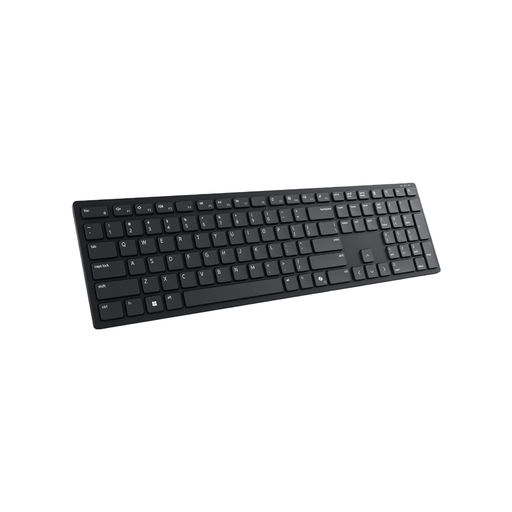
German QWERTZ layout, 15 programmable keys and connections to up to three devices via Bluetooth or 2.4 GHz; backlighting is listed.
According to the product description, the programmable keys are set up using Dell Peripheral Manager.
 No image available
For desks where a compact keyboard layout can leave more room for a mouse or reference images.
Wired mechanical keyboard with a German QWERTZ layout, 65% form factor, RGB lighting and hot-swappable MX2A-RED switches.
Check that the compact key layout includes the navigation and function keys you need.
 No image available
For writing longer texts at a fixed computer if you prefer a full-size keyboard with a number pad and USB connection.
German QWERTZ layout, 104 keys including function keys and number pad, low-profile keys and USB plug-and-play are listed. It takes up more space to the side than a compact design.
 No image available
For typing with a number pad and a choice of connection options; the full-size design takes up more desk space.
German QWERTZ layout with 104 keys. Bluetooth, 2.4 GHz and USB-C are listed as connection options; the switches are hot-swappable.
If you expect the keys to have German labels, check that you are choosing the specific DE or ISO-DE version. Different layouts may be sold under the same model name; the manufacturer and Joybuy listings for the CHERRY KC 6000 SLIM explicitly distinguish between DE and US versions.
When setting up your entire workstation, consider the keyboard position, space for your mouse and your posture. The BAuA’s ASR A6 sets out requirements for workplace screen-based work; it does not create a general obligation for people buying a keyboard for personal use. Follow the instructions for your specific keyboard when cleaning it.
For a consumer purchase in the EU, you generally have a statutory guarantee against the seller. The EU consumer information service Your Europe gives a minimum period of two years from receipt of the goods. For distance purchases, the Council of the European Union generally provides for a 14-day right to cancel, subject to conditions and exceptions. A fault is different from cancelling simply because you’ve changed your mind; a voluntary manufacturer’s warranty is also separate from the statutory guarantee.
ASR A6 does not establish a general approval requirement for buying a keyboard for personal use. Its stated scope covers the design of workplace screen-based workstations and employers’ duties; such a workstation must be assessed in its specific workplace context.