Frequent typists
If you write longer passages at a time, look for a key layout and typing feel that suit you. The DGUV highlights workstation design as an important factor when assessing keyboards and hand position.


For a studio rental guide, a keyboard with a familiar layout and easy-to-reach editing keys is a good starting point. However, Track Changes is a word-processing feature, not a special keyboard function. If you write for long periods, you should also consider your hand position. Compact models can work well where space is limited, but may not have a number pad. Microsoft Support explains how to track changes in Word, while the DGUV lists compact keyboards as one possible option when only a small amount of number entry is needed.
If you write longer passages at a time, look for a key layout and typing feel that suit you. The DGUV highlights workstation design as an important factor when assessing keyboards and hand position.
If you often move between passages and review suggested changes, easy-to-reach navigation and function keys matter, as does how you use your word-processing software. Microsoft Support explains that Track Changes is a software feature in Word.
If you need space for a mouse or documents, or want to keep typing noise to a minimum for others, compare the design and noise information for the specific model. Manufacturer descriptions such as “quiet” are not a like-for-like comparison of noise levels across different models.
When writing and editing a studio rental guide, your priorities will mainly depend on the keyboard layout, hand position and workspace.
| Buying criterion | What to check | Who it matters most to |
|---|---|---|
| Layout and editing keys | Check the layout supplied and how easy it is to reach the arrow, navigation and function keys. Test Track Changes separately in your software. | If I want to move quickly between passages while editing, I look for familiar key positions. Around 31% of consumers prioritise layout and editing keys. |
| Hand position | Compare flat, compact and split designs at your own workstation, and check that you can reach the keys you need comfortably. | For long writing sessions, I want a keyboard that lets me keep my hands and arms in a position that suits my workstation. Around 25% of consumers put hand position first. |
| Space and typing noise | Measure the space available and check whether you need a number pad. Make sure any noise information relates to the specific model and switch type. | If I need space on the desk for a mouse or documents and want to avoid disturbing others while typing, the keyboard’s design matters. Around 19% of consumers prioritise space and typing noise. |
| Switching between devices and customisable keys | Check which devices and operating systems are supported, and whether you’re allowed to use any required configuration software on your work computer. | If I edit the guide on several devices or want to set up frequently used commands, I check the features of the specific model. Around 13% of consumers prioritise switching devices or customisable commands. |
| Wired connection | Check that the connection type and cable route work with your computer and desk layout. | If I want to work without a wireless connection or keyboard battery, a suitable wired connection is essential. Around 12% of consumers prioritise a wired setup. |
Track Changes is enabled in your word-processing software. A programmable key doesn’t replace setting up the feature or reviewing suggested changes.
First, check how the feature works in your software, then choose a keyboard with easy-to-reach keys for the tasks you need to do.
A TKL keyboard doesn’t have a number pad. On other compact designs, the arrow or function keys may be arranged differently or be harder to reach.
Compare the specific key layout with the way you write and edit.
Perixx offers both switches described as quiet and clicky switches for the PERIBOARD-335. The description alone isn’t a comparable noise measurement for your room.
Check which switch type you’ve chosen and make sure any noise information relates to the specific model.
For this type of use, the STREAM range includes a full-size wired keyboard and a TKL version without a number pad.
The ERGO K860 has a split keyboard layout, while the MX Keys S is a low-profile keyboard with backlighting and features for switching between devices and customising keys.
The PERIBOARD-335 is a compact, wired ergonomic mechanical keyboard with a choice of layout and switch type.
The German K series includes mechanical models in different ISO layouts and may appeal to writers specifically looking for this typing feel.
The Joybuy products below include full-size wired and wireless keyboards, as well as models for switching between devices. Track Changes is controlled in your word-processing software.
 No image available
The QWERTZ layout mentioned makes this an option for German-language typing and working across multiple devices.
The product description mentions switching between up to three devices and a key travel distance of 1.5 mm.
 No image available
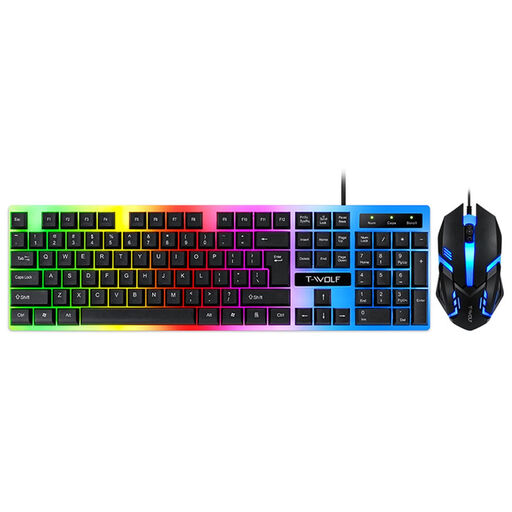
The product description says the set is also suitable for office use. Check whether the specific key layout suits the way you edit.
The product description lists a USB connection, a 104-key keyboard and backlighting.
 No image available
If you want to use the keyboard with several devices, check that their operating systems and the available connections suit the way you work.
The product title lists QWERTZ, an LCD display, rotary dial, Bluetooth, 2.4 G and USB-C. The product description mentions Bluetooth connections with up to four devices.
 No image available
If you enter numbers frequently, the full-size keyboard mentioned in the title has a number pad. Also check that the set fits on your shared desk.
The product title lists QWERTZ, a wireless 2.4 G connection and keys described as quiet. The description mentions a detachable wrist rest.
 No image available
For German-language typing with frequent number entry, the product description lists a German QWERTZ layout with a number pad and function keys.
The product description lists 104 keys, low-profile keys, adjustable tilt legs and a USB plug-and-play connection.
No. In Microsoft Word, you switch the feature on from the Review tab. The keyboard supports typing and navigation, but doesn’t track changes itself. If you use another word processor, check its commands.
Position it so there’s space in front for your hands, and consider its layout alongside your desk and screen. If you rarely enter numbers and use your mouse with your right hand, a compact keyboard may bring the mouse closer to your typing area.
It depends on the design, so check the care instructions for the specific model. In its review, F.A.Z. Kaufkompass described the gap between the wrist rest and keyboard on the Logitech ERGO K860 as difficult to clean.
Where a workstation falls under the German Workplace Ordinance, ASR A6 sets out more specific requirements for screen work. For keyboards covered by these rules, the DGUV lists features including a separate, tiltable unit with clearly legible lettering. This isn’t a blanket requirement for every personal keyboard purchase; if you’re buying workplace equipment, check the requirements with your employer.
For a consumer purchase, the statutory guarantee gives you rights against the seller and is separate from a voluntary manufacturer’s guarantee. If a fault arises, you generally have to request that the seller puts it right first, by repairing or replacing the item. Different contract terms may apply to business purchases.