What should you look for when choosing?
Start by deciding whether typing comfort, quick access to commands or available space matters most in your day-to-day work. Then check the layout, software and connections.
| Priority |
What to look for |
Who it matters most to |
| Long documents and editing |
Check that the specific variant has a German layout and that you have enough room for both the keyboard and mouse. |
I want long passages and edits to feel comfortable to type; around 31% of consumers put typing comfort first. |
| Quick access to commands |
Are the shortcuts compatible with your application and operating system? What key-mapping software is required? |
If I often switch between writing and image editing, I want quick access to important commands; around 25% of consumers prioritise access to commands above all else. |
| Space and switching between devices |
Consider whether you need a number pad, and check that Bluetooth, a wireless receiver or a cable will work with your devices. |
If I need to leave room beside the keyboard for a mouse or graphics tablet, or switch between devices, the form factor is key; around 19% of consumers prioritise workspace and switching between devices. |
| Hand and arm position |
Consider the position of your keyboard and mouse, as well as room for your arms; check whether a split design would suit you. |
During long sessions, I want to arrange my keyboard and mouse to suit my hand and arm position; around 19% of consumers give this priority. |
| Connectivity and ongoing costs |
Check the power supply and connections you need, as well as the terms of any optional extra cover. |
Before buying, I want to understand the connections, power supply and any potential extra costs; around 6% of consumers see connectivity and ongoing costs as their top priority. |
Joybuy keyboards for German typing and commands
These keyboards with German layouts are worth considering for longer typing sessions and quick access to frequently used commands. Check that the design, layout and configuration suit the way you work.
 No image available
Razer Ornata V3 Tenkeyless, German layout
An option for typing in German if you’re looking for a tenkeyless design and don’t need a number pad.
Tenkeyless; German layout.
View at Joybuy
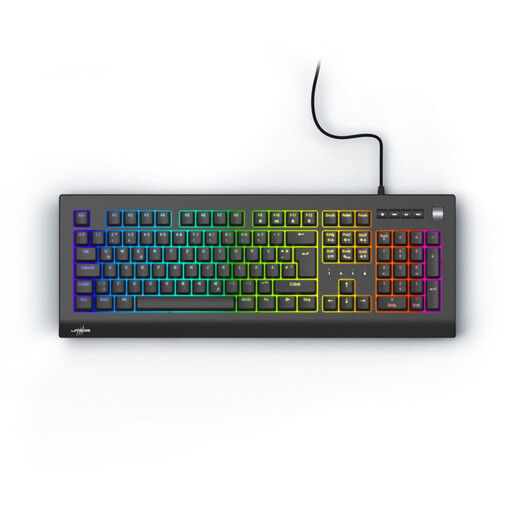 No image available
Exodus 600, Red switches, QWERTZ DE
A keyboard with a German layout may suit you if you use commands frequently; check whether you can set up the macros you want in your software.
Mechanical keyboard; QWERTZ DE; Red switches; Black.
View at Joybuy
 No image available
Akko 3084B Plus, 75%, ISO-DE
If you’re looking for a compact German layout with several connection options, check whether you can configure the keys for the commands you use.
75% layout; ISO-DE; Bluetooth, 2.4 GHz and USB-C; hot-swappable; V3 Pro Cream Blue switches.
View at Joybuy
 No image available
Akko 5087S V1 TKL, ISO-DE QWERTZ
If you’re looking for a more compact German keyboard for frequently used commands, check that its key mapping works with your software.
TKL; wired; ISO-DE QWERTZ; hot-swappable; RGB; V3 Pro Cream Yellow switches.
View at Joybuy
 No image available
Ticktype EVO75, tri-mode, ISO-DE
If you want to customise the key mapping, VIA compatibility may be useful; check how to set it up with your devices and software.
75% layout; mechanical; ISO-DE; tri-mode; VIA-compatible; hot-swappable; 8000 mAh.
View at Joybuy
Frequently asked questions
Do I need a special keyboard to track changes?
No. In Word, you turn on Track Changes in the application; Microsoft Support also documents Ctrl+Shift+E for Word on Windows. If you use different writing software or an operating system, check how to use the feature there.
How do I set up image-editing commands?
Check the commands available in the image-editing application you use. Adobe explains how to customise keyboard shortcuts in Photoshop; a keyboard with additional customisable keys may require its own configuration software. These are separate settings.
What should I consider with a wireless or battery-powered keyboard?
Check that the supported connection types work with your devices and plan for the power supply. CHERRY describes the KW 9200 MINI as rechargeable and lists Bluetooth, wireless and wired channels; these details apply to this model.
Are a guarantee and statutory rights the same when buying online?
No. The Verbraucherzentrale distinguishes statutory rights from a voluntary guarantee, which comes with its own terms. If you’re offered additional cover, check exactly what it includes.
What marking should I look for on an electrical keyboard?
The Bundesnetzagentur explains CE marking and information requirements for electrical and electronic equipment, both with and without radio functionality. CE marking is the manufacturer’s declaration of conformity, not an independent quality mark or proof that a particular model is ergonomic.


