Joybuy products on this topic
The following product versions cover wireless typing across multiple devices, split and compact layouts, and different types of keys. Check the exact layout for each version: an EU layout with QWERTY isn’t automatically German QWERTZ.
 No image available
Inateck KB01003G Bluetooth keyboard, ultra-slim, QWERTZ
Suits a streamlined writing space if you switch between several devices.
Bluetooth; QWERTZ layout.
View at Joybuy
 No image available
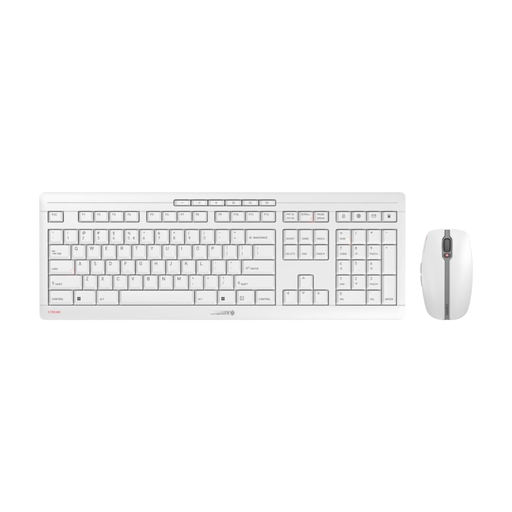
CHERRY Stream Desktop Recharge, keyboard and mouse set, EU layout (QWERTY), white-grey
A wireless desk setup if you prefer low-profile scissor keys. The product name describes the keys as ‘Quiet’, but doesn’t give a comparable noise measurement.
2.4 GHz connection; rechargeable via USB-C; EU layout (QWERTY).
View at Joybuy
 No image available
Logitech ERGO K860, wireless, QWERTZ
Worth considering if you’re looking for a split layout and an integrated wrist rest for longer writing sessions. Allow yourself time to get used to it.
Split key layout; Bluetooth and USB receiver; QWERTZ layout.
View at Joybuy
 No image available
Logitech MX Mechanical, Tactile Quiet, German QWERTZ
An option for a wireless writing setup if you want backlighting and the ability to switch between devices. The switch name is no substitute for trying the key feel for yourself.
Bluetooth and Logi Bolt; adaptive backlighting; German QWERTZ layout.
View at Joybuy
 No image available
Akko 3084B Plus, 75%, ISO-DE, Cream Blue
Suits a compact writing space if you’re looking for a mechanical model with several connection options. The Cream Blue switch is described as clicky, so bear this in mind if a quieter typing experience is important to you.
75% layout; ISO-DE; Bluetooth, 2.4 GHz and USB-C; replaceable switches.
View at Joybuy
Frequently asked questions
Does an ergonomic keyboard have to prevent discomfort?
No, you can’t assume that from the design alone. Make sure your desk, keyboard, mouse and arms are positioned appropriately, too. A split layout may take some getting used to.
What should I check first about connectivity and keyboard layout?
Check that the connection and selected layout are compatible with your computer. The PERIBOARD-512 B lists USB-A; the Keychron K2 Pro range includes several ISO layouts for different countries, so ISO alone doesn’t confirm German QWERTZ.
How do I clean a keyboard?
Follow the instructions for your specific model. Logitech Support recommends switching off or unplugging Logitech peripherals before cleaning and keeping liquids out of the device. This doesn’t mean every keyboard is safe to wash.
Can I return a keyboard bought online if I don’t like how it feels to type on?
For a standard online consumer purchase within the EU, you generally have a 14-day withdrawal period from the date of delivery. Your Europe notes that you should check the terms and any possible exceptions for your specific purchase. Who pays the return costs depends, among other things, on whether you were informed in advance and whether the seller offered to cover them.
Who is responsible if there’s a fault – the retailer or the manufacturer?
For a consumer purchase from a trader, your statutory guarantee rights are against the seller; this is separate from any voluntary manufacturer’s warranty. The EU consumer information service Your Europe states that the guarantee lasts for at least two years from the date you receive the goods.


