
Lieferung heute & morgen

Qualitätsgarantie

Willkommens-Angebote freischalten: KOSTENLOSE Lieferung | Bis zu 80 % RABATT | Kostenlose 30-Tage-JoyPlus-Testphase
App herunterladen
A kids' camera that prints photos instantly bridges the digital world with a tangible, creative experience. For children, it's fascinating to capture a moment and hold it in their hands seconds later. However, pitfalls await during the selection process that can quickly turn a promising gift into a disappointment. Many models entice with colourful designs but hide high running costs or a construction unsuitable for children.
This guide shows you the objective criteria that matter in finding a durable and cost-effective kids' camera with a printing function that fosters creativity instead of causing frustration.
Before you make a decision, you should be aware of the typical problems that often only become apparent after unboxing.
toy camera with a printer must withstand falls from a play table or bumps in a backpack. Many products are made of thin plastic that breaks under the first sign of stress. Flaps for paper compartments or batteries are often delicate and break easily.To avoid the problems mentioned above, you should carefully examine three technical features. These determine the longevity, follow-up costs, and actual fun factor.
The most economical technology, and the most widespread for children's products, is thermal printing. This method requires no expensive ink ribbons or cartridges. Instead, special, thermosensitive paper reacts to heat generated by the camera's print head.
A digital camera for kids that prints is not a professional device. The sensor's resolution, specified in megapixels (MP), is relevant for the quality of the small prints and the digitally stored images.
kids' camera with a selfie function often features a rotating lens. This is a practical feature that allows children to easily switch between capturing their surroundings and taking self-portraits without having to awkwardly turn the entire camera.For a camera for children aged 4 and up, the construction is paramount. The housing should be made of robust, shock-resistant material like ABS plastic.
Here are some models tailored to different needs and age groups that meet the quality criteria mentioned.
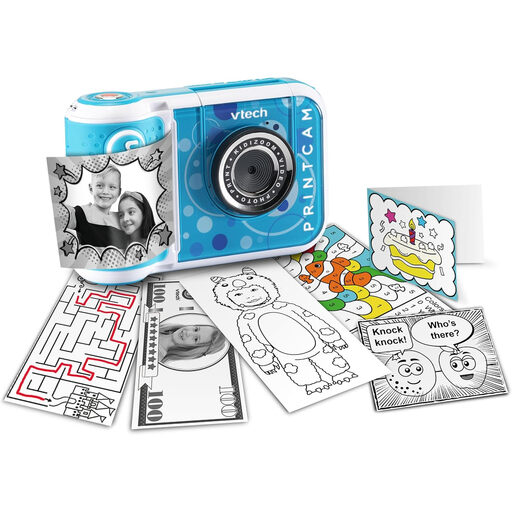
Why This Fits Their Persona: This model is ideal for children aged 4 to 12 who want to experience the immediate fun of taking and printing photos. It fosters creativity with numerous effects and templates, without needing a smartphone.
The camera uses thermal printing technology, which means no expensive ink cartridges are needed. The robust, child-friendly design is built for durability and withstands the typical rigours of playtime.
Integrated rotating lens for selfies, over 110 print templates for creative designs, and the ability to also save photos digitally on a microSD card.
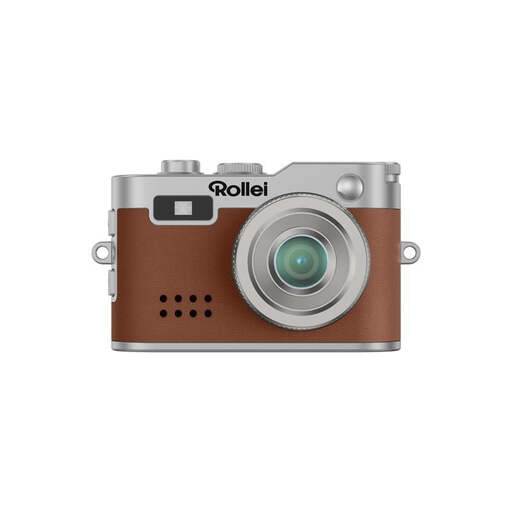
Why This Fits Their Persona: An alternative for older children who don't care for instant prints but want an extremely compact and lightweight camera for spontaneous snapshots and videos that they can transfer directly to a smartphone.
As a purely digital camera, this model completely bypasses the running costs and potential quality issues of printing. The focus is on digital capture and easy sharing of the shots.
Extremely lightweight (only 18 grams) and ultra-compact. Allows for direct data transfer to a smartphone via the included USB-C adapter, with no app required.
If your needs go beyond a printing function, we have curated a comprehensive selection of cameras that cover various needs—from rugged action cameras to compact digital cameras.
1. What does the refill paper for a kids' instant camera cost? For models with thermal printing, like the VTech KidiZoom Print Cam, the costs are manageable. A paper roll, sufficient for about 80 to 100 prints, typically costs between 5 and 10 euros. Since no ink is required, these are the only running consumable costs for printing.
2. Can the photos also be saved digitally? Yes, most modern kids' cameras with a printing function are also fully-fledged digital cameras. They either have a small amount of internal memory or, more commonly, a slot for a microSD card. This allows all photos and often videos to be saved and later transferred to a computer for backup or further editing.
3. What is the appropriate age for a camera with a printer for girls and boys? Manufacturers usually provide an age recommendation, which is typically in the range of 4 to 12 years. For younger children (4-7 years), a particularly robust build, large buttons, and a very simple menu are crucial. Older children (8-12 years) often appreciate additional features like a video function, games, or advanced creative editing options.