
Lieferung heute & morgen

Qualitätsgarantie

Willkommens-Angebote freischalten: KOSTENLOSE Lieferung | Bis zu 80 % RABATT | Kostenlose 30-Tage-JoyPlus-Testphase
App herunterladen
A kids' drawing tablet, often called an LCD writing tablet or electronic drawing pad, is a popular choice for parents seeking a clean, reusable alternative to paper and pens. It promises creative fun without the mess or wasted paper. However, not all models live up to their promises. Before choosing a birthday gift for children aged 3 to 8, it's crucial to understand the common weaknesses that can quickly spoil the fun.
At first glance, many products on the market look very similar. The differences, however, are in the details and can determine the product's durability and safety. Pay attention to these three points to avoid disappointment:
To ensure you purchase a durable and safe drawing tablet for kids, you should carefully examine three technical features. These define the product's quality and user-friendliness.
A crucial quality indicator is the material used. Look for products made from ABS plastic. This material is known for its high impact resistance and stability. It is more resilient to drops and bumps than conventional plastics. Equally important is confirmation that the product is free of harmful substances like BPA, lead, and formaldehyde and complies with European safety regulations, such as the REACH Regulation. This information gives you the peace of mind that you are holding a safe toy.
Weight and shape are decisive, especially if the drawing tablet is intended as a travel toy in the car or at a restaurant. A lightweight model (typically under 200 grams) with rounded edges fits well in small hands and is easy to store in a backpack. The screen size, often around 8.5 inches, offers a good compromise between drawing area and portability for preschool and primary school-aged children.
A good LCD writing tablet is characterized by intuitive operation. A one-click erase button should clear the display instantly and completely. The aforementioned lock button (often implemented as a small switch on the back) is indispensable. It prevents drawings and notes from being accidentally deleted, allowing the child to preserve their creations until they decide to remove them.
Based on the criteria mentioned, we have identified some models that are suitable for different user profiles.
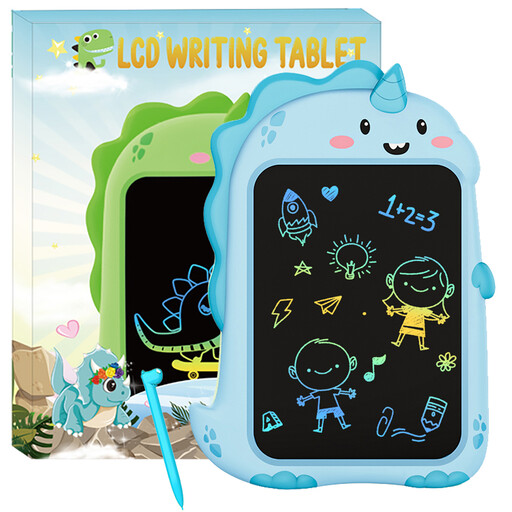
Why this model is a good fit: Ideal for parents looking for a solid and affordable first drawing tablet. The appealing dinosaur design and straightforward handling make it a great gift for children aged 3 and up without breaking the bank.
According to the manufacturer, the housing is made of durable, non-toxic ABS plastic and includes a lock function to prevent accidental erasing.
Lightweight (approx. 166 g) and a standard 8.5-inch screen size. According to the manufacturer, it complies with EU REACH regulations.
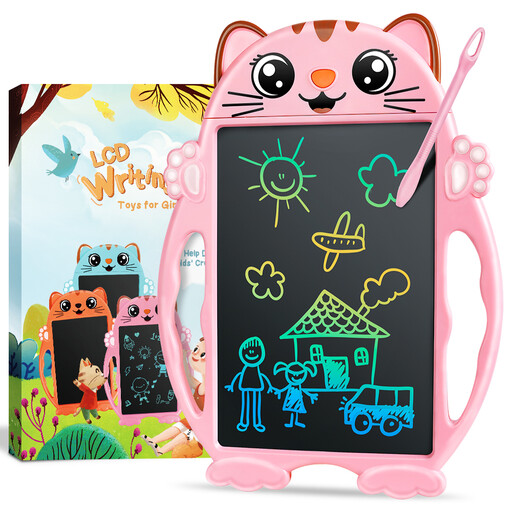
Why this model is a good fit: Designed for mobile use. Its low weight and slim design make it the ideal travel toy for the car or waiting rooms. It provides a reliable way to keep children occupied on the go.
The material is described as moisture-resistant and impact-resistant, which is beneficial for on-the-go use. The rounded edges minimise the risk of injury.
Very lightweight at approx. 178 g and compact. Integrates the necessary erase and lock functions for frustration-free use.
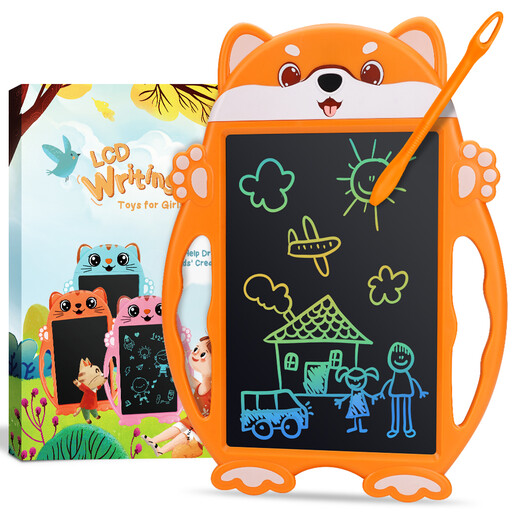
Why this model is a good fit: For anyone looking for a children's gift that is not only functional but also visually appealing. The bright orange and friendly puppy design make it an attractive eye-catcher.
It offers the same technical foundation as other models from the brand, including the durable ABS housing and compliance with safety standards, all wrapped in a unique design.
Combines all the essential functions (erase, lock) with a child-friendly, colourful design that encourages play.
We have compiled a complete, up-to-date list of products that fully meet these strict selection criteria and European safety regulations.
Most LCD writing tablets use a small coin cell battery (often a CR2025 or CR2032) that only consumes power during the erasing process. Writing and displaying the image requires no power. Therefore, a battery typically lasts for many months to over a year, depending on the frequency of use. Replacing it is straightforward.
No, the screens on these devices are not comparable to conventional monitors or tablets. They are passive, meaning they do not self-illuminate and emit no radiation or blue light. The image is created by reflecting ambient light, similar to ink on paper. This makes them harmless to the eyes.
Standard LCD writing tablets of this kind are not designed to save drawings digitally. They serve as a direct replacement for paper or a slate. The only way to save an image is to take a photo of it with a smartphone before pressing the erase button.