
Lieferung heute & morgen

Qualitätsgarantie

Willkommens-Angebote freischalten: KOSTENLOSE Lieferung | Bis zu 80 % RABATT | Kostenlose 30-Tage-JoyPlus-Testphase
App herunterladen
A kids’ tablet can keep children entertained on the go, support drawing or provide access to age-appropriate learning content. However, digital Android tablets differ considerably from a simple LCD writing tablet for children. Focusing only on a colourful case or large storage figures may mean overlooking important details.
This buying guide from the Joybuy Product Recommendation Officer objectively assesses the relevant product features and shows which solution suits different usage profiles.
With an Android tablet, the operating system, choice of apps, Wi-Fi, volume and parental controls all play a role. A tablet without clearly identifiable parental controls may be unsuitable for younger children, even if it is marketed as a kids’ device. Check whether it offers time limits, user profiles or app locking.
An LCD drawing tablet works differently: it generally requires no internet connection and is designed solely for writing and drawing. However, content usually cannot be saved or shared.
More storage or a high camera resolution is not automatically decisive. For a portable kids’ tablet, weight, battery capacity, display size and connections also matter. A heavy device can quickly become uncomfortable when used on the go. By contrast, an LCD writing tablet weighing around 170 to 230 grams is easy to use in a rucksack or on a lap.
Statements such as “safe” or “non-toxic” should not be taken unquestioningly as a general guarantee. Look for information about the materials, recommended age, battery cover and applicable requirements. For products with a button cell, it is particularly important that the battery compartment is screwed shut and not freely accessible to children.
A reusable writing tablet is suitable for:
An Android tablet for children makes more sense if you also want to use videos, learning apps, music, a camera or internet access. Parents should set it up themselves, remove any unnecessary apps and control access to content.
For children aged between 3 and 8, compact devices are generally easier to hold. The specifications of the selected products show a clear difference:
A larger drawing area can help with tracing, while a smaller device is easier to store when you are out and about.
The TABWEE K8 is listed with 2 GB RAM, 32 GB storage, 2.4-GHz Wi-Fi, Bluetooth 4.2 and a 3,000-mAh battery. It also features a USB-C port, a 3.5-mm headphone jack and a protective case. According to the product information, the internal storage can be expanded by up to 4 GB using a TF card.
For other Android models, buyers should also check whether a mains adapter is included. For example, the Alldocube Kido model mentioned specifically states “no adapter”. This may result in additional purchase costs.
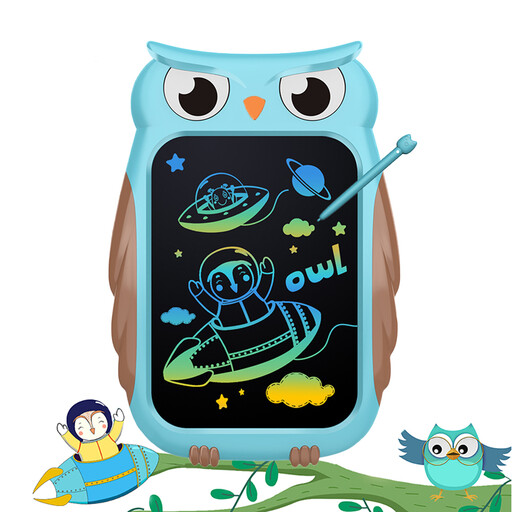
Why this product suits the profile: Weighing 170 grams, with an 8.5-inch drawing area and an erase function, it is designed for simple creative activities without apps or Wi-Fi.
It does away with unnecessary tablet functions, reducing the effort required for set-up and limiting distractions.
170-gram weight, ABS casing according to the manufacturer’s specifications and a button for erasing the screen.
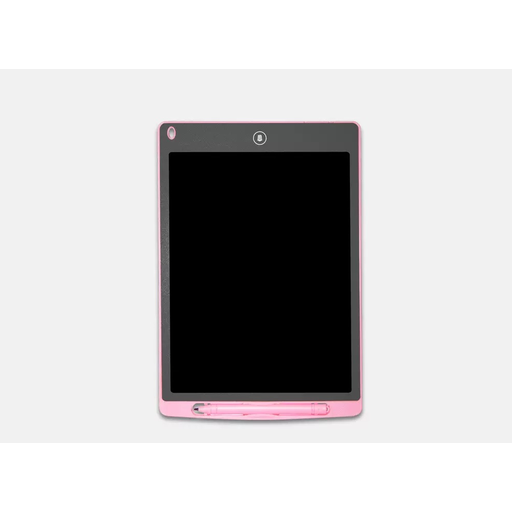
Why this product suits the profile: The 12-inch surface provides more room for drawings, letters and tracing exercises, while weighing around 200 grams according to the specifications.
The large drawing area means children are less likely to run out of space when working on longer drawings.
12-inch LCD surface, 0.2-kilogram weight and moisture-resistant ABS material according to the manufacturer’s specifications.
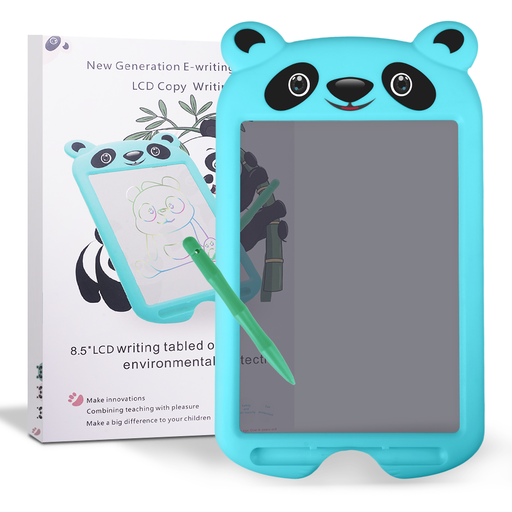
Why this product suits the profile: The stated tracing function is designed for children who want to practise letters, shapes or pictures.
It is not described merely as a doodle board, but is specifically intended for tracing and learning exercises.
10-inch screen, 200-gram weight and an integrated erase button according to the product information.
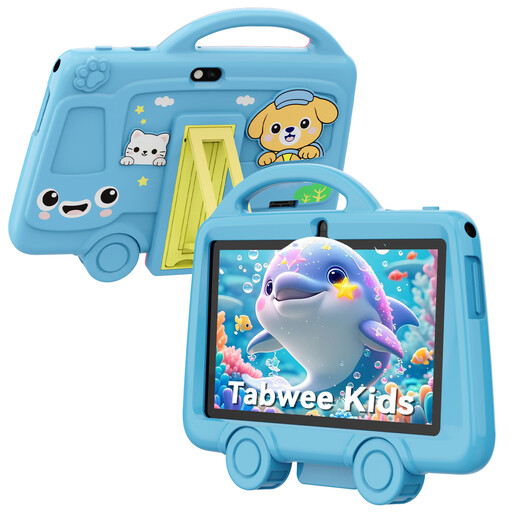
Why this product suits the profile: It offers Android-style features such as Wi-Fi, cameras, Bluetooth and a headphone connection in a device weighing 285 grams.
The key technical details about storage, connections and weight are clearly specified, allowing you to check them before buying.
2 GB RAM, 32 GB storage, 3,000-mAh battery, USB-C, 3.5-mm headphone jack and included protective case.
We have put together a complete, regularly updated list of products that fully meet these strict selection criteria and the safety regulations applicable in the EU.
That depends on the type of product and the specific age recommendation. The LCD writing tablets in this selection are described as suitable for children aged 3 to 8. For devices with a button cell, parents must follow the warnings and ensure that the battery compartment is securely closed. An Android tablet should only be used under supervision and with suitable content and time restrictions.
An LCD tablet normally requires no apps, Wi-Fi or ongoing subscription. Depending on the model, it may use a replaceable button cell. Before buying, check whether a battery is included and which type of battery is required. With an Android tablet, there may also be additional costs for charging accessories, apps or mobile data.
It is not possible to give a reliable general lifespan. Daily use, drops, charging habits and the condition of the battery or accumulator are all important factors. A protective case, regular cleaning and using the correct charger can help with everyday use. With an LCD writing tablet, you should also check the erase button, lock switch and battery compartment regularly.