
Lieferung heute & morgen

Qualitätsgarantie

Willkommens-Angebote freischalten: KOSTENLOSE Lieferung | Bis zu 80 % RABATT | Kostenlose 30-Tage-JoyPlus-Testphase
App herunterladen
A 32GB DDR5 RAM kit with 6000 MT/s, low latency and white RGB lighting is a good fit for many current gaming PCs. Even so, searching for the right Kingston FURY Beast RGB DDR5 32GB 6000MT/s White can quickly lead to the wrong purchase. Clock speed and appearance are not the only important factors: motherboard support, memory profiles, module height and correct BIOS configuration also matter.
This guide from the Joybuy Product Recommendation Officer explains what PC builders and gaming PC owners in the UK should check before buying.
Many offers advertise DDR5 6000 MT/s. However, the standard memory speed often starts at a lower JEDEC SPD setting. For the white Kingston kit, the stated SPD speed is 4800 MT/s. The advertised 6000 MT/s is enabled through a memory profile in the BIOS.
If you do not enable the profile, the RAM will still work in principle, but it will not reach the specified profile speed.
AMD and Intel systems use different overclocking profiles:
Support for EXPO or XMP is therefore a practical advantage, but it is not a guarantee for every system.
A large heat spreader or integrated lighting says nothing about actual compatibility with a CPU cooler. According to the product specifications, the white Kingston module is 42.23 mm tall. This measurement should be checked against the cooler and the position of the DIMM slots.
For current games, streaming and everyday productivity, 32GB of PC RAM in a dual-channel kit is a popular configuration. The Kingston kit consists of 2x16GB DDR5 RAM. Two matching modules enable dual-channel operation when installed in the slots recommended in the motherboard manual, often A2 and B2.
A single 32GB module may also work, depending on the platform, but it does not use the same kit configuration.
The combination of DDR5 6000 MT/s and CL30 DDR5 RAM describes two different characteristics:
A lower CL value is only meaningful when assessed alongside the actual memory speed. When choosing RAM, you should therefore consider the clock speed, primary timings, voltage and supported profile together.
The Kingston kit is specified as DDR5 SDRAM, 288-pin DIMM, unbuffered and operates at a profile voltage of 1.4 V. It features on-die ECC, although this should not be confused with ECC RAM for professional workstations.
Before placing your order, check the following:
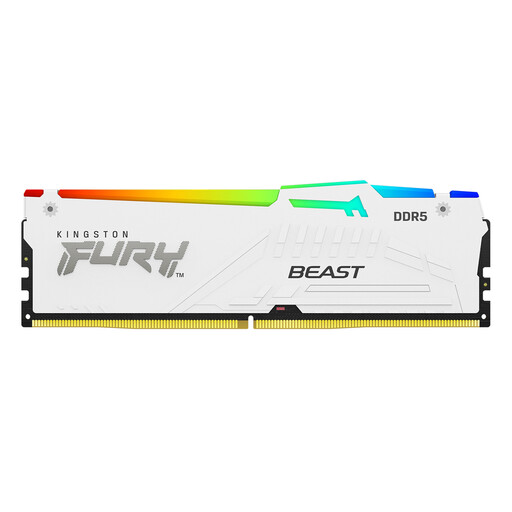
Why this product suits this profile: The 2x16GB kit combines 32GB capacity with 6000 MT/s, CL30-36-36 and white RGB styling. EXPO and XMP 3.0 provide a choice of profiles for supported AMD and Intel systems.
The product data specifies both the SPD speed of 4800 MT/s and the profile speed of 6000 MT/s. This makes it easier to plan the BIOS setup realistically.
32GB as a 2x16GB kit, CL30-36-36, AMD EXPO, Intel XMP 3.0, 18 RGB effects and a module height of 42.23 mm.
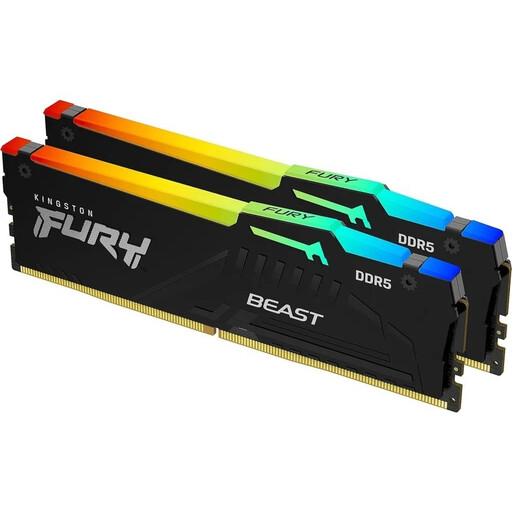
Why this product suits this profile: The black version is aimed at users who want the same key specifications but do not require a white case design.
The specifications distinguish between SPD operation at 4800 MT/s and the EXPO/XMP profiles of up to 6000 MT/s. This prevents incorrect expectations about the factory setting.
32GB, 6000 MT/s, CL30-36-36, customisable RGB lighting, on-die ECC and support for EXPO and XMP 3.0.
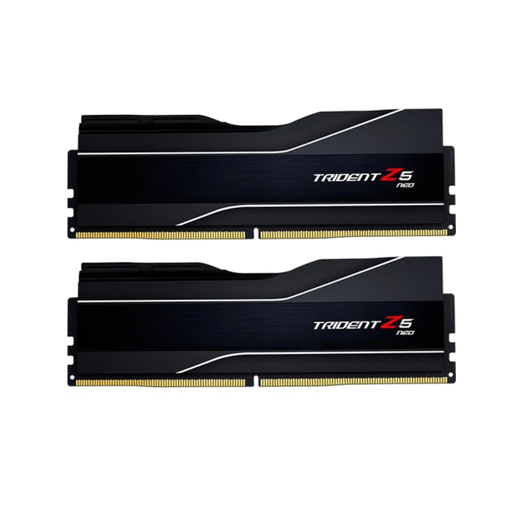
Why this product suits this profile: This AMD-focused kit is designed for users looking for a 32GB kit with an EXPO profile and CL32 for a compatible AMD system.
The product description explicitly mentions AMD EXPO and the stated CL32-38-38-96 timings. This makes the platform focus clearer before purchase.
32GB made up of two 16GB modules, DDR5-6000, CL32-38-38-96, AMD EXPO 1.0 and a black heat spreader.
Before installation, shut down the PC completely and disconnect it from the mains. Do not touch the gold contacts, and discharge static electricity by touching an earthed metal part.
An up-to-date BIOS version can improve memory compatibility. If the system is unstable, first disable the profile or set a lower speed.
We have put together a complete, regularly updated list of products that fully meet these strict selection criteria and the safety regulations applicable in the EU.
Not necessarily. According to the product data, the standard SPD speed is 4800 MT/s. To reach 6000 MT/s, a compatible AMD EXPO or Intel XMP 3.0 profile must be enabled in the BIOS.
No. The motherboard must support DDR5 DIMMs and be able to handle the desired speed and the relevant profile. You should also take the processor model, BIOS version and the motherboard compatibility list into account.
RGB lighting requires additional power, although the exact consumption depends on the brightness and lighting effect. If you want to reduce energy use, you can dim or disable the lighting through Kingston FURY CTRL or the motherboard software.