Cookery class viewers without a cable run
You watch classes in a kitchen behind thick walls and need to find a suitable spot for a wirelessly connected node.


If you can run a usable Ethernet connection to the kitchen or to a well-placed node, a model that explicitly supports Ethernet backhaul is an obvious choice. F.A.Z. Kaufkompass describes a wired backhaul as generally less prone to interference and usually offering better transfer rates across the mesh. Without a cable, the extra node needs to go somewhere it can still get a good connection to the main unit; placing it directly in a dead spot won’t reliably solve the bottleneck. If you have a compatible FRITZ!Box, a suitable repeater may be all you need. Advertised peak speeds, however, don’t tell you what reception will be like through the walls in your home.
You watch classes in a kitchen behind thick walls and need to find a suitable spot for a wirelessly connected node.
You can connect an access point near your viewing spot with an Ethernet cable and want to avoid a difficult wireless link between mesh nodes.
You want to keep your existing router and check whether a suitable repeater can reach the kitchen before buying a complete mesh kit.
A good fit if: you can run a usable Ethernet cable to the kitchen or to a suitably placed node.
Things to consider: the cable route, accessible ports and explicitly supported operating mode all need to work together.
A good fit if: you can’t run a cable but can find an intermediate spot with a reliable connection to the main unit.
Things to consider: thick walls can also weaken the wireless connection between nodes.
A good fit if: you already have a compatible FRITZ!Box and want to extend your Wi-Fi coverage to the kitchen.
Things to consider: mesh integration depends on having a suitable FRITZ! setup; a repeater isn’t a complete, standalone mesh kit.
A good fit if: there’s no suitable intermediate spot for a wireless node and you can’t run an Ethernet cable.
Things to consider: this option uses your existing electrical wiring, so you’ll need to check whether it’s suitable for your home.
The key question is whether you can connect the node by cable or need to find a suitable intermediate spot for a wireless connection. Also check whether you want to keep using your existing router.
| What you need | What to check before buying | Who is it most relevant to? |
|---|---|---|
| Reliable wireless backhaul | Check the intermediate locations and the connection between nodes; don’t place a node in a dead spot just because that’s where you’ll be watching. | If I want to watch in the kitchen without a cable, I need a spot where the node itself still has a good connection to the main unit. Around 36% of consumers prioritise a reliable wireless backhaul. |
| Ethernet backhaul | Check the cable route, whether the specific model supports Ethernet backhaul and which ports are available. | If there’s an Ethernet connection to the kitchen or a suitable node location, I want to use it to avoid a problematic wireless return link. Around 29% of consumers favour a usable cable connection. |
| Keep using your existing router | Check your router model and whether it’s compatible with the mesh or operating mode you want. | If I already have a FRITZ!Box, I want to extend my coverage without replacing the router unnecessarily. Around 21% of consumers prioritise keeping their existing router. |
| Identify the cause before buying | Check the connection at the router and the connection on your kitchen device separately. | If video only stutters in the kitchen, I want to know whether the wireless link, rather than my internet connection, is the problem. Around 14% of consumers prioritise diagnosing the issue before buying new equipment. |
The extra node also needs a sufficiently good connection to the main unit or the previous node. The signal shown on your viewing device doesn’t necessarily tell you how reliable that backhaul connection is.
First, find an intermediate spot and check the connection there. If you have a suitable cable route, look instead for a model that explicitly supports Ethernet backhaul.
You may need another node without fixing the weak backhaul connection.
Manufacturers’ speed ratings don’t tell you what connection your kitchen device will actually receive. Even a kit advertised as faster won’t automatically fix a poor wireless route or a slow internet connection.
Compare the supported backhaul mode, and check your internet connection and the connection at the kitchen separately.
If you only need better coverage in the kitchen, a compatible repeater may be able to extend your existing router. However, integration depends on having a suitable router and mesh setup.
Make a note of your router model and check whether a suitable repeater supports the features you want and the necessary wired or wireless connection.
The Deco range includes mesh systems, including models with documented Ethernet backhaul support.
The FRITZ!Repeater 3000 AX is an option for extending a compatible FRITZ! setup.
ZenWiFi XD5 is a Wi-Fi 6 mesh system that can be paired with compatible AiMesh routers.
Depending on the specific model combination, Orbi systems can use wireless or Ethernet backhaul.
According to the manufacturer, Magic 2 WiFi 6 next combines Powerline over your electrical wiring with mesh Wi-Fi.
The products below range from mesh kits to individual access points. In particular, check whether each device is designed to extend an existing network or form a complete multi-node kit.
 No image available
This two-unit set is worth considering if you’re looking for a mesh system with multiple nodes.
Wi-Fi 7, dual-band 2.4 and 5 GHz, and two Gigabit WAN/LAN ports per unit.
The ports listed alone don’t confirm that Ethernet backhaul is supported; check the intended operating mode for this specific model.
 No image available
This three-unit set may suit consumers planning to use several mesh nodes.
Dual-band system with two Gigabit LAN/WAN ports per unit.
Before buying, check whether the model supports your preferred backhaul setup and whether the planned node locations are suitable.
 No image available
This two-unit set is an option if you’re looking for several nodes to create a single mesh network.
Wi-Fi 6, dual-band and two Gigabit Ethernet ports per unit.
For the route to your kitchen, check whether the backhaul connection you want is supported and where you can place the nodes.
 No image available
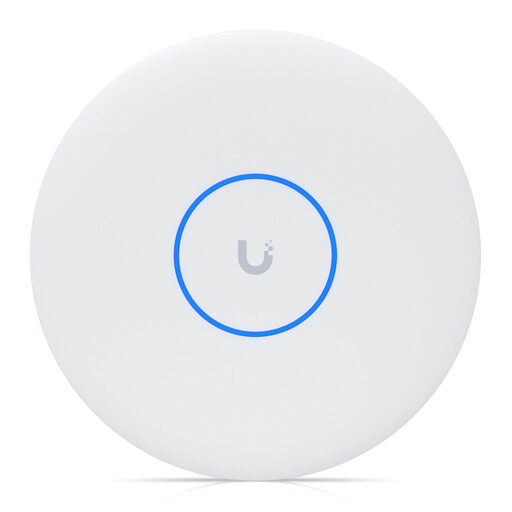
This individual access point may suit wireless meshing in a compatible UniFi network; it isn’t a standalone multi-node kit.
Gigabit Ethernet uplink; a PoE adapter is included according to the product details.
Check compatibility with your existing UniFi network and make sure you have a suitable power supply.
 No image available
According to the product details, this individual access point supports wireless meshing; it isn’t a replacement for a complete multi-node kit.
Tri-band, 8 streams and 10 GbE PoE++.
PoE++ power equipment is not included and is required for operation. Also check compatibility with your planned network.
For a wireless connection, place it somewhere it can still get a good signal from the main unit or previous node while also reaching your viewing spot. With an Ethernet cable, a suitable model can go closer to the kitchen without relying on a wireless link through the wall for its backhaul.
No. The Wi-Fi 7 label alone doesn’t mean you need it; what matters is the connection you actually get at your viewing spot. Netflix recommends a stable internet speed of 5 Mbit/s or more for its Full HD content. A particular cookery class service may have different requirements.
Check the connection between nodes, then test again where you usually watch. NETGEAR recommends using current firmware for an Orbi Ethernet backhaul. If the connection still isn’t detected, the manufacturer advises restarting the router and checking the backhaul status. These recommendations apply to Orbi systems.
Consider how many nodes you need and whether you’ll also need cables, cable installation or additional Powerline adapters. The right option also depends on whether you have an Ethernet connection, a suitable intermediate spot for a wireless node or a compatible existing router setup.