Bakers following a set proving time
You mainly want to keep track of one step in a recipe and check how the dough is actually doing when the timer goes off.


For a single proving stage, a countdown timer is all you need, provided its maximum duration covers the planned proving time and you can see or hear its alert from your cooking area. For longer proving times, consider a model with a correspondingly wider setting range. TFA Dostmann states that the 99HOURS 38.2049 can be set for up to 99 hours and 59 minutes, while GEFU gives the CONTARE a maximum of 99 minutes and 59 seconds. The alarm reminds you to check on the dough, but it doesn’t tell you whether it has proved enough.
You mainly want to keep track of one step in a recipe and check how the dough is actually doing when the timer goes off.
You need a countdown timer that covers your planned proving time without having to reset it.
What matters to you is where the timer can sit or attach, and whether you need an audible or visual alert.
| What you need | What to check before buying | Who is this important to? |
|---|---|---|
| Countdown for one recipe step | Easy to set, with a display and alert you can see or hear where you plan to use it. | If I only want to keep track of one recipe step, I need a suitable time range and an alert I’ll notice where I’m working. Around 40% of consumers prioritise a simple countdown. |
| Countdown length for longer proving times | Maximum countdown duration; a count-up function is no substitute for a sufficiently long countdown. | If I’m planning a longer proving time, I want the timer to cover it in one go if possible. Around 20% of consumers say a longer countdown is their top priority. |
| Visibility and placement | Space near your cooking area, an easy-to-read display, and a magnet, stand or hanging option on the specific model. | If my worktop is full, I still want to be able to see the timer clearly or attach it somewhere suitable. Around 20% of consumers prioritise where they can place the timer. |
| Alarm and batteries | Sound or light options, the battery type required and whether batteries are included. | In a quiet setting, or when the sound is switched off, I need an alert I won’t miss and want to know whether batteries are included. Around 20% of consumers prioritise the alarm or power supply. |
For a longer proving time, what matters is how long you can set the countdown for. A count-up function on its own tells you nothing about the maximum countdown duration.
Compare your planned proving time with the model’s stated countdown limit.
Kitchen conditions can affect proving time, so when the timer goes off, it doesn’t necessarily mean the dough has reached the right consistency.
Use the alert as a reminder to check, then assess the dough using the guidance in your recipe.
According to the manufacturer, the TFA 99HOURS 38.2049 needs two AAA batteries, which are not included. A visual alert is only useful if you can see the timer in time.
Check the battery requirements and what’s included, and choose a spot where you can see the display or notice the alarm.
You’ll need to buy the batteries for the TFA model separately.
The 99HOURS 38.2049 is designed for longer proving times.
The CONTARE 12330 is a digital countdown timer with settings of up to 99 minutes and 59 seconds.
The digital Attimo is aimed at shoppers looking for touch controls and flexible placement.
The PRESTO 99 min is a digital timer with countdown settings of up to 99 minutes and 59 seconds.
The Heyo Rotation YGH-5237 is an alternative with a rotary dial and LED display.
The Joybuy picks below are for individual countdowns in the kitchen. They include digital timers and one mechanical timer.
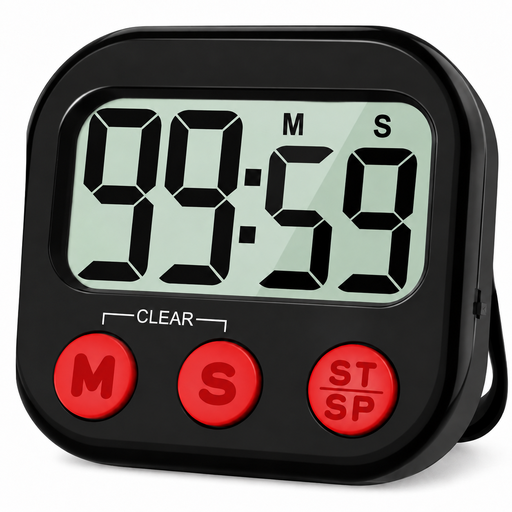 No image available
For a recipe step when the planned proving time is no more than 99 minutes and 59 seconds.
The product name states that the alarm volume is adjustable.
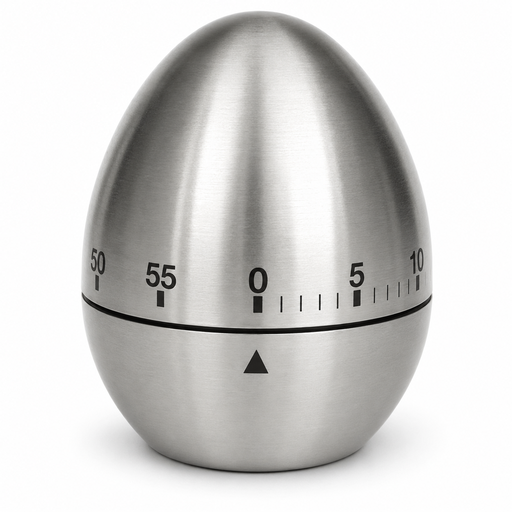 No image available
An option for a single proving time of up to 60 minutes if you’d prefer a mechanical rather than digital timer.
According to the product description, it requires two AAA batteries, which are not included.
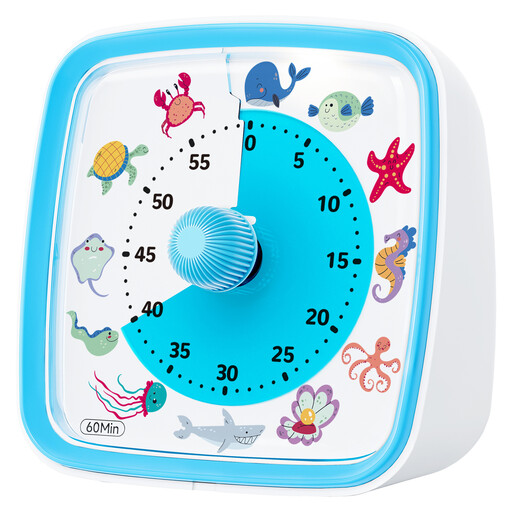 No image available
For a single proving time of up to 60 minutes if you’re looking for a visual countdown timer.
According to the product description, it requires two AAA batteries, which are not included.
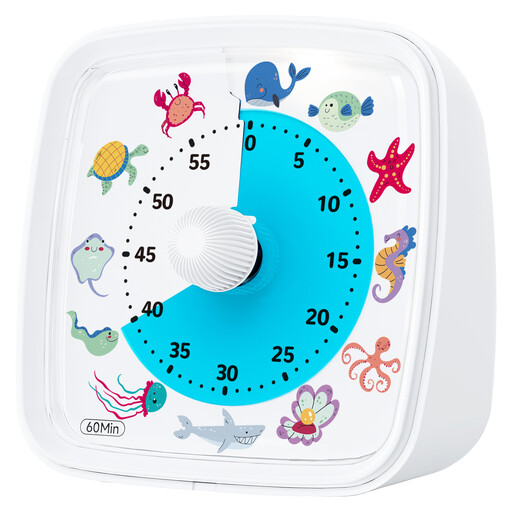 No image available
For a single proving time of up to 60 minutes if you’re looking for a visual countdown timer.
According to the product description, it requires two AAA batteries, which are not included.
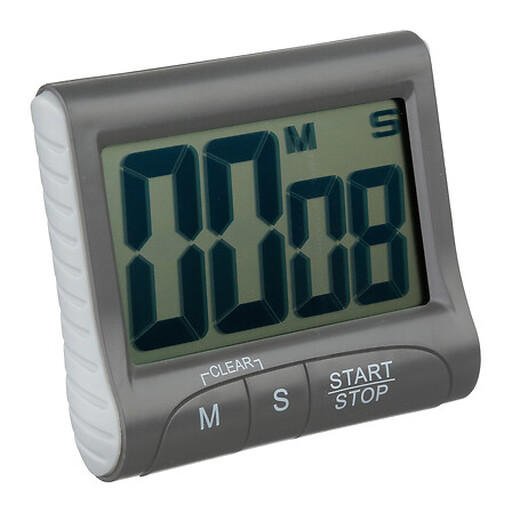 No image available
For a single cooking or baking step, with a countdown and an alert when time is up.
The product description lists a built-in hook and one AAA battery included. Keep the device away from water and extreme heat.
Not necessarily. Use the recipe’s timings as a reminder, then check the signs of readiness listed in the recipe. King Arthur Baking notes that kitchen conditions can affect proving time.
A model with a magnet can attach to a suitable magnetic surface; a stand or hanging loop may also be an option, if the specific model has one. Before you start, check that you’ll be able to see the display or hear the alarm from where you’re working.
Follow the instructions for the specific model and check the battery type and what’s included. GEFU states that the CONTARE is not dishwasher-safe; the TFA 99HOURS 38.2049 requires two AAA batteries, which are not included.
According to the Verbraucherzentrale, consumers generally have a 14-day right to cancel an ordinary online purchase. Your statutory rights if goods are faulty are separate from any voluntary manufacturer’s guarantee; check the details for the specific seller and product.
No. Used batteries must be collected separately, and waste electrical equipment should be taken to a designated collection point. The German Environment Agency recommends removing easily accessible batteries before handing in the device.