Choose a countdown that covers your longest planned proving time without needing to be restarted. If you’re preparing batches at different times, you’ll need separate countdowns that can run simultaneously. Then consider whether you’ll notice the alarm where you’re working, and whether you can position the timer suitably. A timer reminds you to check the dough, but it can’t judge whether it’s proved or tell you when it’s ready to freeze.
Who can benefit from a timer?
For longer proving times
If you want to keep track of a longer proving time from a recipe in one go, you’ll need a countdown that measures hours. The right duration depends on the dough and recipe. IREKS explains that, for enriched yeast doughs, factors such as the amount of fat and sugar affect proving time.
For batches started at different times
If you prepare batches one after another, or want to keep an eye on another task while the dough proves, look for separate countdowns that can run simultaneously. TFA and ADE describe dual-timer models with this feature.
For short, individual tasks
If you only need to time a short proving period, a simpler model may be all you need, as long as its setting range covers the time in your recipe. GEFU, Technoline and Tescoma list short-duration models with different positioning and alarm features.
What should you look for when buying?
| What you need |
What to look for |
Who will find this most useful? |
| Long, uninterrupted proving |
Compare the recipe’s planned proving time with the maximum duration of a single countdown. TFA says the 99HOURS 38.2049.02 can count down for up to 99 hours and 59 minutes; GEFU lists a maximum of 99 minutes and 59 seconds for the CONTARE 12330. |
If I want to keep track of a longer proving time without restarting the timer, its countdown needs to cover the whole period. Around 36% of consumers prioritise a long, uninterrupted countdown. |
| Several end times |
Check that two countdowns can actually run at the same time. TFA lists up to 99 hours, 59 minutes and 59 seconds for the 38.2025; ADE gives a maximum of 23 hours, 59 minutes and 59 seconds for the KT102. |
If I want to track batches started at different times or an additional task separately, I need individual end times. Around 29% of consumers prioritise parallel countdowns. |
| Alarm and positioning |
Check that you’ll be able to hear the alarm and see the display where you plan to work, and that a magnet, stand or hanging option will suit the location. Depending on the model, TFA and ADE list audible or visual alerts and different ways to position the timer. |
If I don’t want to keep checking the display while the dough proves, I need an alert I’ll notice and a suitable place to position the timer. Around 21% of consumers prioritise this. |
| Short, individual countdown |
For short proving times, choose a suitable setting range and a timer you can position conveniently. GEFU and Technoline each list up to 99 minutes and 59 seconds; Tescoma describes the PRESTO as having an audible alert. |
If I only want to track one short proving time, a straightforward countdown that covers the recipe’s timing is enough. Around 14% of consumers prioritise this simple way of using a timer. |
Common buying mistakes
-
“99 minutes” will be enough for several hours of proving
GEFU lists a maximum countdown of 99 minutes and 59 seconds for the CONTARE 12330, as does Technoline for the KT 200. You can’t use either to track a longer, uninterrupted proving time without setting the timer again.
Compare the longest proving time in your recipe with the maximum duration of a single countdown on the specific model.
-
Saved times are the same as several timers running at once
TFA describes the three times on the 99HOURS 38.2049.02 as a memory function. For the 38.2025, TFA instead specifies two measurements running simultaneously.
If your batches have different end times, make sure the timer has countdowns that can run in parallel.
-
Check the batteries and alarm location after you’ve bought it
TFA states that AAA batteries are not included with either the 99HOURS 38.2049.02 or the 38.2025. If you switch off the sound on the 99HOURS, you’ll need to be able to see the device to notice its LED alert.
Check the battery type and whether you’ll be able to hear or see the alert where you plan to work.
Useful brands to consider
TFA Dostmann
The models listed cover long individual countdowns as well as parallel timing.
- The 99HOURS 38.2049.02 offers an hours-long countdown and three saved times; the 38.2025 displays two measurements at once.
- The 99HOURS’s three saved times are not three timers running in parallel. According to TFA, the AAA batteries required for both models are not included.
ADE
The KT102 is a dual-timer option for two separate tasks.
- ADE lists two countdowns displayed simultaneously, different alarm settings, a stand and a magnet.
- The stated maximum range is 23 hours, 59 minutes and 59 seconds. The manufacturer’s website is aimed at business customers, so this does not mean the product is available to consumers.
GEFU
The CONTARE 12330 is a single timer for shorter proving times.
- GEFU lists a countdown and stopwatch of up to 99 minutes and 59 seconds, a magnet, a stand and an included AAA battery.
- The stated range does not cover a longer single countdown; GEFU says the model is not dishwasher-safe.
Technoline
The KT 200 is a digital short-duration timer for one task.
- The manufacturer lists a countdown and stopwatch of up to 99 minutes and 59 seconds, with a choice of placing it on a table or attaching it with the magnet.
- The AAA battery required is not included, and an hours-long countdown is not listed for this model.
Tescoma
The digital PRESTO 636076.00 is designed for individual proving times within its short-duration range.
- Tescoma lists an audible alert, a magnet and an included AAA battery.
- A longer setting range and parallel countdowns are not listed for this model.
Joybuy products
These Joybuy product options are digital kitchen timers. For each model, check that its stated setting range, alert and positioning suit your planned proving time.
 No image available
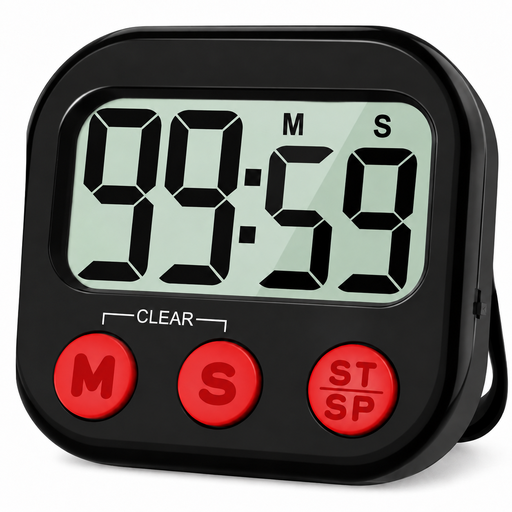
Digital Interval Timer with Stopwatch, 99 mins 59 secs
An option for a single proving time within the stated short-duration range.
Countdown of up to 99 minutes and 59 seconds, with adjustable alarm volume. It can be placed on a surface, attached magnetically or hung up.
View at Joybuy
 No image available
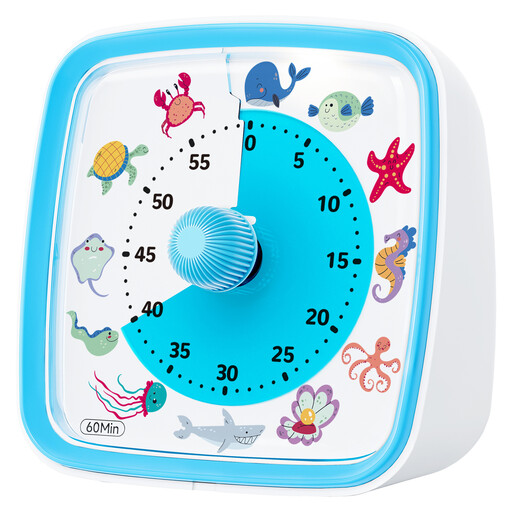
Visual Timer for Children, 60-minute countdown
Suitable if you’d also like to see the progress of a single timed period.
The stated countdown is 60 minutes. The product description mentions a shrinking colour display, a pause function and an audible alert.
View at Joybuy
 No image available
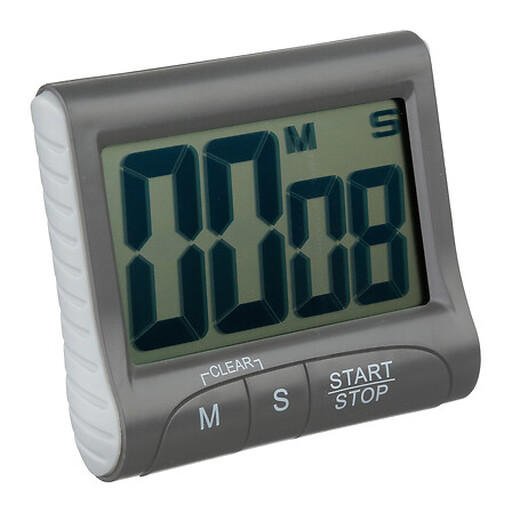
5Five Grey Digital Timer
An option for a kitchen task where you need a countdown with an alert and a timer that can be hung in the right place.
The product information lists a large display, an included AAA battery and an alert when the countdown ends. Keep the device away from water and extreme heat.
View at Joybuy
 No image available
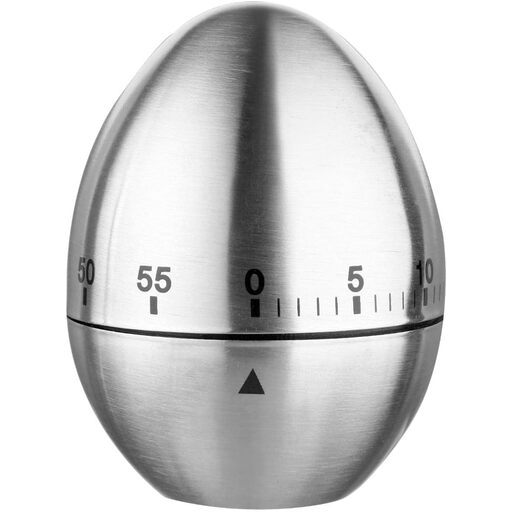
5five Stainless Steel Egg Timer, 6.1 cm, Silver
A compact stainless steel option for kitchen tasks where the stated size matters.
The product information gives its size as 6.1 cm and recommends cleaning it with a damp cloth.
View at Joybuy
 No image available
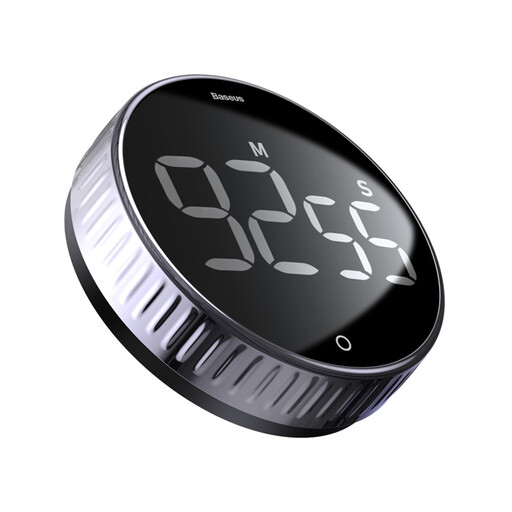
Baseus heyo Rotation Countdown Timer, Black
An option for a single proving time if it falls within the stated range and you’d like an audible alert.
The countdown can be set from 1 to 60 minutes. This model has an LCD display and is designed to sit on a work surface.
View at Joybuy
Frequently asked questions
How should I set a timer for proving dough before dividing it into portions?
Set the proving time recommended for your dough and choose a countdown that covers the whole period. Treat the alarm as a reminder to check the dough, not as a definitive sign that it’s ready. According to the IREKS compendium, the proving time for enriched yeast doughs depends, among other things, on the amounts of fat and sugar.
Are saved times enough for two batches of dough proving at the same time?
Not necessarily. TFA describes the three times on the 99HOURS 38.2049.02 as a memory function. For the 38.2025, TFA instead lists two measurements running simultaneously.
Can a timer tell whether the dough is ready to freeze?
No. A timer tells you when the set time has elapsed, but it can’t judge whether the dough has proved or when it’s ready to freeze. Follow the specific recipe for proving time and what to do next; the IREKS compendium notes that the recipe affects proving time for enriched yeast doughs.
What should I check about batteries and care before buying?
Check the battery type and what’s included: TFA states that two AAA batteries are not included with either the 99HOURS 38.2049.02 or the 38.2025; GEFU says an AAA battery is included with the CONTARE. GEFU also says that the CONTARE is not dishwasher-safe.
How should I dispose of a faulty digital timer and its batteries in Germany?
Do not put electrical equipment in your household waste. The German Environment Agency recommends disposing of electrical waste and batteries separately; remove the batteries before handing the device in, if possible. The German Federal Ministry for the Environment explains that used batteries can be returned free of charge to shops or other collection points.


