Which timer is right for you?

For cooks preparing individual portions of vegetables

When blanching vegetables before freezing, the Federal Centre for Nutrition recommends boiling them for a few minutes, then cooling them in iced water. For short tasks like these, a timer with a clear display and easy-to-set countdown is useful.

For cooks juggling several tasks

If you’re blanching vegetables while another cooking task is under way, consider whether you need two countdowns running at once or can set the times one after another. A stopwatch or memory function does not automatically give you a second running countdown.

For cooks in a temporary kitchen

If you haven’t yet found a permanent spot for your timer, you’ll need a suitable way to attach or position it, as well as an alarm you can hear or see from your workspace. TFA Dostmann and Technoline describe different attachment options and alarm functions for specific models.

What should you look for when buying?

Simple digital countdown timer

A good choice if: You’re timing one portion or one cooking task at a time. According to the manufacturer, the Technoline KT 200 has separate buttons for setting minutes and seconds, with an alarm to signal when the time is up.

Keep in mind: A stopwatch is not a second countdown that runs at the same time. According to the manufacturer, the AAA battery for the KT 200 is not included.

Single timer with memory and multiple attachment options

A good choice if: You’re blanching several portions one after another for the same length of time. TFA Dostmann lists a memory function and a magnet, clip, stand and hanging loop for model 38.2021.01.

Keep in mind: The memory function makes it easier to set the same time again, but it doesn’t replace two parallel countdowns. The right attachment option depends on the space you have available.

Multi-timer

A good choice if: You want to keep an eye on vegetables and another cooking task at the same time. According to TFA Dostmann, model 38.2025 displays two timings at once and has three volume settings and an LED warning light.

Keep in mind: You don’t need multiple displays for a single portion. A light signal is only useful if you can see the device from your workspace. The AAA batteries are not included, according to the manufacturer.

What you need What to check before buying Who is it important to?
Setting short times Minutes and seconds input, plus start/stop controls; if you’re repeating the same intervals, check for a memory function too. If I’m setting short blanching times and need to reuse the same time for more portions, straightforward controls and, where useful, a memory function matter to me. Around 33% of consumers prioritise quick input and repeat settings.
Noticing when time is up Check the type of alarm and any volume settings; if there’s a light signal, make sure you can see it from your workspace. If I’m moving between the vegetables, the sink and other kitchen tasks, I need to notice when the timer goes off from wherever I’ve placed it. Around 27% of consumers prioritise a clear end-of-timer alert.
Finding the right place for it Choose a visible spot before buying, then check the magnet, stand, clip or hanging loop for the specific model. If my worktops and storage spots are changing during the renovation, I need an attachment or stand that will actually work there. Around 20% of consumers prioritise flexible positioning.
Timing tasks in parallel Look for countdowns that are explicitly described as running and displaying separately at the same time; don’t confuse this with a memory function or stopwatch. If I’m cooking vegetables and doing another task at the same time, I want to keep track of the remaining time for each separately. Around 20% of consumers prioritise parallel countdowns.

Common buying and usage mistakes

  • Mistaking a memory function for a second countdown

    A saved setting makes it easier to set the timer again, but it doesn’t automatically let you run a second countdown at the same time.

    If you have two tasks running in parallel, check that the specific model explicitly displays two countdowns running at the same time. TFA Dostmann describes this feature for the 38.2025.

  • Choosing a magnet without checking you have a suitable, visible spot

    A magnet is only useful on a suitable surface; a stand needs room, while a clip or hanging loop needs somewhere appropriate to attach it.

    Before buying, choose a spot you can see from where you cook and check the attachment options for the specific model. Don’t assume every timer offers the same options.

  • Overlooking the batteries and what’s included

    What’s included can vary between models. According to the manufacturers, the AAA batteries required for the Technoline KT 200 and TFA Dostmann 38.2025 are not included.

    You may need to buy AAA batteries separately for these two models.

    Before buying, compare the specified battery type with what’s included with the model you’ve chosen.

  • Assuming the blanching time means beans are properly cooked

    Brief blanching and cooking food thoroughly before eating are two different things. The Federal Centre for Nutrition recommends boiling green beans for at least ten minutes; the German Federal Institute for Risk Assessment recommends boiling fresh beans in water for at least 30 minutes.

    Don’t treat the end of a short countdown as proof that beans are properly cooked. For fresh beans, the more cautious approach is to follow the stricter recommendation from the German Federal Institute for Risk Assessment.

Brands to consider

TFA Dostmann

The models described cover single timings, two measurements at once and three timers that can be used simultaneously.

  • According to the manufacturer, the 38.2021.01 has a memory function and four attachment options: magnet, clip, stand and hanging loop.
  • According to the manufacturer, the 38.2025 offers two simultaneous measurements, an LED warning light and three volume settings; the AAA batteries required are not included. These details apply to the model specified.
  • TFA Dostmann says the TRIPLE TIME 38.2020 has three timers that can be used simultaneously.

Technoline

According to the manufacturer and its manual, the KT 200 is a digital minutes-and-seconds countdown timer that can stand on a table or attach with a magnet.

  • The manual lists a stopwatch and a countdown of up to 99 minutes and 59 seconds, with an alarm when the time is up.
  • According to the manufacturer, the AAA battery is not included. A second time running simultaneously is not listed for this model.

GEFU

The digital CONTARE 12330 combines a single countdown with a magnet and stand.

  • GEFU lists settings of up to 99 minutes and 59 seconds, and says an AAA battery is included.
  • The manufacturer’s information for this model does not confirm multiple parallel countdowns or an independently measured alarm volume.

Silit

WMF describes the Silit Attimo as a digital kitchen timer with touch controls, a magnet, a fold-out stand and a stopwatch.

  • According to WMF, the device gives an audible alert when the time is up; two AAA batteries are included.
  • Touch controls and separate minute or second buttons are different ways of operating a timer. The manufacturer’s description doesn’t establish which is easier to use in a temporary kitchen.

Digital timers at Joybuy

This selection includes digital countdown timers for kitchen tasks, including visual timers. Compare the time range for each one and check whether a pause function or its intended placement suits your workspace during the renovation.
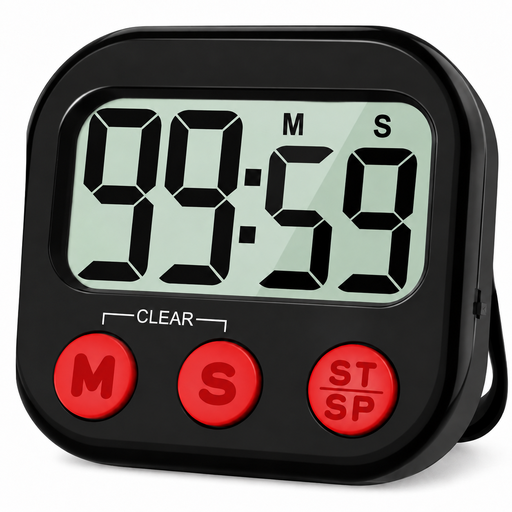
Digital interval timer with stopwatch

Digital interval timer with stopwatch, 99 min 59 sec, adjustable volume

A digital countdown timer for kitchen tasks, with a stopwatch function if you need one.

The title lists a countdown of up to 99 minutes and 59 seconds, as well as adjustable volume.

View at Joybuy
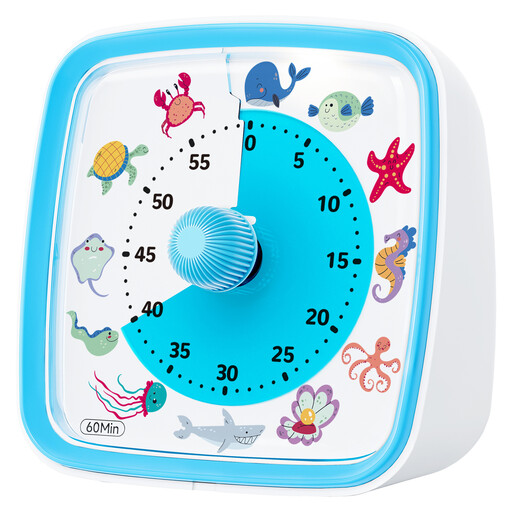
Visual timer with 60-minute countdown

Visual timer, 60-minute countdown

An option if you’d like to use a visual countdown for kitchen tasks.

The title lists a 60-minute countdown. The description says two AAA batteries are required and are not included.

View at Joybuy
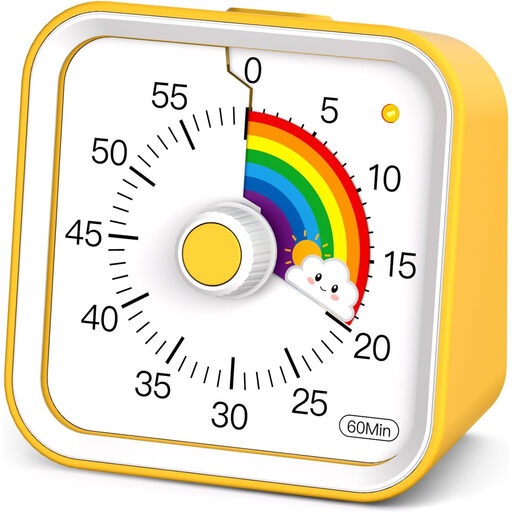
Visual timer with pause function, 60-minute countdown, Yellow Rainbow

Visual timer with pause function, 60-minute countdown (Yellow Rainbow)

For a kitchen countdown you can pause and resume later.

The title lists a pause function and a 60-minute countdown. The description says two AAA batteries are required and are not included.

View at Joybuy
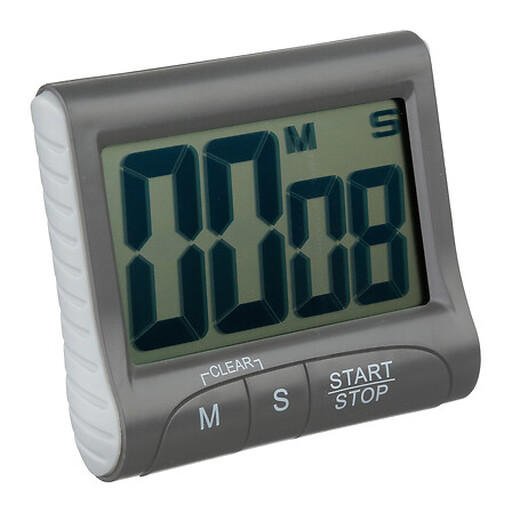
5Five GREY DIGITAL TIMER

5Five GREY DIGITAL TIMER

A digital timer for kitchen tasks, if you’d like to stand or hang the device somewhere suitable.

The description warns against exposing the device to water or extreme heat. Keep it away from splashes and strong sources of heat.

View at Joybuy

Frequently asked questions

When should I start the countdown when blanching?

Start the timer at the appropriate stage of the process. The Federal Centre for Nutrition recommends blanching vegetables before freezing by boiling them for a few minutes, then cooling them in iced water. A timer doesn’t replace the recipe instructions or keeping an eye on the cooking process.

Can I assume briefly blanched green beans are properly cooked?

No. Brief blanching to prepare vegetables is not the same as cooking them thoroughly before eating. The Federal Centre for Nutrition recommends boiling green beans for at least ten minutes; in a statement dated 23 January 2024, the German Federal Institute for Risk Assessment recommends boiling fresh beans in water for at least 30 minutes. So don’t treat a short countdown as proof that beans are properly cooked. For fresh beans, take the cautious approach and follow the stricter recommendation from the German Federal Institute for Risk Assessment.

How do I set up a timer in a temporary kitchen?

First, choose a spot you can see from where you cook, then use an attachment that suits that spot. The Technoline KT 200 manual lists MIN and SEC for setting the time and START/STOP to start it; TFA Dostmann also lists a clip and hanging loop for the 38.2021.01. Battery types and what’s included vary between models.

Who can help if a timer is faulty, and is a manufacturer’s guarantee the same as your statutory rights?

If a product is faulty, the seller is generally your point of contact for your statutory consumer rights. A manufacturer’s guarantee is an additional, voluntary promise, and its terms depend on the provider. According to the consumer advice centre, repair or replacement are forms of remedy.

How should I dispose of a faulty digital timer and its battery in Germany?

According to the German Environment Agency, electrical waste must not go in household rubbish. If possible, remove any removable batteries before handing the timer in and dispose of them separately at a battery collection point. Electrical waste can be taken to recycling centres or suitable take-back points in shops.