Who should consider these options?

Households with several video calls at once

While a cookery class is streaming, other people in the household may be making calls or joining video conferences. You’ll need a stable connection for all the devices in use, as well as enough upload and download speed from your broadband connection.

People cooking with a weak Wi-Fi signal in the kitchen

The router is further away and the class keeps freezing where you’re cooking. You’ll need to work out whether a better router location, an extra access point or a mesh system is the answer, rather than replacing the router.

Households thinking about replacing their router

Before buying a new router, check whether your connection is DSL, cable or fibre, and whether you already have a modem. Other devices and optional services may also affect your choice.

What should you look for when buying?

What you need What to check when buying Who is it important to?
Several people streaming video at once Check upload and download speeds when several people are using the connection at the same time, as well as the stability of the connection. Netflix recommends at least 5 Mbit/s for FHD at 1080p; Zoom recommends 2.6 Mbit/s upload and 1.8 Mbit/s download for 720p group calls. These figures depend on the service and video quality, and aren’t a general minimum broadband package speed. If a cookery class and video calls are running at the same time, I need a stable connection for both sending and receiving data. Around 40% of consumers prioritise using video services simultaneously.
Wi-Fi reception where you cook Check the Wi-Fi connection in the kitchen itself. Compare moving the router to a more suitable position with adding an access point or mesh system. If the video keeps freezing right where I’m cooking, I want to improve the signal there without rushing to replace the router. Around 30% of consumers prioritise kitchen coverage.
Connection type and modem Check that your DSL, cable or fibre connection and existing modem are compatible with the device’s ports. With fibre, connecting directly and using the router behind an ONT are two different options. If I’m planning to replace my router, it needs to work with my connection and existing modem. Around 20% of consumers prioritise connection compatibility.
Security and ongoing costs Check that firmware updates are available and use secure login details. Also factor any additional devices you need and optional subscriptions into your decision. If I want to use the router for the long term, I look for security settings that can be kept up to date and check for any ongoing costs. Around 10% of consumers prioritise security and overall costs.

Common buying mistakes

  • Confusing Wi-Fi data rate with internet speed

    The advertised Wi-Fi data rate doesn’t tell you how fast your internet connection is or what speed you’ll get where you cook.

    Check your broadband speed and Wi-Fi reception separately. The Federal Network Agency’s broadband measurement tool can help you compare your actual connection speed with the speed agreed in your contract.

  • Buying a router without the right modem as a direct replacement

    DSL, cable and fibre use different connection types. A Wi-Fi router without a compatible modem won’t necessarily replace a DSL or cable router.

    Before buying, check your connection type, existing modem and the ports on the specific model.

    Depending on your setup, you may need an additional modem.

  • Assuming a mesh system’s stated coverage guarantees a good signal by the cooker

    A manufacturer’s coverage claim for a mesh system doesn’t prove that the signal will be strong enough where you cook in every home.

    Check possible locations and the size of the system you’ve chosen. If you can run a network cable between the units, an Ethernet backhaul may be an option.

    You may need extra mesh units or suitable cabling.

  • Assuming optional security services are included for good

    An optional security service may require a subscription and may not be included indefinitely when you buy the router.

    Consider the extra service and its renewal terms separately from the router.

    A subscription may involve recurring costs; check the terms of the specific offer.

Brands to consider

FRITZ!

The right model depends on your connection: different devices are available for DSL, cable and fibre.

  • FRITZ! lists built-in connection technology and mesh features for its respective models. These are manufacturer claims, not independent Wi-Fi measurements.
  • The FRITZ!Box 5590 Fiber is no longer offered by the manufacturer, so an older comparison listing doesn’t indicate current availability.

TP-Link

The range includes standalone Wi-Fi routers and mesh systems for different connection types and coverage needs.

  • The manufacturer lists the Archer AX55 as a Wi-Fi 6 router; Ethernet backhaul is optionally available with the Deco X50.
  • The Archer AX55 doesn’t have a built-in DSL modem. Advertised mesh coverage doesn’t guarantee coverage throughout your home.

ASUS

The RT-AX58U is designed to work as a Wi-Fi router or access point, with an AiMesh option, alongside a compatible connection setup.

  • The German datasheet lists a Gigabit WAN port, AiMesh and Adaptive QoS.
  • The datasheet distinguishes between V1 and V2 hardware versions. Check which version is on offer and what features it has before buying.

Telekom

The Speedport Smart 4 is designed for the DSL connections specified by the provider, or for fibre used with an external modem.

  • Telekom lists compatible mesh extenders, automatic updates and a rental option.
  • Setup, support and the rental option are specific to this provider and don’t apply to every internet service provider.

NETGEAR

The Nighthawk RS300 is a standalone Wi-Fi 7 router designed to work with a compatible connection setup.

  • NETGEAR offers its optional Armor security service for this model.
  • Check the range claims and subscription terms for the specific offer rather than assuming they’ll apply to your setup.

Joybuy products for different connection types

This selection from Joybuy includes Wi-Fi routers for use with existing modems or other connection equipment, as well as a DSL router. Before buying, check which connection type is right for your household.
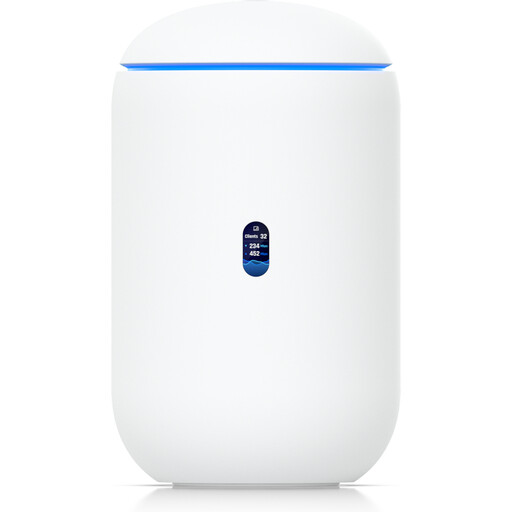
Ubiquiti UniFi Dream Router 7

Ubiquiti UniFi Dream Router 7

For cookery classes and video calls over Wi-Fi, when you have a compatible modem or ONT connection upstream.

Tri-band Wi-Fi 7; a 2.5-GbE RJ45 port is listed as a WAN option; a PoE output and 10G SFP+ are also specified. Management requires an active internet connection and UniFi Network version 9.0.108 or later.

Joybuy
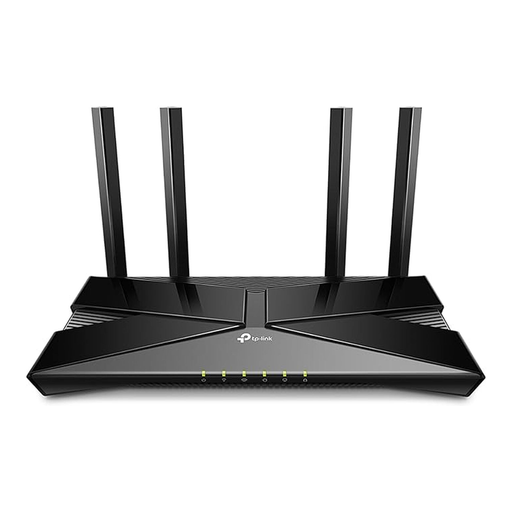
TP-Link Archer AX23 AX1800 dual-band Wi-Fi 6 router

TP-Link Archer AX23 AX1800

For several Wi-Fi devices, when you have a compatible modem or Ethernet connection upstream.

Dual-band Wi-Fi 6; speeds of 1,201 Mbit/s at 5 GHz and 574 Mbit/s at 2.4 GHz are listed, along with four Gigabit LAN ports. This model doesn’t support DSL and needs a compatible connection upstream.

Joybuy
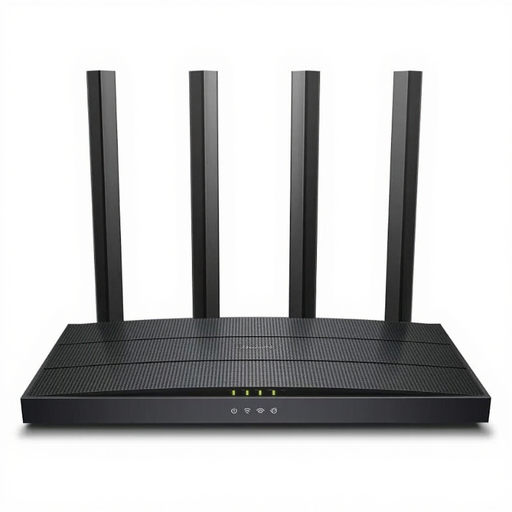
TP-Link Archer C6 V3.2 wireless router

TP-Link Archer C6 V3.2

For a Wi-Fi connection through a suitable modem upstream; this model doesn’t have a built-in modem.

The description lists dual-band Wi-Fi, MU-MIMO, four Gigabit Ethernet ports and an access point mode.

Joybuy

FRITZ!Box 7530 AX Wi-Fi 6 router

FRITZ!Box 7530 AX

For a compatible DSL connection, when you want a router and DSL modem in one device.

Wi-Fi 6, dual-band Wi-Fi, mesh support and four Gigabit LAN ports are listed. The model supports VDSL Supervectoring 35b up to 300 Mbit/s.

Joybuy

ASUS 4G-AX56 Wi-Fi 6 modem router

ASUS 4G-AX56

For internet access over 4G LTE with a compatible Nano-SIM card.

Dual-band Wi-Fi 6 and Gigabit WAN and LAN ports are listed. A Nano-SIM card is required for the 4G LTE connection described.

Joybuy

Frequently asked questions

How can I tell whether it’s my broadband connection or the kitchen Wi-Fi that’s slowing things down?

Compare your actual broadband speed with the speed agreed in your contract, then check the signal where you cook. The Federal Network Agency offers a broadband measurement tool to compare your connection; a weak Wi-Fi signal in one particular spot is a separate issue.

Do I need Wi-Fi 7 for cookery classes and video calls?

No. The video services’ stated requirements don’t mean that Wi-Fi 7 is essential. What matters is a stable connection, enough upload and download speed, and good coverage where you use it. Your needs also depend on the service and video quality.

How do I secure a newly set-up router and guest access?

The Federal Office for Information Security recommends changing default, generic administrator passwords and keeping your firmware up to date. If available, a guest Wi-Fi network can separate visitors’ connections from your home network. When setting it up, also consider WPA2 or WPA3 and use strong passwords.

What extra costs might I face after buying a router?

Depending on your setup, you may need additional mesh units or a modem. Optional security services may be paid subscriptions. Check the terms of the specific offer rather than assuming that such a service is needed for video classes.

Can I connect my own router in Germany?

Yes. The Federal Network Agency confirms that you’re free to choose a suitable router for your internet connection. Its decision of 22 January 2025 also confirms freedom of choice for terminal equipment on passive optical fibre networks. You’ll still need to check that the device is technically compatible with your specific connection.