Joybuy products for knitting videos
The DJI Osmo Pocket models below are compact camera options for video recording. For a fixed view of your knitting, check in particular that the framing and focusing distance suit your workspace.
 No image available
DJI Osmo Pocket 4P – Vlog Combo – Black
This model is listed as a Vlog Combo; check the framing and focus from your planned camera position.
View at Joybuy
 No image available
DJI Osmo Pocket 4P – Standard Combo – Black
This model is listed as a Standard Combo; check the framing and focus from your planned camera position.
View at Joybuy
 No image available
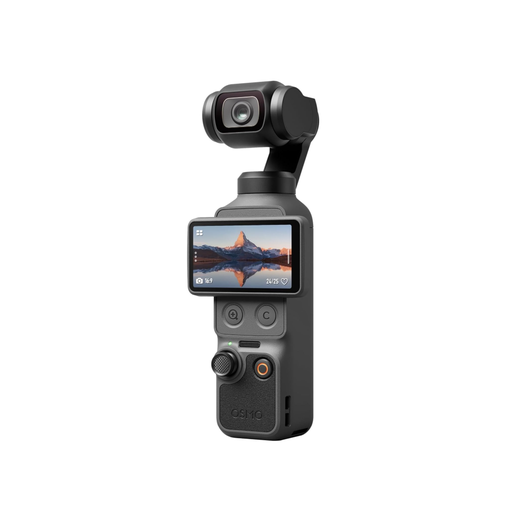
DJI Osmo Pocket 4 – Standard Combo
The product listing describes a pocket gimbal camera for video and photography. Check that its angle of view and mounting position capture your knitting area.
The listing specifies 4K/240 fps; check which recording mode this refers to for your intended use.
View at Joybuy
 No image available
DJI Osmo Pocket 3 Creator Kit
The kit description lists a DJI Mic 2 transmitter, which could be useful for spoken instructions.
DJI lists 4K/120 fps as a slow-motion mode; standard 4K recording is documented up to 60 fps. According to DJI, the fixed lens has a 20 mm full-frame equivalent and a focus range starting at 0.2 m.
View at Joybuy
 No image available
DJI Osmo Pocket 3
This compact camera is described as being for video recording and vlogging. Check that the fixed lens gives you the framing you want from your mounting position.
DJI specifies a 20 mm full-frame equivalent and a focus range starting at 0.2 m. 4K/120 fps is a slow-motion mode; standard 4K recording is documented up to 60 fps.
View at Joybuy
Frequently asked questions
How can I check before buying that stitches will look large enough in my videos?
Mark out your planned camera position and check the framing and focus range of the specific lens across your work surface. DJI specifies a focus range starting at 0.2 m for the Osmo Pocket 3; with an interchangeable-lens camera, you’ll need to check the lens actually included.
What can I do if artificial light causes bands in my test video?
Record a short test video under your lights and check whether a shutter speed setting available on your specific camera model reduces the flicker. Sony describes this as one possible measure, not a solution for every light.
How can I keep yarn colours consistent across several recordings?
Use the same lighting wherever possible and set the white balance to suit it. Repeat your test if you change your lights or their settings; Canon explains that different light sources can cause colour casts if they aren’t corrected for.
What should I plan for longer spoken tutorials?
Check the power supply, storage, microphone position and audio during a test recording of the planned length. The Canon EOS R50 V is documented as having microphone and headphone sockets; for other models, check the connections and recording conditions for the exact version.


