Knitters filming close-ups
If you film your hands and stitches from above, position the light so that your hand movements don’t obscure important steps.


Choose your video light based first on the size of the area you’re filming, then on where you can position it at your table. An adjustable panel is a straightforward starting point, while a COB light needs extra space and a suitable light modifier. Match the colour temperature to the room lighting, then check stitch shadows, yarn colours and any potential flicker with your camera in the planned set-up. Manufacturer specifications alone can’t guarantee the results you’ll get on camera.
If you film your hands and stitches from above, position the light so that your hand movements don’t obscure important steps.
If you show colour changes or different yarns under your existing room lighting, check the light’s colour temperature and your white balance in the actual camera set-up.
If you have limited space at your table or move between filming locations, the right mounting option and power supply are important factors to consider.
| What you need | What to check before buying | Who is it important to? |
|---|---|---|
| Show stitches and hands with minimal shadows | Check the area you’ll be filming, the diffuser or light modifier, and possible mounting positions. Only compare brightness figures when they use the same units and measurement conditions. | If I film my hands and stitches from above, I want to keep each step clear on screen, even when my hands are moving. Around 33% of consumers put stitch visibility first. |
| Yarn colours under artificial light | Test the colour temperature settings and white balance against a white reference in your planned set-up. Treat CRI and TLCI figures as manufacturer specifications for the model in question. | If I show colour changes or different yarns, I want to represent the colours accurately under my existing room lighting. Around 27% of consumers prioritise yarn colour reproduction. |
| A suitable mount for your filming space | Check the available table and floor space, the position in relation to your camera, the mounting option and what’s included with the specific variant. | If my table is small or I move between filming locations, I need a light that can be mounted in a practical way. Around 20% of consumers say ease of set-up is their main concern. |
| Uninterrupted filming | Record a clip using your planned frame rate, shutter speed, dimmer setting and room lighting. Check the power supply and battery life for the length of shoot you have in mind. | If I film longer knitting steps in one take, I want to avoid visible flicker and interruptions to the power supply. Around 20% of consumers put flicker-free recording first. |
Power consumption doesn’t directly tell you how well the area you’re filming will be lit. Lux figures only apply under the measurement conditions specified.
Check the size of the light, its position and the shadows in your planned camera frame. Only compare brightness figures when they use the same unit and a similar measurement distance.
Adjustable Kelvin settings won’t automatically prevent colour shifts when room lighting is mixed with the light from your panel, or when your camera changes the white balance.
Set the room lighting you’ll use for filming, then check your yarn and a white reference in a test clip.
A stand is only included with the relevant version of the NEEWER NL660, and compatible NP-F batteries are not included. The amaran 100x S has a Bowens mount, but that doesn’t mean it comes with a light modifier already set up.
Compare what’s included with the specific variant against your planned mounting, light-shaping and power requirements.
Depending on the model and variant, you may need to buy a stand, light modifier or batteries separately.
A monitor mount saves space, but doesn’t tell you whether the light will reach your hands and knitting area when your camera is filming from above.
Plan the positions of your camera, hands and light in your own filming space, then check how much of the area is actually illuminated.
The NL660 is a bi-colour panel for a set-up where you can position a larger light by your knitting table.
The P260C Pro is a bi-colour panel for lighting your workspace from a fixed or repositioned set-up.
The Key Light Neo is a compact, adjustable USB light for a filming space with a suitable monitor mount or another compatible mounting option.
The 100x S is a bi-colour COB light for a set-up that uses a compatible light modifier, planned separately.
The VL81 is a small battery-powered light for changing filming locations or as an extra light for a limited area.
The products below include table lights for crafts, as well as portable and bi-colour video lights. For a knitting shoot, check that the light’s direction, size and power supply suit your filming space.
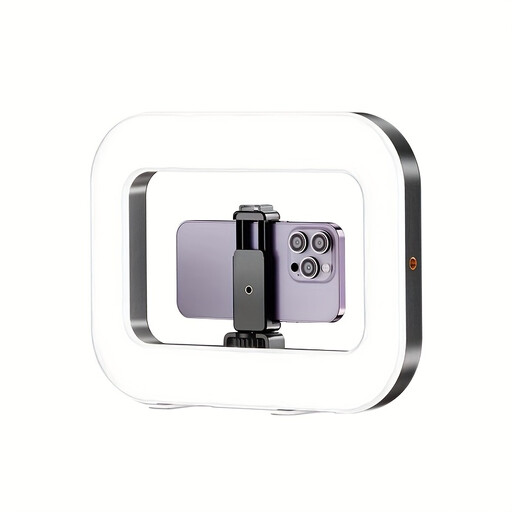 No image available
Listed as a ring light for smartphone livestreams. Check the actual frame to see whether it lights your knitting area effectively.
Built-in battery and 1/4-inch thread, according to the product description.
Three adjustable colour temperatures and brightness levels, according to the product description.
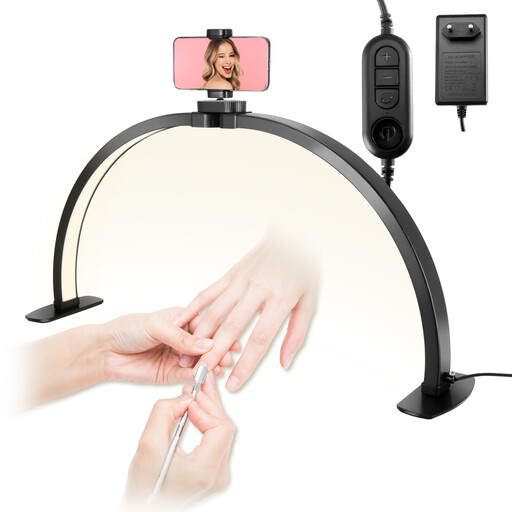 No image available
Described as a table light for crafts and table filming. Check that the phone holder and light position work with your camera angle.
Three colour temperatures from 3000 to 6000 K and a 10-level dimmer, according to the product description.
The phone holder is rotatable, according to the description.
 No image available
Listed as a portable continuous light for video recording. Test how it lights your hands and stitches in the position you plan to use.
60 W, RGB and 345 g, according to the product name.
The product description specifies an adjustable range of 2700 to 6500 K, plus manual and app control.
 No image available
Designed for use with a compatible light modifier. Make sure you have enough space and a suitable way to mount it for your knitting area.
200 W, Bowens mount and adjustable range of 2700 to 7000 K, according to the product name.
The product name specifies a built-in power supply design. This doesn’t confirm that a light modifier is included.
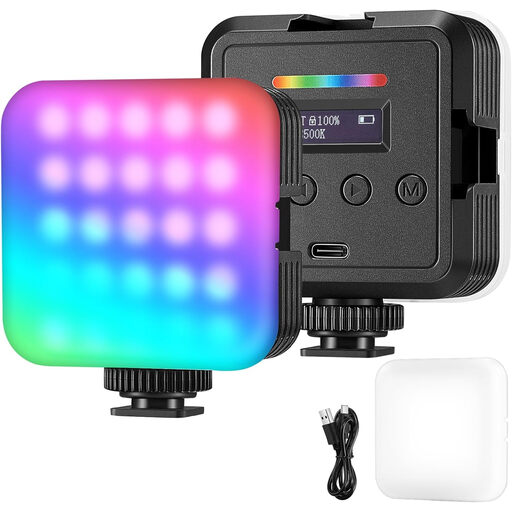 No image available
Described as a video and camera light for video, vlogs and streaming. Check that its position and the frame work for your knitting shoot.
Battery or USB power, with adjustable brightness and warm, white or RGB light, according to the product description.
The description lists use at home, in the office or on the go.
Record a short clip using your planned frame rate, shutter speed, dimmer setting and room lighting. Nikon explains that flicker can result from the interaction between camera settings and the frequency of certain light sources; a suitable anti-flicker setting on your camera may help. A clip without visible flicker using different settings doesn’t guarantee the same result in your planned take.
Match the light to your existing room lighting and check the white balance against a white reference in your actual set-up. Nikon notes that automatic and manually set white balance can produce different results under mixed lighting.
Check that the monitor mount and USB power connection work for the position you want by your knitting table. For this model, Elgato describes the monitor mount and recommends cleaning the adhesive surface with a damp cloth and water only. This is manufacturer guidance for this particular model.
No. According to Germany’s consumer advice centre, the statutory rights you have against the seller are separate from a voluntary guarantee offered by the manufacturer or retailer. If a product is faulty, the first options may be repair or replacement. Online purchases are also generally subject to a separate 14-day right to cancel, under the applicable conditions.
For electrical lighting products, the German Federal Network Agency checks matters including CE marking, product identification, manufacturer details and the required German instructions and warnings. A CE mark isn’t an independent performance test. Old electrical equipment and LED lamps must not go in household rubbish; they should be disposed of separately.