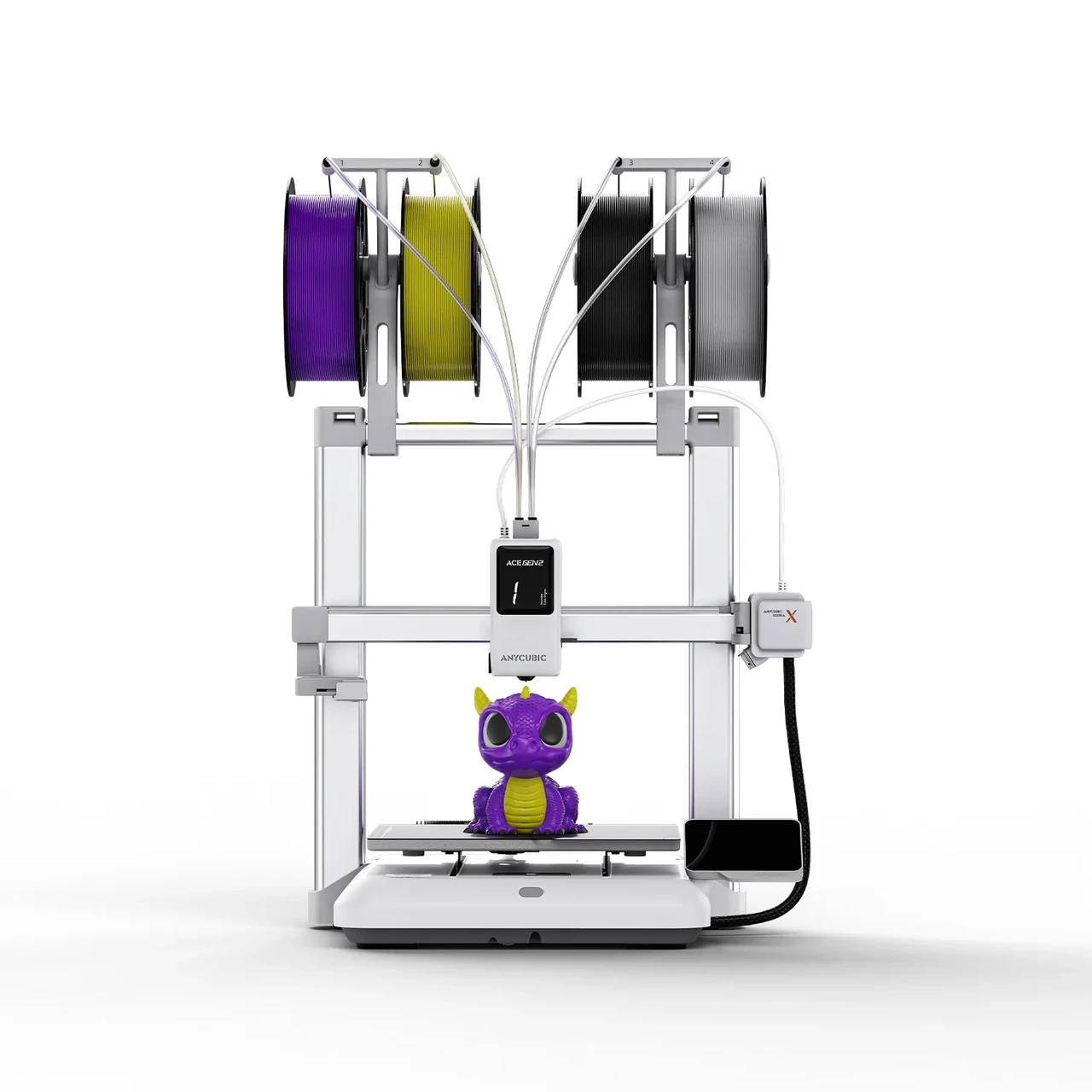
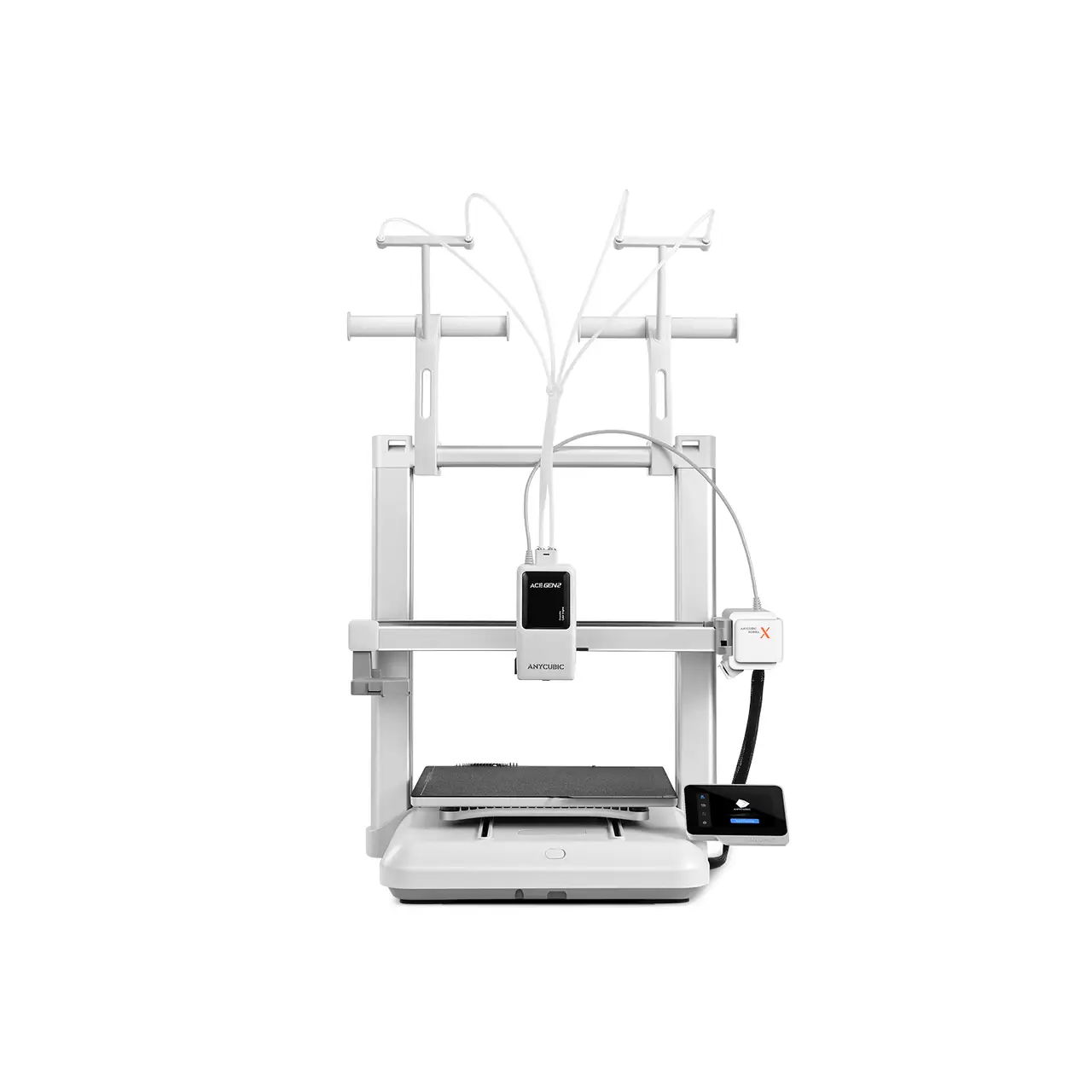
The ANYCUBIC Kobra X brings multicolour FDM 3D printing to home workshops and creative projects. Its 260 × 260 × 260 mm build volume and integrated four-colour printing, expandable to 19 colours, give you room to make detailed models and practical parts. LeviQ 3.0 auto-levelling, filament and print monitoring, and power-loss recovery support a smoother workflow, while remote control is available through the printer interface, slicing software or ANYCUBIC app. It suits makers and hobbyists printing with materials such as PLA, PETG or TPU.
How to Choose the Right 3D Printer
Start with what you want to print, how often you will use the machine and where it will sit. Comparing print technology, build volume and running requirements will help you choose a 3D printer that suits your projects and workspace in Germany.
Key Features to Consider
Check these practical criteria before comparing individual models:
- Print technology and materials: For general-purpose models, an FDM 3D printer uses filament and is often a practical starting point for prototypes and household parts; a resin printer can capture finer detail but needs careful handling and cleaning. Check which filament or resin types the printer supports and whether they are readily available for purchase in Germany.
- Build volume and print quality: Compare the build volume with the largest objects you expect to make, allowing room for supports where needed. Look at layer-height options and reviews of real-world results, as a high stated resolution alone does not guarantee a smooth finish.
- Setup, upkeep and workspace: Consider how much assembly, calibration and routine maintenance the printer requires, and check that replacement parts and guidance are accessible. Allow for its footprint, operating noise and, especially with resin, suitable ventilation and safe material handling in your home or workshop.
Bring More Colour and Creativity to Every Print
Four-Colour Printing, with Room to Expand
Give creative projects a vibrant new dimension with the ANYCUBIC Kobra X’s integrated four-colour printing. Multiple colours in a single print can help bring detailed models, decorative pieces and practical creations to life, with a workflow designed to make multicolour printing part of your everyday making. Ready to explore an even broader palette? The system can be expanded to support up to 19 colours, opening up more ways to personalise designs and experiment with colour combinations. Its open-frame FDM design also gives you a clear view of your print as it takes shape.
Fast Printing with Automatic Calibration
Keep projects moving with a recommended print speed of 300 mm/s and a maximum speed of 600 mm/s, giving you flexibility to balance pace and detail to suit each creation. The Kobra X pairs its speed with LeviQ 3.0 auto-levelling, which automatically adjusts the Z-offset to help prepare the print surface with ease. This streamlined setup supports a confident start to each project, while automatic calibration helps make repeat printing more convenient. From quick creative experiments to longer making sessions, the printer brings speed and smart setup together in one capable machine.
Versatile Filaments and Smarter Project Control
Explore a wide range of creative and practical projects with support for PLA, PETG, TPU, PVA, PLA-CF, PETG-CF and ASA filaments. The Kobra X adds helpful tools for everyday printing, including AI-assisted spaghetti and filament-tangle detection to help monitor print progress. Power-loss recovery supports continuity when a print is interrupted, while remote monitoring and control are available through the printer interface, slicing software or the ANYCUBIC app. Together, these features make it easier to keep an eye on projects and manage your printing workflow from setup through to completion.
ANYCUBIC Kobra X Multicolour 3D Printer: Who It Suits
Makers Creating Multicolour Models
When you make models, props or display pieces where colour is
part of the design, you can print with four colours in one job
and expand the setup to support up to 19, reducing the need to
add colour by hand and giving you more expressive finished
pieces.
Makers Printing Functional Parts
If you make functional parts and need to choose a filament to
suit each project, you can print with options including PETG,
TPU, ASA and carbon-fibre-filled PLA or PETG; that range gives
you more flexibility when turning practical designs into
printed parts.
Designers Refining Prototypes
When you are refining a design through repeated prototypes,
the Kobra X’s high print speeds help shorten each print cycle,
so you can work through iterations and assess your next
version sooner.
People Managing Prints Remotely
If you cannot stay beside the printer throughout a job,
auto-levelling with automatic Z-offset adjustment helps
simplify setup, while AI-assisted detection can spot spaghetti
and filament tangles. Power-loss recovery and remote
monitoring and control through the app or slicing software
help you manage jobs from elsewhere, so you can keep projects
moving when you are away.
Frequently Asked Questions
What is the build volume of the ANYCUBIC Kobra X, and how many colours can it print?
The ANYCUBIC Kobra X has a 260 × 260 × 260 mm build volume and integrated four-colour printing. Its multicolour capability can be expanded to support up to 19 colours, making it suitable for larger models, several smaller parts in one job and designs with more varied colour details.
Which filaments can I use with the ANYCUBIC Kobra X?
The Kobra X supports PLA, PETG, TPU, PVA, PLA-CF, PETG-CF and ASA filaments. That range covers everyday model-making, flexible prints with TPU and reinforced filament options such as PLA-CF and PETG-CF, so you can choose a material to suit different creative or functional projects.
Is the ANYCUBIC Kobra X safe to use around children?
The Kobra X has an open frame, moving parts and a nozzle that becomes very hot during printing, so keep the printer and its accessories out of children’s reach. Avoid touching the nozzle or freshly extruded material with bare hands, and switch off the printer immediately in an emergency to use it more safely at home.
Don't just buy, Joybuy
Discover more of your favourite brands on Joybuy with great offers.