
Lieferung heute & morgen

Qualitätsgarantie

Willkommens-Angebote freischalten: KOSTENLOSE Lieferung | Bis zu 80 % RABATT | Kostenlose 30-Tage-JoyPlus-Testphase
App herunterladen
A new L-shaped gaming desk can be the centerpiece of any setup—whether for intense gaming, streaming, or a productive home office. But the market is flooded with models that look great at first glance but quickly prove to be a poor investment. As your Joybuy Product Recommendation Officer, I'll help you identify the crucial features and avoid common pitfalls, ensuring your investment pays off in the long run.
Many buyers focus on aesthetics, overlooking functional flaws that are crucial for daily use. Pay close attention to these three points:
To avoid these problems, you should carefully examine three technical aspects before buying. These will determine the durability, safety, and functionality of your new workspace.
The foundation of any good desk is its frame. A powder-coated steel frame is the solid choice here. It offers significantly more stability and load-bearing capacity than designs based solely on engineered wood panels. Look for additional crossbars between the legs, as they dramatically reduce lateral wobble. Another important detail is height-adjustable feet. They allow you to level the desk for a wobble-free setup, even on uneven floors.
Modern desks offer more than just a work surface. However, you need to look closely at integrated features:
An L-shaped PC desk should adapt to your space, not the other way around. A reversible design is a key advantage here. It means you can assemble the long and short sides of the desk on either the left or right. Also, check the dimensions of the storage compartments. Will your binders fit on the shelves? Is one of the drawers designed to hold hanging files for A4-format documents? A well-thought-out storage concept is the key to a tidy home office corner desk.
Based on the criteria above, we have identified some models that are well-suited for specific needs.
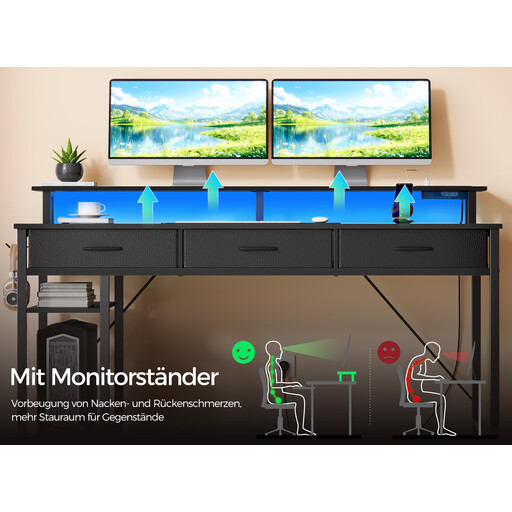
Why This Fits Their Persona: This model is an all-in-one solution that meets every gamer's needs. The integrated corner desk with LED and power supply greatly simplifies cable management, while the monitor stand improves ergonomics for long gaming sessions.
The powder-coated steel frame provides essential stability. The integrated power strip is clearly specified for low-power devices, which minimizes the safety risk.
Full integration of power, lighting, and storage in one package. The reversible design offers flexibility in room layout.
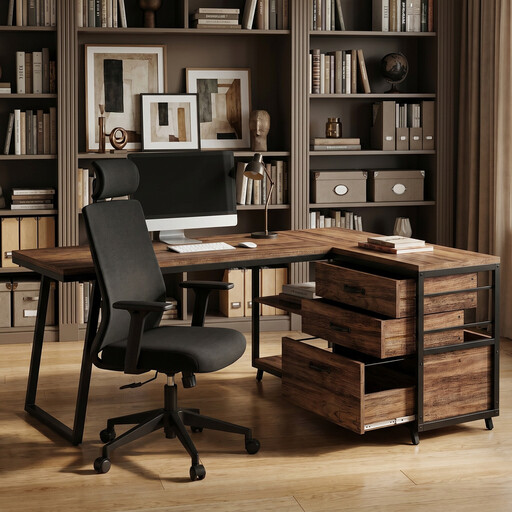
Why This Fits Their Persona: This model clearly focuses on an organized workspace. With three full-fledged drawers, including one for files, and open shelves, it provides an ideal structure for a tidy home office corner desk.
Instead of fabric bins, this desk uses sturdy engineered wood drawers. The focus is on a robust metal frame and practical storage rather than potentially fragile electronics.
Excellent organization through a combination of closed drawers and open shelves. The reversible design allows for flexible adaptation to the room.
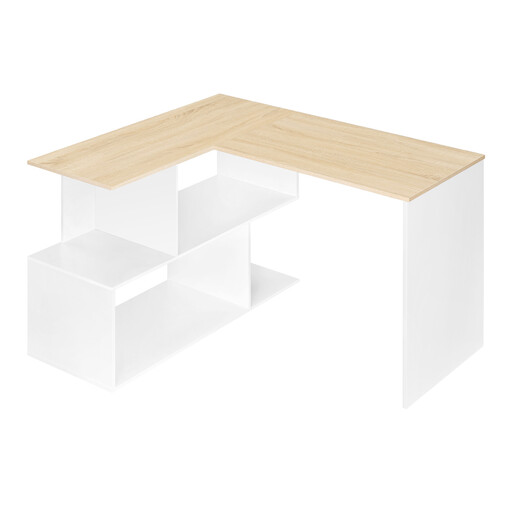
Why This Fits Their Persona: This model offers a functional L-shape and basic storage in a compact format. It's a great choice for smaller rooms or for users looking for a solid foundation without integrated electronics.
By forgoing complex electronics, this model focuses on a stable core construction. The non-slip feet directly address the problem of instability on uneven floors.
Compact, space-saving design with four open compartments for quick access. The simple construction allows for straightforward assembly.
We have compiled a complete, up-to-date list of products that fully meet these strict selection criteria and German safety regulations.
The load capacity varies depending on the model and construction. A desk with a solid steel frame can typically support more weight than one made purely of engineered wood. Always adhere to the manufacturer's specifications for maximum load capacity. As a rule of thumb, distribute the weight evenly and place heavy items like PC cases directly over a leg or support element.
It is generally not recommended to plug your PC itself (the power supply unit) into the desk's integrated outlets. These are designed for low-power devices like monitors, chargers, or lamps. For safety, always plug your PC and other high-performance equipment directly into a wall outlet or a high-quality, separate power strip with surge protection.
Most models come with numbered parts and a detailed instruction manual, which makes assembly manageable. Plan for 1-2 hours, depending on the model. Having a second person to help is especially useful when connecting the two desktop sections. For reversible models, it's crucial to follow the instructions for the alignment of holes and parts precisely to avoid having to disassemble and reassemble it.