For adding individual years and sharing the device between volunteers, a label maker with its own keyboard is an obvious choice. For custom templates or larger batches, an app- or PC-connected model may be a better fit. Measure the area you want to label first, then check the tape or roll width: a narrow strip of lettering won’t automatically replace a full binder spine label.
Which devices are right for different users?
Volunteers labelling a few annual binders
If you occasionally enter years directly on the device at the shelves, and want to pass it around without needing a smartphone, consider a model with a keyboard. Brother lists the PT-H110 as having an integrated QWERTZ keyboard, while DYMO’s LetraTag 100H is a handheld model for short labels that doesn’t need an app.
Those responsible for lots of binders
If you need consistent templates or several labels at once, entering text on a computer or through an app may be important. Brother says you can enter text on the PT-D410 itself or use P-touch Editor on a computer; the QL-800 uses USB and DK rolls.
Teams with wide binder spines
If you need to label a larger area rather than just add a year, it’s worth checking that the label width suits the spine format. Avery Zweckform offers templates for binder labels in formats including 38 × 192 mm; NIIMBOT.eu lists label widths of 20 to 50 mm for the B1.
What should you look for when choosing?
First decide whether you simply want to add the year or redesign the whole binder spine. You can then compare ease of use, quantity and suitable consumables.
Handheld model with keyboard
Best for: several people entering individual years directly on the device.
Consider: check that the supported tape width is suitable for the look you want.
App- or PC-connected model
Best for: templates, different label widths or repeated entries on a computer.
Consider: app and PC functions require a compatible device and workflow; they aren’t essential if you only need to add a few years.
Wider thermal label printer
Best for: situations where you need larger labels rather than narrow strips of lettering.
Consider: check that the roll format and adhesive area suit how you plan to use the specific label.
For annual binders at a community centre, the key considerations are readability, shared use, consistent batches and suitable replacement supplies:
| What matters |
What to check before buying |
Who is it most relevant to? |
| Readability and format |
Measure the area to be labelled and check the model’s supported tape or roll width. |
If I want to spot the year at a glance on the shelf, I look at the available space and how the lettering will look. Around 36% of consumers put readability and format first. |
| Easy shared use |
Decide who will use the device and whether a keyboard, smartphone or shared PC is available. |
If different volunteers will use the device, straightforward text entry matters to me. Around 29% of consumers prioritise easy shared use. |
| Consistent labelling for lots of binders |
Work out the quantity and label size, then match templates, PC connection or roll format to your workflow. |
If lots of binders need the same labels, I want to be able to reproduce the details consistently. Around 21% of consumers prioritise consistent labels for larger quantities. |
| Consumables |
Compare compatible systems, the width you need and the price of the specific replacement supplies. |
If I plan to use the device regularly for binder labels, I factor suitable replacement labels into my choice. Around 14% of consumers pay particular attention to consumables and ongoing costs. |
Which buying mistakes should you avoid?
-
Assuming a narrow tape is the same as a full binder spine label
A 12 mm tape may be enough for a short year label, but it won’t necessarily cover an entire binder spine. Spine label templates are available in much larger formats.
Measure the existing spine and decide whether you only want to add the year or relabel the whole area.
-
Comparing tape width but not the supply system
LT, D1, TZe and DK supplies belong to different systems. Similar widths don’t mean that cartridges or rolls can be used interchangeably between devices.
Check the exact model name and compatible replacement supplies, as well as the width you need.
-
Assuming an app or faster print speed is always an advantage
An app-, PC- or roll-based printer involves a different workflow from a handheld model with its own keyboard. You don’t need the extra steps just to add a single year.
For occasional labelling, check how easy the device is to use on site. For larger batches, compare how templates and labels are prepared.
Brands and product ranges at a glance
Brother
P-touch models vary in features such as keyboard, PC or app operation, and supported tape width.
- Brother Germany lists a QWERTZ keyboard and TZe tapes up to 12 mm for the PT-H110. The PT-D410 adds USB and supports tapes up to 18 mm; the CUBE Plus PT-P710BT supports USB, Bluetooth and TZe tapes up to 24 mm.
- TZe tapes and DK rolls are different supply systems. The features and widths listed apply to the individual models.
DYMO
The LetraTag handheld models and the LabelManager 160 use different cartridges and are suited to different labelling workflows.
- DYMO lists 12 mm LT tapes and direct thermal printing for the LetraTag 100H. The German LabelManager 160 manual specifies D1 cartridges in 6, 9 or 12 mm widths.
- LT and D1 cartridges are different supply systems; check compatibility with your specific model.
NIIMBOT
The B1 is an app-focused option to consider if you need wider labels rather than narrow tape lettering.
- NIIMBOT.eu lists Bluetooth, USB and label widths of 20 to 50 mm for the B1.
- The device specifications given don’t show how long a particular label material will remain legible on a binder spine. Check that the format and material suit how you intend to use it.
Label makers on Joybuy
The Joybuy products below are label printers for labelling tasks. For annual binders, pay particular attention to the label format, workflow and compatible consumables.
 No image available
Phomemo M110 label printer with 1 roll of labels
Could be worth considering for wider labels, templates and repeat print jobs.
Supports label widths of 20 to 50 mm; the description mentions templates, batch printing and Excel import. The Bluetooth printing workflow described uses the Print Master app.
Joybuy
 No image available
Phomemo P15 2-in-1 satin ribbon and label printer with 1 label refill
Could be worth considering if you need personalised printed gift ribbons as well as labels.
The features described include label printing and printable ribbons with templates in Print Master. The app is required for the setup and use described; check that the label format suits your binder spines.
Joybuy
 No image available
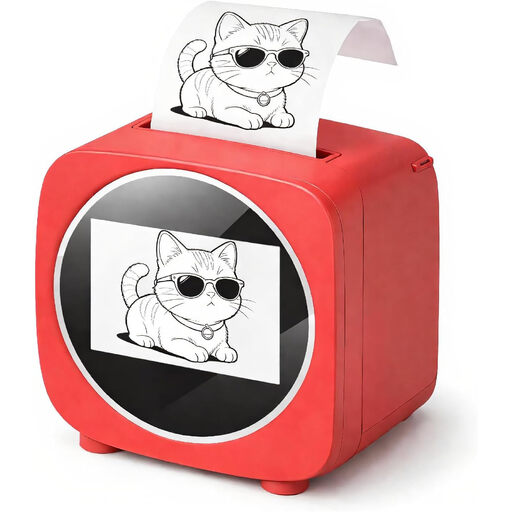
Bluetooth label printer with 2.4-inch colour display
Could be worth considering for labels, notes and lists if an app-based template workflow suits your needs.
Features a 2.4-inch colour display and thermal printing on paper rolls; the Tiny Print app offers templates.
Joybuy
 No image available
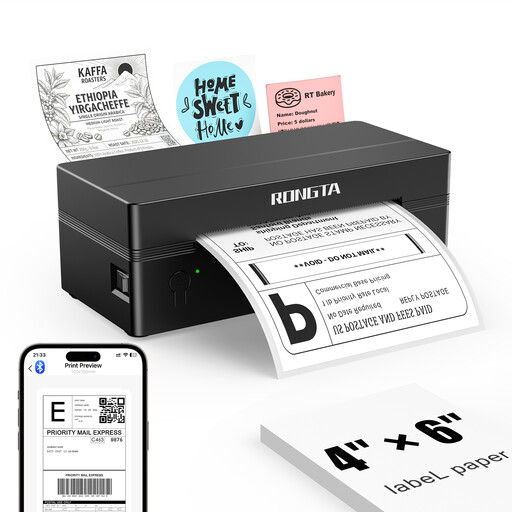
Rongta RP425 4-inch label printer, black
Could be worth considering for wider labels and app-based templates; check the roll format against your binder spines.
Supports label widths from 2 to 4 inches. The description mentions an external roll holder and a paper width guide. Wireless printing is designed for iOS or Android devices using the RT ELabel app.
Joybuy
Frequently asked questions
Does a year label need to cover the whole binder spine?
No. If you only want to add the year, a narrow strip may be enough, provided it’s easy to read on the available space. There are separate templates and labels for redesigning the entire spine; measure the required format on the binder.
How can I avoid buying the wrong replacement tapes?
Check the exact device name and its corresponding supply system. The DYMO LetraTag 100H uses LT tapes, the LabelManager 160 uses D1 cartridges, and the Brother PT-H110 uses TZe tapes. Matching widths don’t guarantee compatibility.
What should I consider before displaying names or other personal details on binders?
If names or other personal information are to appear on a visible label, check the purpose, necessity and confidentiality requirements at your centre. The Federal Commissioner for Data Protection and Freedom of Information explains these principles in relation to Article 5 of the GDPR; this does not amount to blanket approval for displaying names on binder spines.
Where should I take a label maker for disposal in Germany?
Electrical waste is collected separately and must not go in general household waste. If batteries can be removed without damaging the device, they should be disposed of separately before you return it. The German Environment Agency explains the available return options.


