Workshop users who take turns
If you only label a folder now and again, you can enter a year directly on the device without needing a shared app account or your own mobile device. Brother UK and DYMO UK describe devices with built-in keyboards.


For different people who need to enter individual years without using their own mobile device, a labelling machine with a keyboard is an obvious choice. If you have lots of folders with the same layout, an app- or PC-connected machine could work, provided a compatible device is available. If you only need year numbers or full spine labels, you could also look at pre-printed labels or templates for a printer you already own. Measure the folder spine first and test adhesion on the folder itself.
If you only label a folder now and again, you can enter a year directly on the device without needing a shared app account or your own mobile device. Brother UK and DYMO UK describe devices with built-in keyboards.
If you label lots of folders in the same way, look for repeatable layouts and a clear, easy-to-read format. Brother UK lists input options via computer, smartphone or tablet for the P-touch CUBE Plus.
If your shelves hold folders with both narrow and wide spines, the label needs to fit the available space. HERMA and Avery Zweckform offer different formats for folder spines and sheets of labels.
First decide whether you need just a year or a complete spine label, then choose the format and input method.
A good fit if: Different people need to enter individual years directly on the device.
Consider: The tape width limits the height of the strip; Brother TZe and DYMO LetraTag cassettes are different systems.
A good fit if: You want to use the same layout for lots of folders and have a compatible mobile device or computer available.
Consider: You’ll need an additional device and suitable software; a wider tape won’t necessarily make a complete spine label.
A good fit if: You want individual, wider labels and the roll format fits the folder.
Consider: If labels will be exposed to heat, light or abrasion over time, check the specific material. This alone doesn’t establish how long a label will last on a particular folder.
A good fit if: You only need to add the year, or already have a suitable office printer for full spine labels.
Consider: Pre-printed numbers leave no space for a project title of your own; with label sheets, the format, template and printer all need to be compatible.
| What you need | What to look for | Who is this especially important for? |
|---|---|---|
| Fit and legibility | Measure the available space on the folder spine and compare it with the usable tape width or the size of the spine label. | If the spine is narrow and you need to read the year on the shelf, I’d measure the available space first. Around 25 % of consumers put fit and legibility first. |
| Ease of use for your team | Check whether you need a keyboard on the device or a compatible mobile device or computer that’s actually available, along with the required software. | If different people need to label folders without sharing a mobile device, being able to enter text directly on the machine matters. Around 25 % of consumers prioritise ease of use for different users. |
| Consistent sets | Check whether you’re printing just year numbers or project titles too, and whether the device or template lets you reuse layouts. | If I’m labelling several folders in the same way, I want to be able to reuse layouts. Around 15 % of consumers put consistent labels for sets first. |
| Material and adhesion | Check the material and conditions of use, and apply a test label to the folder surface you’ll be using. | If folders are handled often, the label should stay readable and stick to the specific material. Around 20 % of consumers prioritise durability and adhesion. |
| Refills and power | Check the device family, the length of tape included, compatible replacement cassettes and power supply together. | If you want to plan ahead for refills and power, compare both with the number of labels you expect to need. Around 15 % of consumers focus mainly on consumables and ongoing costs. |
A handheld label maker with narrow tape and a label for the whole folder spine use different formats. A year strip won’t necessarily leave room for an additional title.
First measure the available space and decide whether the label should show just the year or other folder details too.
Brother TZe and DYMO LetraTag LT cassettes belong to different consumables systems, so similar widths don’t make them interchangeable.
Before buying a refill, check the exact device model against the cassette family specified for it.
Prolonged exposure to heat, light or abrasion can affect the legibility of direct thermal labels. How long they last in practice depends on the material and how it’s used.
If you need the label to remain readable for a long time, check the specific material under the conditions your folders will be exposed to.
The Brother PT-H110 datasheet lists an included 12-mm starter tape measuring 4 m; six AAA batteries are not included. You’ll need compatible refills for future labels.
Check what’s included, the power supply and your expected need for refills together. DYMO LetraTag requires its own LT cassettes.
P-touch keyboard models and machines designed using a mobile device or computer suit different workflows.
The LetraTag 100H is a handheld device with a display and ABC keyboard; LabelManager is a separate device and tape family.
The B1 is a direct thermal roll printer for individual labels, rather than narrow strips of tape.
Pre-printed year numbers and printable folder spines are alternatives if you don’t want to use a separate labelling machine.
Templates for full folder spine labels are worth considering if you already have a suitable printer.
The Joybuy products below are label printers for text-based labels. Several models are designed using an app on a mobile device, so before choosing, check that this workflow will suit everyone who takes turns using the machine.
 No image available
Could be a good fit if you want to design labels using a mobile device; the Print Master app and a Bluetooth connection are required.
The product name lists a label printer and one label refill. Ribbon material, sold separately, is not the same as label tape.
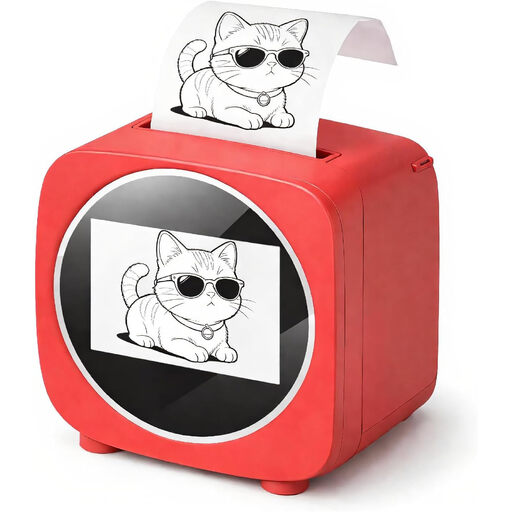 No image available
The display could be useful if you want to view designs on the device itself.
The product title lists a 2.4-inch colour display; the description mentions thermal paper printing and one roll included.
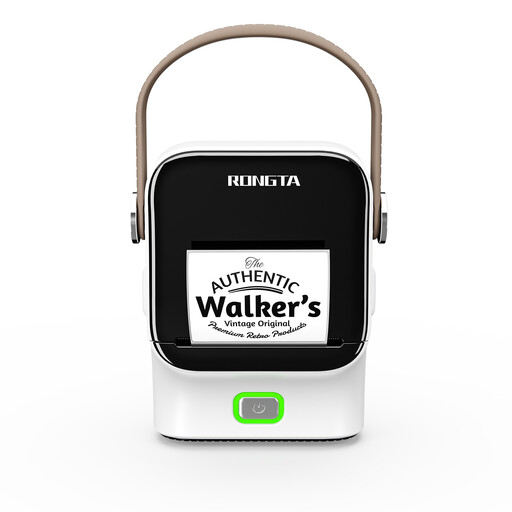 No image available
Could be suitable for simple text labels if you can use a mobile device and app to create them.
The product description lists 203 dpi, a print speed of 50 mm/s, a maximum print width of 48 mm and roll widths from 16 to 54 mm.
The workflow described uses a smartphone or tablet with Bluetooth and an app; compare the print width with the available space on the folder spine.
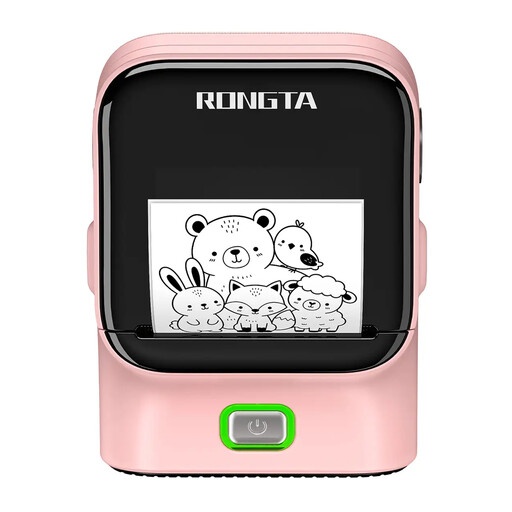 No image available
Could be suitable for text labels if designing them via an app and Bluetooth works for your users.
The product title lists Bluetooth and USB. The product description lists 203 dpi, a print speed of 50 mm/s and a print width of 48 mm.
Check whether the stated print width fits the usable space on your folder.
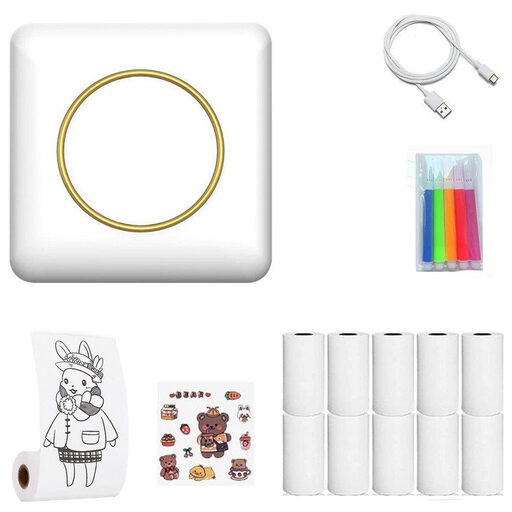 No image available
Could be suitable for labels if you can use a mobile device to design them and start printing.
The product description lists Bluetooth printing from a mobile device and an integrated 45° tear-off edge.
Measure the available space on each folder spine, then choose the tape or spine label. Test adhesion on the folder itself, as tape width or a material specification doesn’t prove that a label will stick to every surface.
No. Brother specifies TZe cassettes for the PT-H110, while DYMO’s LetraTag machines use their own LT cassettes. Check the exact device family when buying refills.
Check the device family against the compatible replacement tapes and power supply. Brother UK’s datasheet states that six AAA batteries are not included with the PT-H110; DYMO LetraTag uses LT cassettes for refills.
The Federal Network Agency describes a CE marking requirement for products covered by relevant EU harmonisation legislation and placed on the EU market. This does not establish whether a particular device or listing is compliant.
Don’t put waste electrical equipment in your household rubbish. The Federal Environment Agency recommends removing batteries, where possible, and disposing of them separately at a battery collection point.