
Lieferung heute & morgen

Qualitätsgarantie

Willkommens-Angebote freischalten: KOSTENLOSE Lieferung | Bis zu 80 % RABATT | Kostenlose 30-Tage-JoyPlus-Testphase
App herunterladen
An unstable internet connection can disrupt your workday in the home office, ruin your online gaming experience, or interrupt movie night. While Wi-Fi is convenient, it often reaches its limits in buildings with thick walls or across multiple floors. Furthermore, manufacturers are increasingly omitting built-in Ethernet ports on modern laptops and ultrabooks.
A LAN adapter is an effective and often straightforward solution for establishing a stable internet connection via a cable. This guide explains the different types of adapters and presents a selection of models for various use cases to help you make an informed decision.
Before you decide on a model, there are a few fundamental aspects to consider. The right choice depends on your device and the specific location where you'll use it.
There are three main categories of Ethernet adapters, each designed for different scenarios:
Transfer speed is a crucial criterion. While older "Fast Ethernet" adapters are limited to 100 Megabits per second (Mbps), modern Gigabit LAN adapters offer speeds of up to 1,000 Mbps (1 Gbps). For applications like 4K video streaming, low-latency online gaming, or transferring large files quickly, a Gigabit connection is the recommended choice to take full advantage of your internet plan's speed.
Ensure that the adapter you choose is compatible with your device's operating system (e.g., Windows, macOS, Linux). Most modern adapters are "Plug & Play," meaning no manual driver installation is required. For internal network cards, you should check if there is a suitable free slot inside your PC case.
Here is a selection of adapters that offer a functional solution for various common use cases.
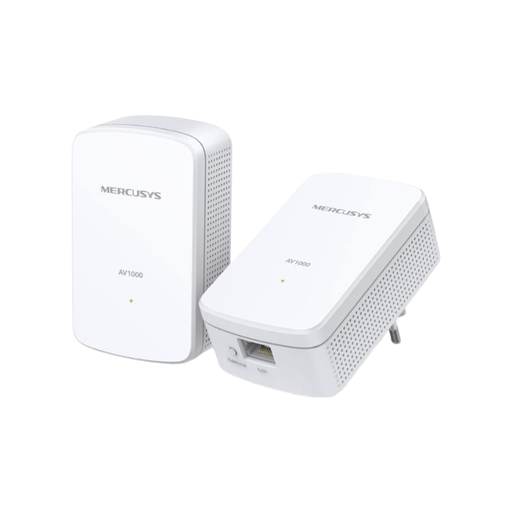
What makes this model stand out The MERCUSYS MP500 Kit is a practical solution for extending a stable, wired network to rooms far from your router. It uses HomePlug AV2 technology to transmit data at speeds of up to 1000 Mbps over your home's internal power grid. The set consists of two adapters and requires no complex configuration.
Pros
Who is it for? This kit is ideal for users in multi-story homes or apartments with reinforced concrete walls where the Wi-Fi signal is weak. It's perfect for reliably connecting stationary devices like a smart TV in the living room, a gaming console in a teenager's room, or a desktop PC in the study to the internet.
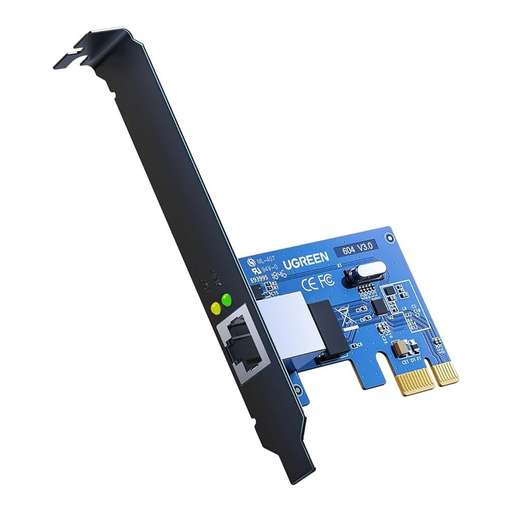
What makes this model stand out The UGREEN 30771 is an internal network card for desktop computers. It upgrades a PC with a high-speed Gigabit Ethernet port via a free PCI Express slot. Thanks to the included standard and low-profile brackets, the card fits into almost any PC case, including slim small-form-factor models.
Pros
Who is it for? This PCIe card is the right choice for PC owners looking to upgrade their PC's LAN. It's perfect whether the integrated LAN port on the motherboard is faulty or too slow, or for those wanting to include a dedicated, high-performance network solution in a custom-built PC from the start.
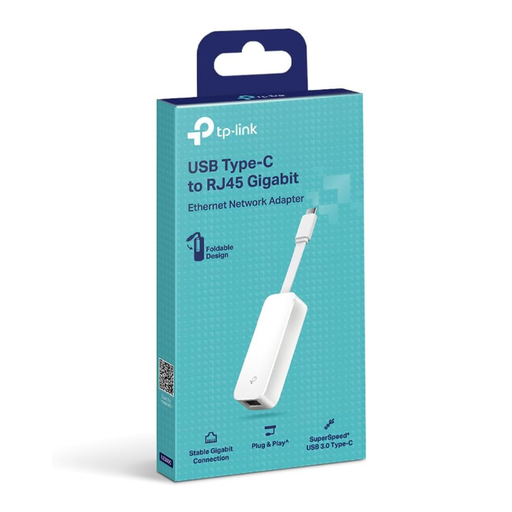
What makes this model stand out The TP-Link UE300C is a compact and portable Ethernet adapter that transforms a USB-C port into a Gigabit LAN port. Its foldable and lightweight design makes it a practical travel companion. Broad compatibility with operating systems like Windows, macOS, iPadOS, and Chrome OS ensures hassle-free use across a wide range of devices.
Pros
Who is it for? This adapter is aimed at users of modern ultrabooks, MacBooks, tablets, or other devices that only feature USB-C ports. It is perfect for home office users, students, or business travelers who need a reliable, wired internet connection in various locations.
If the models presented here don't exactly meet your requirements, or if you're looking for more specialized solutions, you can find a wider selection in our corresponding category.
Discover more Ethernet Network Connectors on Joybuy
Generally, yes. A wired connection via a Gigabit LAN adapter is less susceptible to interference from walls, other wireless networks, or electrical devices compared to Wi-Fi. This results in a more stable connection and lower latency (ping), which is particularly advantageous for online gaming, video conferencing, and downloading large files.
A Powerline adapter, also known as a dLAN adapter, uses a house's electrical wiring to transmit data. One adapter is plugged into an outlet near the router and connected to it with a cable. A second adapter is placed in another room, providing a LAN port for a device there. This creates a network via your power outlet without the need to run new cables.
Most modern USB-C to LAN or USB-A adapters are "Plug & Play" compatible with current operating systems like Windows 11, macOS, or Chrome OS. This means they work immediately after being connected, with no manual driver installation required. For very old operating systems, you may need to download a driver from the manufacturer's website.