Fine-tuning layouts
If you often position and adjust elements, precise pointer control, scrolling and, where available, assignable commands are important things to consider.


When designing a landing page, it’s worth starting with pointer control, scrolling and the ability to assign frequently used commands. Hand fit and posture also matter during long sessions: a vertical mouse changes your grip, while a trackball needs little desk space to move the pointer. The right shape depends on your hand size, which hand you use, how the mouse connects and the way you work.
If you often position and adjust elements, precise pointer control, scrolling and, where available, assignable commands are important things to consider.
During longer sessions, check the fit in your hand and your posture before considering extra features. A different mouse shape may be an option, but it’s no guarantee against discomfort.
If there’s little room to move a mouse, consider whether stationary pointer control with a trackball suits the way you work.
A good fit if: you often navigate long pages or use the same commands repeatedly and prefer a familiar mouse design.
Things to consider: Some extra features require customisation software. Check the fit in your hand and compatibility with your operating system, too.
A good fit if: an upright grip is important to you during longer sessions, and the size and hand orientation are right for you.
Things to consider: The different grip and pointer control may take some getting used to, and it’s no substitute for a well-arranged workspace.
A good fit if: there’s little room to move a mouse or you’d like to try stationary pointer control.
Things to consider: The hand size it suits, how you use the ball, and compatibility with your software and connection method should all suit the way you work.
| Consideration | What to check before buying | Who it matters to |
|---|---|---|
| Pointer control and navigation | Adjustable pointer speed and scrolling; check whether you can assign the commands you need in your software. | If I often switch between precise positioning and navigating long pages while designing, I need pointer control and navigation that suit me. Around 36 % of consumers prioritise control over their layouts. |
| Hand fit and posture | Hand size and which hand you use; how easy the buttons are to reach, and the position of your mouse, keyboard and armrest. | During long sessions, I want a mouse that suits my hand and grip, rather than relying on the product description alone. Around 29 % of consumers prioritise hand comfort. |
| Connection and switching between devices | Bluetooth support or a compatible USB receiver; whether the customisation software works with your devices. | If I want to use my mouse with my work devices or switch between them, the connection and software need to be compatible. Around 21 % of consumers prioritise device compatibility. |
| Purchase and ongoing costs | Compare the features you need rather than the product category; check the power supply and whether batteries or charging are required. | If a basic set of features is enough for what I do, I don’t want to pay for things I won’t use, and I need to consider how the mouse is powered. Around 14 % of consumers prioritise keeping costs manageable. |
Vertical mice and trackballs are designed for different hand sizes and ways of using a mouse. The label alone won’t tell you whether a particular shape is right for you.
Check your hand size, which hand you use and how easy the buttons are to reach. Adjust your desk layout too, if needed.
Logitech lists Logi Options+ as a requirement for certain MX Master 4 features. According to Kensington, using TrackballWorks on a Mac depends on the connection method.
Check that the specific button or feedback feature you want to use works with your operating system and preferred connection method.
Lift for Business is the name of a specific version with its own model number; it doesn’t confirm that it’s the standard Lift model.
Check the full model name, hand orientation, connection and what’s included, rather than going by the name ‘Lift’ alone.
The MX Master and Lift ranges address different needs: extra navigation and customisation, or a more upright grip.
The MW 4500 and MW 4500 LEFT are options if you’re looking for an angled grip and basic pointer and button customisation.
The Expert Mouse Wireless Trackball is a stationary alternative if you have little desk space for moving a mouse.
This selection includes conventional mice with features for pointer control, scrolling or assignable buttons; vertical mice and trackballs aren’t included.
 No image available
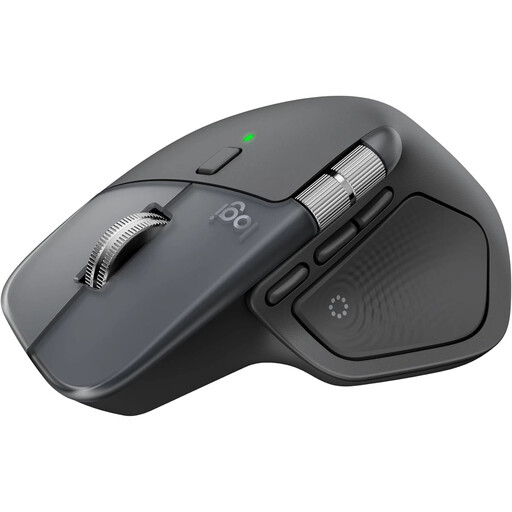
For frequent scrolling and customisable actions when working on layouts; according to the product description, full customisation requires Logi Options+.
Bluetooth; USB-C charging; compatible with Windows and macOS.
 No image available
For layout work involving scrolling and customisable buttons or gestures; the described shape is designed for right-handed users.
8K DPI sensor; MagSpeed scrolling; Bluetooth for up to three devices.
 No image available
For those looking for a mouse designed for larger hands, with customisable side buttons.
Bluetooth; SmartWheel scrolling; customisable side buttons.
 No image available
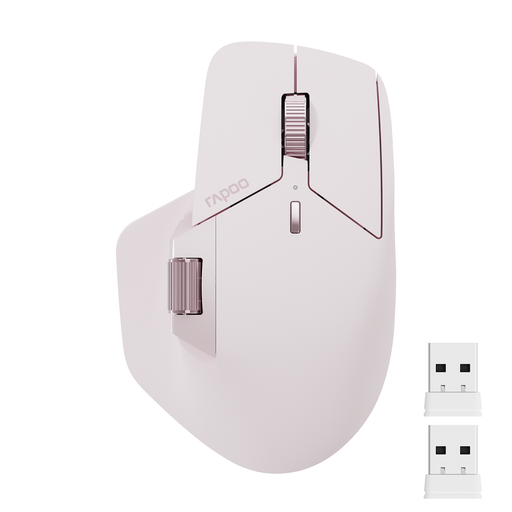
For those who want to switch between multiple scrolling modes and assign buttons to frequently used commands.
Bluetooth 5.0 and 2.4 GHz wireless; connects to up to four devices; 11 programmable buttons.
 No image available
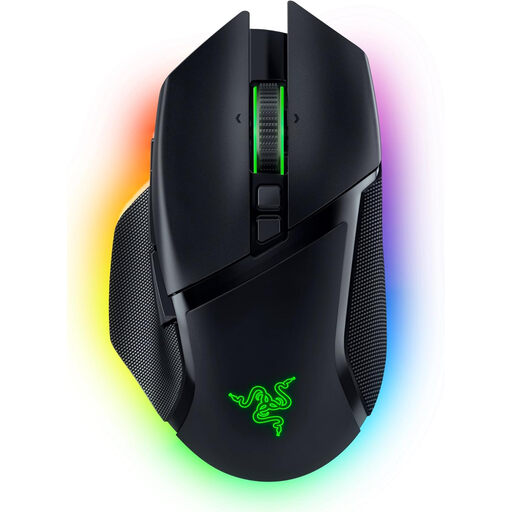
For those looking for adjustable pointer control and programmable buttons for repeated tasks; according to the description, the shape is designed for right-handed users.
Focus Pro 30K optical sensor; 10+1 programmable buttons; Bluetooth, 2.4 GHz wireless and USB-C connection.
Not necessarily. What matters is whether you can adjust the pointer speed to suit your screen and hand movement. Scrolling and assignable buttons may also help with your workflow. Logitech’s stated 8K DPI tracking for the MX Master 4 is a manufacturer specification, not proof that it will help you create better designs.
Choose a connection method supported by the specific model, and check that the button customisation you want works with your operating system. The German Federal Institute for Occupational Safety and Health recommends positioning your mouse and keyboard flexibly, with enough room for your hand and arm.
Check how the model is powered before buying. As Germany’s Federal Environment Agency explains, used batteries should be taken to a collection point, not put in household waste. When you buy from a business seller, you have consumer rights if the item is faulty. Many online purchases come with a 14-day right to cancel, although the conditions and exceptions depend on the purchase, as the German consumer advice service explains. Your Europe states that goods bought in the EU come with a minimum two-year legal guarantee from the date you receive them.
No. The German Federal Institute for Occupational Safety and Health explains that ASR A6 applies, among other things, to display screen workstations in workplaces and telework workstations. It doesn’t cover use at home outside a telework workstation. So simply calling something ‘home office’ doesn’t mean there’s one set of legal product requirements.