Which plan is right for you?

Photography groups with people sitting further back

If several people will be viewing landscape photos, plan the image height and viewing position together, starting with the furthest seat. Epson Germany recommends a viewing distance of no more than four times the image height for detail-focused viewing.

Photographers who notice the details

If fine textures and accurate colours matter more to you than the largest possible screen size, check the photo source, the resolution actually displayed and the colour specifications of the exact model.

Hosts using different rooms

If you move the projector between locations, the throw distance, ambient light and photo source all need to suit the room and playback device. Autofocus can make setup easier, but it doesn’t replace checking the image width the projector can achieve.

What should you look for when buying?

Standard projector with optical zoom

Suitable if: there’s enough space between the projector and the image surface, and you want to adjust the image size to suit people sitting further back.

Things to consider: Throw distance and the achievable image width depend on the specific model. The maximum screen size alone doesn’t tell you how the image will look on your planned surface.

Ultra-short-throw projector

Suitable if: the projector needs to sit close to the wall while your guests sit further away.

Things to consider: Check the space you’ll need and whether the projection surface is suitable. Placing the projector close to the wall doesn’t reduce the guests’ viewing distance.

Flexible-placement projector

Suitable if: you show photos in different rooms and want to focus the image quickly during setup.

Things to consider: Check the image size and ambient light at each location. Autofocus or flexible placement doesn’t guarantee a particular image quality in a room with some light.

Buying criterion What to check before buying Who should pay particular attention?
Visible image size Measure the distance from the furthest seat and the available image height. Epson Germany recommends a viewing distance of no more than four times the image height for detail-focused viewing. If I want to make out landscape details from the back row too, I’ll plan the image area to suit the room. Around 36% of consumers prioritise the image size the projector can achieve.
Details and colours Check the photo resolution, playback device, signal path and colour specifications of the exact model. BenQ states that the W2720i offers 98% Rec.709 coverage and comes with a factory calibration report; these are manufacturer specifications. If fine textures and accurate colours matter for my photos, I’ll check the entire playback chain. Around 29% of consumers put detail and colour reproduction first.
Ambient light Take the planned image area into account when assessing ambient light. ViewSonic states that the PX748-4K has 4,000 ANSI lumens, while Epson states that the EH-TW7000 has 3,000 lumens of both white and colour brightness. These model-specific figures don’t provide a direct comparison of how the image will look in your room. If I can’t sufficiently darken the room, I’ll need to factor in the lighting conditions when planning. Around 21% of consumers prioritise visibility in ambient light.
Placement and photo source Measure the distance between the lens and the image surface separately from the viewing distance. Also check whether the playback device can be connected using a suitable input or adapter. If I need to adapt the placement and playback device to the venue, I’ll check the throw ratio and signal path of the exact model. Around 14% of consumers put these points first.

Common misconceptions

  • The maximum screen size will automatically suit the room

    An advertised maximum screen size doesn’t automatically take account of viewing distance, the available image height or ambient light. Details may look different from what you expect on the surface you actually use.

    First, measure the furthest seat and the available image area before comparing models by their largest stated screen size.

    Depending on the room, you may also need a larger or more suitable screen.

  • Viewing distance and throw distance are the same

    Viewing distance is the distance from your guests to the image surface. Throw distance is the distance from the projector to the image surface; together with the throw ratio, it determines the achievable image width.

    Measure these two distances separately and check the specifications for the exact model before planning where to put it.

    If the placement doesn’t work, you may need a different mount or type of projector.

  • Every USB port can play photos directly

    A USB port alone doesn’t confirm that the projector can play photos from a USB stick. The BenQ W2720i datasheet lists USB ports with different functions.

    Check the photo playback function and supported image formats for the exact model, or plan to use a playback device with a suitable video output.

    You may need an additional playback device or a suitable adapter.

Key brands at a glance

Epson

The Epson EH-TW7000 is one example of a home cinema projector with features that help you adjust its placement.

  • Epson lists optical zoom, lens shift and 3,000 lumens of both white and colour brightness for the EH-TW7000.
  • According to Epson, the stated 5,000-hour lamp life applies in Eco mode. These figures can’t be applied across the board to other Epson models.

BenQ

The W2720i is one example of a projector for photo viewing with documented colour calibration and standard placement specifications.

  • BenQ states that the W2720i offers 98% Rec.709 coverage, a factory calibration report and a throw ratio of 1.0–1.3:1.
  • The stated lens shift is vertical; it doesn’t guarantee flexible side-to-side placement. The colour figures are manufacturer specifications.

ViewSonic

ViewSonic’s PX748-4K has model-specific manufacturer specifications you can consider when planning a presentation in a room with ambient light.

  • ViewSonic states that this model offers 4,000 ANSI lumens and 1.3x optical zoom.
  • The brightness specification doesn’t guarantee how the image will look in your room. Gaming features aren’t, in themselves, a reason to buy a projector for static landscape photos.

Anker Nebula

The Cosmos 4K SE is one example of a projector with autofocus for use in different locations.

  • Anker lists autofocus, a throw ratio of 1.2:1 and 1,800 ANSI lumens.
  • Plan for power at each location; portability doesn’t necessarily mean the projector can run without mains power.

Projectors at Joybuy

The Joybuy products below are suited to flexible placement, photo playback through external devices and short throw distances. Check the image size and ambient light at the intended location.
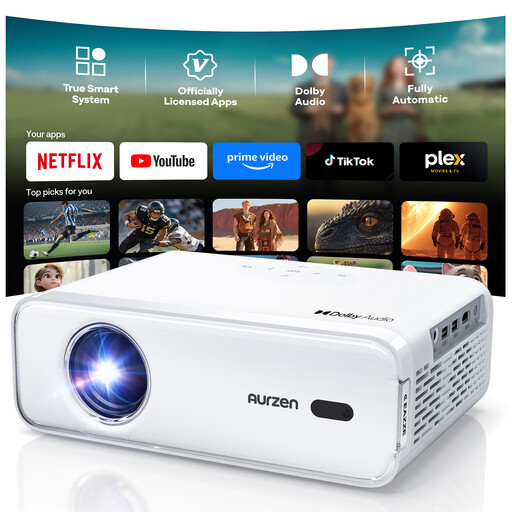
Aurzen Smart projector, native 1080P

Aurzen Smart projector, native 1080P

HDMI is listed for connecting an external photo playback device; autofocus and automatic keystone correction are also specified.

Native 1080P, HDR10 and an HDMI input are listed. Check that your playback device supports the signal path you need.

View at Joybuy
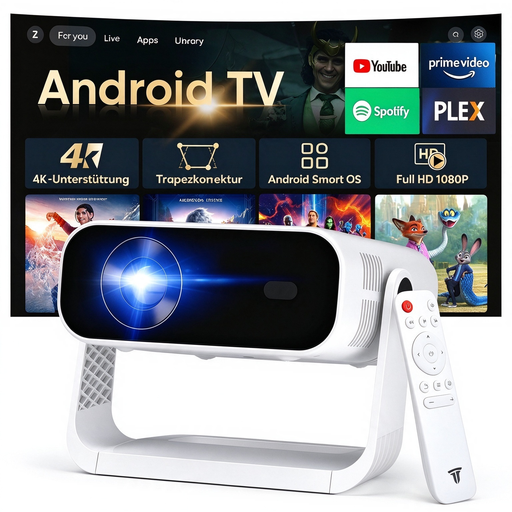
SRESNAIL AE211-B projector

SRESNAIL AE211-B projector

The described portable design, with autofocus and a 360° gimbal, may suit different placement locations. Check the image area and ambient light at the venue.

240 ANSI lumens; 4K video decoding; HDMI and USB ports; Wi-Fi 6 and Bluetooth 5.4.

View at Joybuy

Philoent ultra-short-throw projector

Philoent ultra-short-throw projector

Its ultra-short-throw description may make it a good option if you need to place the projector close to the wall. Check the image width the specific device can achieve and the projection area available.

4K and 1080P specifications; autofocus and automatic 4D keystone correction are listed. Wi-Fi 6 and Bluetooth 5.4 are also specified.

View at Joybuy

Projector with 50–200-inch screen size and digital zoom

Projector with 50–200-inch screen size and digital zoom

The stated zoom and rotation features may be useful for flexible positioning. Check that the image size and placement suit your room.

Stated image size: 50–200 inches; digital zoom: 50–100%; rotation: 180°. HDMI and USB stick compatibility are mentioned in the product title.

View at Joybuy

XGIMI Vibe One, portable 1080p projector

XGIMI Vibe One, portable 1080p projector

The built-in stand and stated autofocus may be useful if you move the projector between locations. Check how the image looks at your planned size and in the available ambient light.

1080p; 250 ISO lumens; built-in 160° stand; autofocus and keystone correction are listed.

View at Joybuy

Frequently asked questions

Is the distance from your guests to the screen also the distance from the projector to the screen?

No. First, plan the image height based on the furthest seat. Then work out the achievable image width using the throw ratio and the available placement distance for the specific model. For detail-focused content, Epson Germany recommends a viewing distance of no more than four times the image height.

Can I open photos directly on the projector from any USB stick?

No, a USB port alone doesn’t confirm that the projector can play photos. The BenQ W2720i datasheet lists USB ports with different functions. Check the supported file formats and playback function for the exact model, or use a playback device with a suitable video output.

What should I consider when it comes to maintenance and ongoing costs?

Always compare the light source and stated lifespan for the relevant operating mode. Epson states that the EH-TW7000 lamp lasts 5,000 hours in Eco mode. Also check whether you’ll need a replacement lamp, screen or mount for your setup.

Is a manufacturer’s warranty the same as your statutory rights?

No. According to the German Consumer Advice Centre, statutory consumer rights apply against the seller. A guarantee is an additional voluntary benefit and is subject to its own terms and conditions.

What safety rules apply to projectors in Germany?

Specific electrical equipment must meet the relevant EU requirements if it falls within their scope. The Low Voltage Directive covers equipment with input or output voltages of 50–1,000 V AC or 75–1,500 V DC; other rules may also apply. For products covered by these requirements, the Federal Network Agency lists CE marking, product identification and safety information in German among the points to check. CE marking is not an independent product test.