Language learners in a room where sound carries
If others might overhear your lesson, first consider whether speaker playback is suitable for your study space. Microphone noise cancellation does not make the audio from the lesson private.


A compact conference speaker is a good choice if you can speak freely somewhere quiet and are happy for audio to play aloud in your shared flat. If your flatmates might overhear the lesson, a headset is a better option: microphone noise cancellation does not make speaker playback private. For a dedicated laptop setup, consider a suitable USB model; if you use different devices, Bluetooth can be useful, provided the specific version supports it.
If others might overhear your lesson, first consider whether speaker playback is suitable for your study space. Microphone noise cancellation does not make the audio from the lesson private.
If you often practise pronunciation and answer questions, look for clear two-way conversation, an easy-to-reach mute button and a suitable connection.
If you use a laptop or mobile phone depending on the situation, check the USB and Bluetooth connections supported by the specific version, as well as how it is powered.
A good fit if: you sit at a dedicated laptop setup and are happy for the lesson to be audible in the room.
Keep in mind: The cable limits where you can place it, and open playback does not prevent others from overhearing.
A good fit if: you switch between study spaces or compatible devices.
Keep in mind: A battery-powered model needs charging; check the connections on the exact version.
A good fit if: you do not want your flatmates to overhear the lesson, or other people in the same room are playing audio too.
Keep in mind: You wear it on your head; still check that the right microphone and speaker are selected in your course software.
For an online language course in a shared flat, the main things to consider are privacy, clear two-way conversation, device connections and portability.
| Priority | What to check when buying | Who is it important to? |
|---|---|---|
| Privacy | Check in advance whether the lesson volume is acceptable in the room; otherwise, consider a headset. | If I study in a shared flat where sound carries, I want to avoid my flatmates overhearing the lesson. Around 31% of consumers put privacy first. |
| Two-way conversation | Check full-duplex audio, mute controls and the microphone features of the exact version. | If I often answer questions and need to hear replies, clear conversation in both directions matters to me. Around 31% of consumers prioritise two-way conversation. |
| Device connections | Check USB-A or USB-C, Bluetooth and the audio settings in your course software against the devices you use. | If I use a laptop and mobile phone for my course, I want to be sure the speaker is compatible with both. Around 23% of consumers put connections first. |
| Portability and battery | If you study in different places, prioritise battery power and check the version’s battery life and charging method. | If I move between study spaces, I need a connection that works wherever I am. Around 15% of consumers prioritise portability and battery power. |
Noise processing affects the audio being transmitted; the speaker will still play the lesson aloud in the room.
First decide whether open playback is acceptable in your study space, then compare microphone features.
If open playback is not suitable for your shared flat, you may also need a headset.
Zoom Support lists multiple computers with audio enabled in the same room as a possible cause of echo.
Use just one device to play the lesson audio and test the audio settings before the class starts.
Versions in the EPOS EXPAND 30 range differ in features such as the dongle and platform compatibility.
Check the full model name, connections and what’s included with the specific version.
You may need an additional adapter if the connection or included accessories are not suitable for your devices.
AnkerWork has identified a potential battery fire risk affecting some PowerConf S3 devices, model A3302, manufactured in March and April 2023.
Check the serial number before using the device. If it is affected, AnkerWork says to switch it off, unplug it and follow the manufacturer’s instructions.
The information below relates to the specific product ranges and versions mentioned.
Speak2 40 for wired use; Speak2 55 and Speak 510 for USB or Bluetooth connections, depending on the model.
The Poly Sync 10 is a USB option for a dedicated computer setup.
The EXPAND 30 range offers USB-C and Bluetooth, depending on the version.
The OfficeCore M0 Plus is a compact USB-C/Bluetooth option.
The PowerConf range includes USB and Bluetooth options; the exact model matters.
This selection includes open conference speakers for hands-free conversation, as well as headsets and earbuds for when private listening matters more.
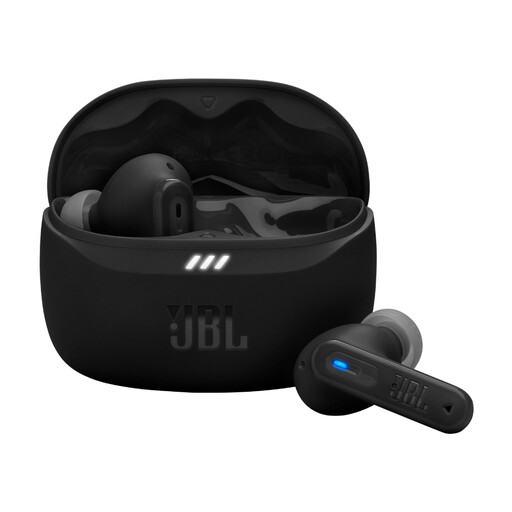 No image available
As earbuds, this model is an alternative if you want to listen to your lesson privately.
Bluetooth and multipoint connectivity; four beamforming microphones are specified for calls.
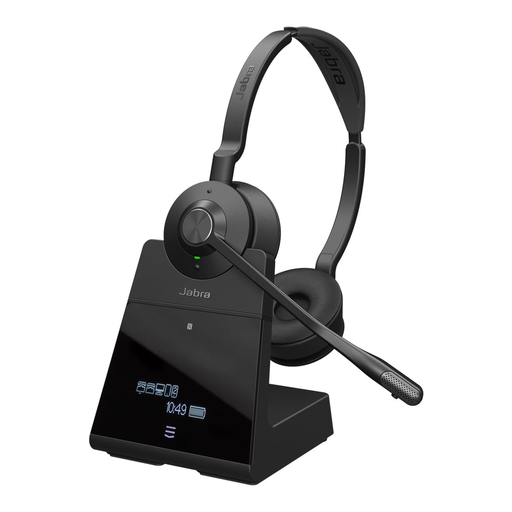 No image available
This headset is worth considering if you do not want your lesson playing aloud in your shared flat.
DECT connection via the base station; USB-C to USB-A cable for your computer.
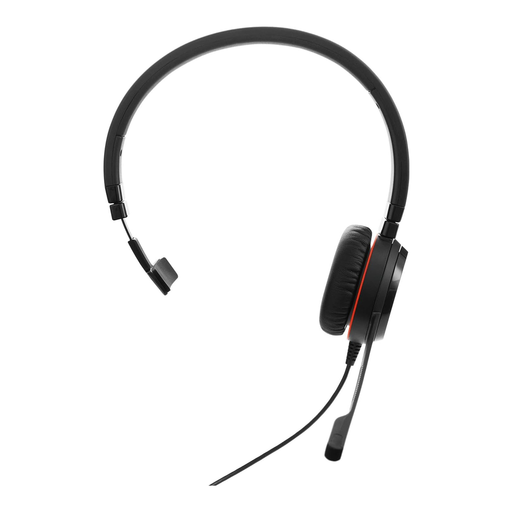 No image available
This mono headset is an option for a dedicated computer setup if private listening matters to you.
USB-A or USB-C; in-line call controls with mute.
 No image available
This open conference speaker is suited to hands-free conversation if you are happy for audio to play aloud in the room.
Bluetooth, a built-in battery, touchscreen and eight microphones are specified. Flatmates may be able to hear audio played aloud.
 No image available
Open speaker playback is only suitable if you are happy for others in your shared flat to hear the lesson.
Eight microphones, USB-C, Bluetooth, touch mute and full-duplex audio are specified.
Do not play the lesson audio on two nearby devices at the same time. Zoom Support lists multiple devices with audio enabled in the same room as a possible cause of echo; muting one microphone alone is not enough if the second speaker is still playing.
Select the microphone and speaker you want to use in your course software, then test both before joining. Microsoft Support explains how to do this in Teams; menus may differ on other course platforms.
AnkerWork has identified a potential battery fire risk affecting some devices, model A3302, manufactured in March and April 2023. Check the serial number using the recall checker. If the device is affected, switch it off, unplug it and follow the manufacturer’s instructions. Not every device of this model is affected.
Your statutory rights are against the seller and are separate from any voluntary manufacturer’s warranty. If a product is faulty, the first step is usually to request a repair or replacement; also read the warranty terms for the specific product.
For radio equipment, the Bundesnetzagentur checks things including the CE marking, manufacturer details, German-language instructions and the declaration of conformity. According to Your Europe, the CE marking is a declaration by the manufacturer, not a quality seal issued by a central EU body.