Script readers at a shared desk
If you’re reading a script at a shared desk, key things to check include voice clarity, mic placement and a test recording. Shure recommends attaching a lavalier at around chest-pocket height.


For script recordings made mainly while seated at a shared desk, a wired lavalier is a good choice if its specific USB-C, TRRS or TRS connector matches your recording device. These connections are not interchangeable. If you move around while speaking or your device is further away, a wireless system can do away with the cable, but you’ll need to check the receiver, battery and connection too. Mic placement and a test recording matter: neither an omnidirectional pickup pattern nor noise cancellation guarantees that conversations at the next desk will be left out.
If you’re reading a script at a shared desk, key things to check include voice clarity, mic placement and a test recording. Shure recommends attaching a lavalier at around chest-pocket height.
If you want to keep using your existing device, check the microphone connection and whether you need an adapter. Sennheiser, Shure and RØDE use different connection types, and a plug that fits physically doesn’t necessarily mean it’s compatible.
If you sometimes get up while recording or place your device further away, weigh the convenience of a cable against the extra requirements of a wireless system. Shure describes the choice between wired and wireless as a trade-off between freedom of movement and workflow.
First, check that the mic suits your voice and recording environment, your device connection and how much you plan to move around.
| What matters | What to check before buying | Who should prioritise this? |
|---|---|---|
| Clear recording of your own voice | Clip and placement; listen to a short test recording made at your actual desk. | When I’m speaking at a shared desk, I want my voice to come through clearly without picking up other people’s conversations. Around 36% of consumers put clear voice recording first. |
| Compatibility with your recording device | Connection type and device or app support; any adapters you need and, where applicable, power supply. | I want to use my existing phone or laptop and need a connection that actually works as a microphone input. Around 29% of consumers prioritise compatibility with their existing device. |
| Easy desk set-up | Cable length and route to the recording device; clip and device placement. | If I’m mostly sitting down, I want the cable to reach my device and the set-up to work without unnecessary wireless pairing. Around 21% of consumers particularly value a straightforward set-up for stationary recording. |
| Freedom of movement | Check the receiver connection, set contents, and charging and connection process. | If I get up while recording or stand further away from my device, I don’t want to be tethered to the recording spot by a cable. Around 14% of consumers prioritise freedom of movement. |
The Shure MVL is designed for TRRS connections, while the RØDE Lavalier GO uses TRS. A connection can fail at the recording device even if the plug fits physically.
Check the entire signal path from the mic to the recording app, then use a test file to confirm which input is actually being used.
Depending on your device, you may need a suitable connection adapter.
Noise cancellation in the product description doesn’t prove that conversations at the next desk will disappear from your recording.
Make a short test recording from your planned spot and listen back. If you can hear other people’s conversations, choose a quieter time or place to record if possible.
DJI lists internal transmitter recording for the Mic Mini 2S. This feature shouldn’t be attributed to the differently named Mic Mini.
Before buying, check the full model name and the features specifically listed for your chosen set.
The XS Lav USB-C is a wired option for compatible USB-C mobile devices or computers.
The MVL is an option for a compatible smartphone with a 3.5 mm TRRS connection.
The Lavalier GO is a TRS option for compatible recorders or wireless transmitters.
The Mic Mini is a wireless option if freedom of movement matters more than keeping your desk set-up as simple as possible.
The Joybuy options below include lavalier microphones and wireless sets. The key thing is whether the specific connection type works with your recording device.
 No image available
An option if you’re looking for a lavalier for your smartphone, PC, laptop or camera. Check which microphone input your device specifically supports.
 No image available
If you want to move around while recording, this is a wireless USB-C option. Check that the receiver is compatible with your recording device.
 No image available
For smartphone recording, if the 3.5 mm connection listed in the product name is compatible with your device. The product name also describes it as omnidirectional and says it comes with a clip.
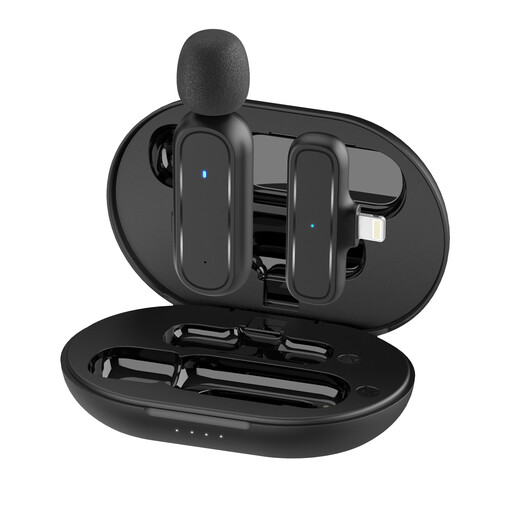 No image available
For lavalier recording with an iPhone or iPad, if the Lightning version is compatible with your device. The product is listed as 1TX and 1RX.
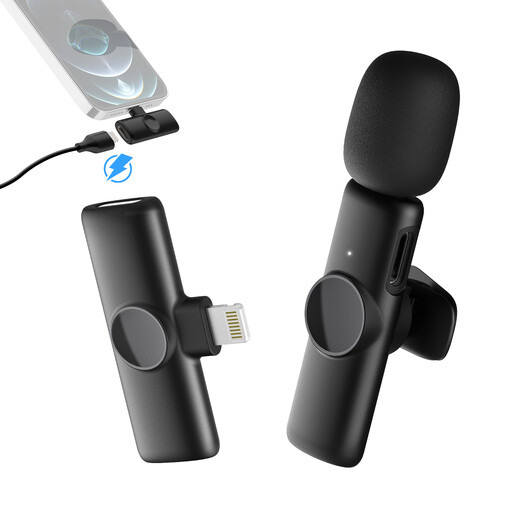 No image available
A wireless Lightning option for recording with an iPhone or iPad, provided the receiver connection is compatible with your device. The product is listed as 1TX and 1RX.
No. The Shure MVL uses TRRS for compatible mobile devices, while the RØDE Lavalier GO uses TRS for suitable microphone inputs. For connecting the Lavalier GO to a smartphone, RØDE recommends a TRS-to-TRRS adapter. If your device doesn’t have a 3.5 mm socket, you may need another adapter. Then use a test file to check which input is actually being recorded.
Shure recommends attaching it at around chest-pocket height. Make sure the mic isn’t too high or too low, and that it doesn’t knock against jewellery. A short test recording at the desk you’ll be using can help you assess the position, but there’s no single setting guaranteed to work for every voice.
Depending on your recording device, you may need a suitable connection adapter, particularly when using the RØDE Lavalier GO with a smartphone. The Verbraucherzentrale distinguishes between your statutory rights against the seller and a voluntary guarantee. Keep your proof of purchase and the details of what’s included in the box.
Section 201 of the German Criminal Code (StGB) covers recording another person’s private spoken words without their permission. The Federal Ministry of Justice and the Federal Office of Justice include this provision in the text of the law. If other people’s conversations might be picked up, avoid recording them and get permission before making a recording. Permission to record your own script doesn’t give you blanket permission to record other people’s conversations.