Recording while seated at your smartphone
You want to record your entries straight to a compatible smartphone and mainly need a microphone connection that will work with it.


If you usually speak from one spot, a wired lapel microphone is a natural starting point. If you move around while talking, a wireless set can free you from the cable to your recording device. The key things to check are a compatible input or receiver, a way to attach the mic close to your voice and, for wireless models, the power requirements. Neither the connector type nor a quoted wireless range on its own guarantees better sound in your room.
You want to record your entries straight to a compatible smartphone and mainly need a microphone connection that will work with it.
You already use a recording device or compatible wireless transmitter and want to check the connector type and microphone power requirements before buying.
You want to move away from your smartphone or recorder while speaking, and are weighing the freedom of a wireless connection against receiver, app and battery requirements.
A good fit if: you mostly record while seated, straight to a compatible smartphone.
Bear in mind: the connector or adapter must be compatible, and the cable limits how far you can move from the device.
A good fit if: your recorder or existing transmitter has a compatible 3.5 mm TRS microphone input.
Bear in mind: TRS is not directly interchangeable with smartphone TRRS; the RØDE Lavalier GO also needs plug-in power from a compatible input.
A good fit if: you move away from your recording device while speaking, and the receiver is compatible with it.
Bear in mind: the transmitter and receiver need to be connected and powered; a range quoted for open spaces is no guarantee of performance in your home studio.
A good fit if: you want to record wirelessly on a supported mobile device using a Shure MOTIV app.
Bear in mind: Shure specifies that the MoveMic One needs a separately available receiver for cameras and third-party apps.
| What matters when buying | What to check | Who is it important to? |
|---|---|---|
| Clear speech | Attach the microphone close to your voice; check the clip and cable routing with the clothes you normally wear during a quick test. | If your spoken entries are the main focus, you want your voice to come through clearly in your room. Around 36% of consumers put clear speech first. |
| Connection and device compatibility | Check your recording device, the TRS or TRRS connection, the right adapter and any microphone power requirements. | If you want to use a smartphone or recorder you already own, the microphone should work without incompatible connections. Around 29% of consumers prioritise connection compatibility. |
| A straightforward setup | Check whether your chosen recording app works directly with the wireless model or whether you need a receiver. | If you record entries regularly, the recording setup should work with your device and app. Around 21% of consumers prioritise a straightforward process for repeat recordings. |
| Freedom to move | Check that you have the right receiver or a supported direct connection, as well as the battery life of your chosen set. | If you don't stay in one place while speaking, you'll want to record without a cable running to your recording device. Around 14% of consumers put freedom to move first. |
A similar-looking 3.5 mm plug doesn't mean the microphone will work with your smartphone or recorder input.
Before buying, check the input, plug wiring and, where required, the need for plug-in power.
Depending on your recording device, you may need a compatible adapter or a different microphone.
DJI's quoted maximum range was measured in open, interference-free conditions. It doesn't automatically reflect the connection in your recording room.
Choose a wireless model based on how much you actually need to move, and test the connection and microphone position where you plan to record.
The Shure MoveMic One connects directly only to supported mobile devices and Shure MOTIV apps.
Before buying, decide which device and app you'll use to record your entries, then check whether you need a receiver.
The MoveMic One may need a separately available receiver for cameras or third-party apps.
Shure offers the MVL, a wired lapel mic for compatible mobile devices, and the MoveMic One, a wireless option for supported MOTIV apps.
RØDE's wired lapel microphones, the smartLav+ and Lavalier GO, are designed for different types of connection.
The DJI Mic Mini is a wireless set with a transmitter and receiver, designed for recordings where you need more freedom to move.
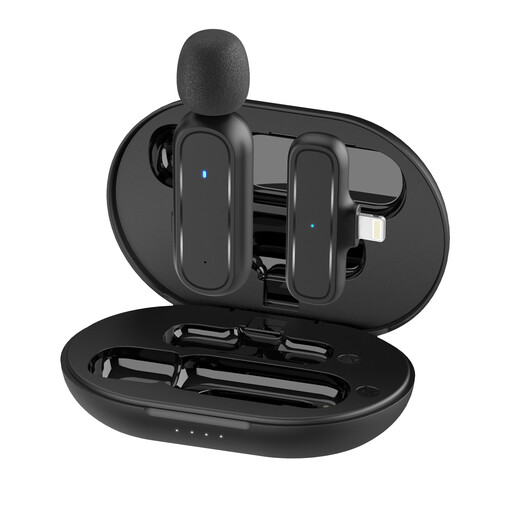
Hollyland's LARK M2S wireless lapel mic range comes in different receiver configurations.
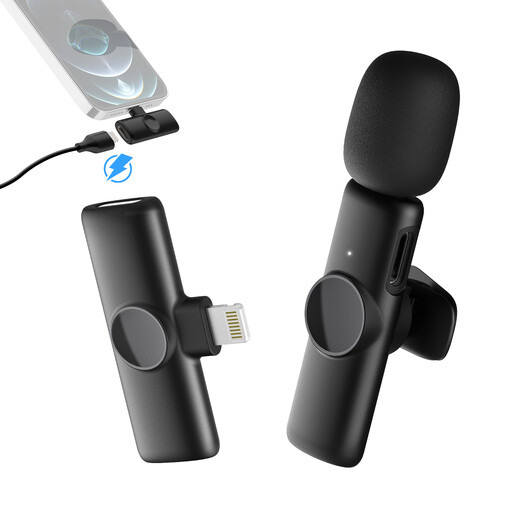
This selection includes wired lapel microphones and wireless sets with USB-C or Lightning receivers. The key thing is to check that each connector works with your recording device.
 No image available
For wired voice recordings, provided your recording device or a compatible adapter works with the microphone connection.
Features listed include a 3.5 mm connection, omnidirectional recording, a clip and a windscreen.
 No image available
For wireless voice recordings with a compatible USB-C recording device.
The configuration includes 2TX+1RX. Recording requires a compatible USB-C device.
 No image available
For wireless voice recordings with an iPhone or iPad, provided the Lightning connector is compatible.
The configuration includes one transmitter and one receiver. This recording setup is designed for devices with a compatible Lightning connector.
 No image available
For mobile wireless recordings with an iPhone or iPad, if the Lightning connector is compatible with your device.
The configuration includes one transmitter and one receiver. This recording setup is designed for devices with a compatible Lightning connector.
 No image available
For wireless voice recordings with a compatible USB-C Android phone.
The configuration includes two transmitters and one receiver. This recording setup is designed for USB-C Android phones.
No. The Shure MVL is described for use with compatible mobile devices or a CTIA-compliant adapter; the RØDE Lavalier GO uses TRS and, according to RØDE, needs plug-in power from a compatible input. Check the requirements against your specific recording device.
Attach the lapel microphone close to your voice and route the cable to minimise noise from movement. RØDE recommends forming an extra loop in the cable to act as strain relief; a quick test with your usual clothes will help you check the position.
Check the operating time of the transmitter and receiver separately, as well as the connection to your recording device. DJI publishes separate battery-life figures for the Mic Mini; operating time depends on the stated test conditions and the specific configuration.
Section 201 of the German Criminal Code (StGB) prohibits recording another person's privately spoken words without authorisation in Germany. If other people will be speaking, get their agreement before recording. The law does not apply in the same way to a diary entry that you record on your own.
No, this depends on the specific wireless system and the frequencies it uses. In its ruling 37/2026, the Federal Network Agency lists permitted bands subject to technical and operational conditions, and also repeals the older ruling 109/2025. Check the information for the specific model rather than assuming that all wireless microphones are generally authorised.