What should you look for when buying?
When recording a language lesson in a community hall, four questions can help you narrow down the right setup: whose voice do you want to record, how much freedom of movement do you need, and will the connection work with your existing device?
| What you need |
What to check before buying |
Who is this important for? |
| Clear teacher’s voice |
How and where the microphone is attached, close to the speaker; listen to a test recording on site. |
If you mainly want to capture explanations and pronunciation examples, your own voice is the priority. Around 33% of consumers put this requirement first. |
| Recording audience contributions |
How many microphone positions and transmitters you need; check how the recording device captures the signals. |
If you want contributions from another person to be as clear as your own voice, you’ll need a suitable microphone position for them. Around 25% of consumers prioritise recording multiple voices. |
| Freedom of movement |
The cable route for a wired microphone, or the transmitter, receiver and wireless connection for a wireless set. |
If you move around often during the lesson, a cable between your clothing and recording device could get in the way. Around 25% of consumers put freedom of movement first. |
| Device compatibility |
Check the microphone input, connector wiring and any adapters required for your specific device. |
If you want to keep using your existing smartphone, recorder or other recording device, the signal path needs to be compatible with the microphone. Around 17% of consumers prioritise the right connection. |
Joybuy products for recording speech
This selection includes wired lavalier microphones and wireless sets for compatible USB-C devices, with one or two microphone positions.
 No image available
SYNCO S8 lavalier microphone for smartphones, PCs, laptops and cameras
Could be a good fit if you mainly want to record the teacher and use a device with a compatible 3.5 mm connection.
The product description lists a clip and an adapter set. Check that the connection and adapter work with your recording device.
Joybuy
 No image available
SYNCO SMIC AI wireless microphone for Android devices with USB-C
Could be worth considering for a teacher on the move, provided the recording device supports the connection described.
The product description lists Android, USB-C and OTG support as requirements. Check that your device is compatible.
Joybuy
 No image available
Moman M1CXT wireless lavalier microphone, USB-C, 2TX+1RX
Could be suitable if two people each need their own microphone position and you have a compatible USB-C recording device.
The product name lists two transmitters and one receiver. This won’t automatically cover every contribution from a group.
Joybuy
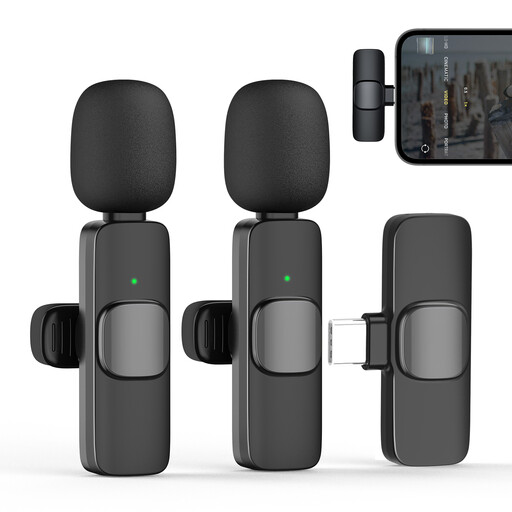 No image available
Moman CP1X(C) wireless lavalier microphone, Type-C, 1TX&1RX, 2.4 GHz
Could work for a teacher who wants to move around and will mainly be recording themselves.
The product name lists one transmitter, one receiver and a Type-C connection. It isn’t described as a two-transmitter set for a second microphone position, so check that your device is compatible.
Joybuy
 No image available
Moman MC1(C) wireless lavalier microphone for USB-C, 1TX&1RX, 2.4 GHz
Could be worth considering if you want to record a teacher or another individual speaker and have a compatible USB-C device.
The product name lists one transmitter and one receiver. It isn’t described as a two-transmitter set for two microphone positions.
Joybuy
Frequently asked questions
How should I attach and test the microphone before the lesson?
Attach it close to the speaker, making sure it won’t rub against clothing. RØDE recommends positioning many lavalier microphones at chest height, around 20–30 cm from your mouth. Record a short test with the room sounding as it will during the lesson, then listen to it on the recording device you plan to use. This distance is a general manufacturer recommendation, not a guaranteed figure for every hall.
Will a microphone on the teacher pick up questions from the audience?
It won’t reliably capture every voice at a similar volume. If you want to record a second person specifically, a set with two transmitters could be suitable, such as the DJI Mic Mini version the manufacturer describes as being for two people. You’ll need to plan a separate microphone position for any further contributions.
What additional parts might I need?
Depending on the input you have, you may need a suitable adapter. For a wireless setup, check that the receiver and the number of transmitters you need are included in the set. RØDE describes adapter requirements for using the Lavalier GO with a smartphone, while DJI offers Mic Mini packages with one or two transmitters.
Can I simply record contributions from people taking part?
Not without first checking whether you’re allowed to record the specific things they say. § 201 StGB covers the unauthorised recording of another person’s private conversations. Whether a particular statement is private and whether you have permission depends on the circumstances. Check with the people concerned before recording and agree how the recording will be used later. If you’re relying on data protection consent as your legal basis, guidance from the Data Protection Conference says it must be freely given, informed and specific to the situation.
Which wireless frequencies can I use for a wireless microphone?
This depends on the frequency used by the specific device and the conditions that apply to its use. In April 2026, the Federal Network Agency published the General Allocation Vfg. 37/2026, which sets out frequency bands and conditions. Before buying, check the technical details for your chosen wireless set and the current rules that apply to it.


