What should you look for when buying?
First, check that your recording device and phone system are compatible. Then consider how you’ll use the microphone to decide whether a wired or wireless option, or a quieter place to record, makes the most sense.
Wired lapel microphone
A good fit if: you’ll stay at your desk and have a compatible microphone input.
Bear in mind: the cable and connection, as well as the operating mode or any adapter required, must be compatible with your recording device.
Wireless lapel microphone
A good fit if: you want to move around while recording or use the same set for other recordings.
Bear in mind: the receiver and power supply require extra set-up. Noise-reduction features don’t prove that other people’s voices will disappear at your particular desk.
Recording somewhere quieter
A good fit if: conversations at the next desk are still intelligible in a test recording.
Bear in mind: recording at a different time or in another room may take extra time, but it can save you from relying on noise reduction afterwards.
| What matters |
What to check before buying |
Who it matters most to |
| Background noise |
Make a test recording at the intended spot and check whether background conversations are intelligible. |
If I’m speaking at a shared desk, I don’t want my greeting to include intelligible conversations from the next desk; around 33% of consumers put background noise first. |
| Compatible connection |
Check the microphone input, operating mode and any adapters required for your specific device. |
If I want to keep using my smartphone, PC or recorder, I’ll check the socket and adapters first; around 27% of consumers prioritise device compatibility. |
| A file you can upload |
Check the file format, length and upload method for your specific phone system model. |
If the greeting is for a particular phone system, I’ll record and export it to meet that system’s requirements; around 20% of consumers prioritise having a file they can upload. |
| Easy one-off recording |
Make a short test recording first and check that the audio level isn’t clipping. |
For a single, short greeting, I want as few set-up steps as possible; around 13% of consumers prioritise a straightforward recording process. |
| Freedom to move |
For a wireless set, check the exact version and whether its receiver has the right connection. |
If I want to move around while speaking or use the same set again later, wireless is important; around 7% of consumers prioritise freedom to move. |
When recording your own greeting, avoid recording other people’s private conversations without permission. Section 201 of the German Criminal Code (StGB) covers the unauthorised recording of words spoken in private.
Joybuy products for voice recording
The products below include wired and wireless lapel microphones for voice recording. When choosing, check the connection and remember that noise-reduction features are no substitute for a test recording at a shared desk.
 Image unavailable
DJI Mic Mini 2S (2 TX + 1 RX + Charging Case)
This wireless set for voice recording includes two transmitters, one receiver and a charging case. Check that the receiver is compatible with your recording device.
View at Joybuy
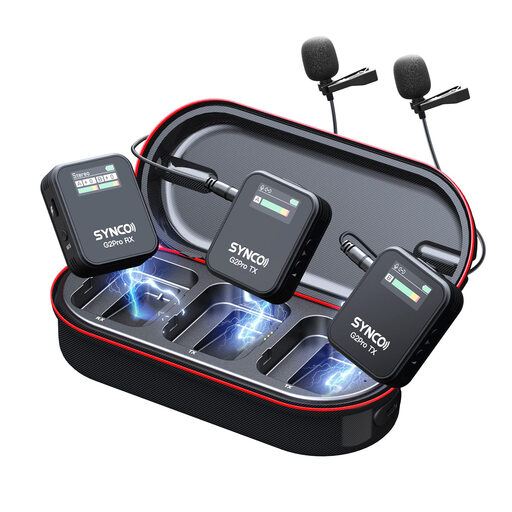 Image unavailable
SYNCO G2(A2) Pro Wireless Lavalier Microphone
This wireless lavalier set is an option for voice recording if freedom to move matters to you. The receiver and charging case are part of the set-up and require extra preparation.
View at Joybuy
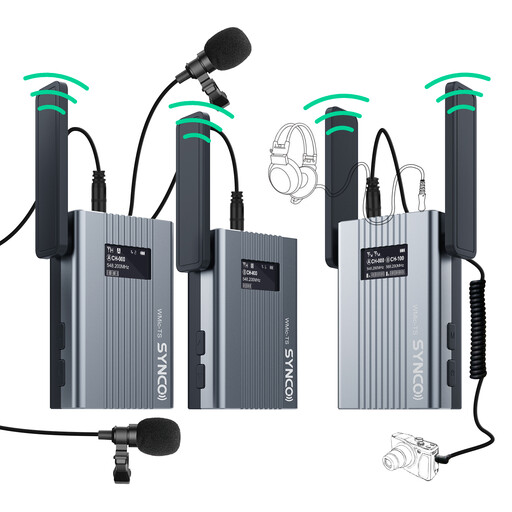 Image unavailable
SYNCO UHF Wireless Lapel Microphone System (62 g Transmitter, 150 m Transmission, OLED Monitor)
The product name describes a UHF system for wireless voice recording, with an OLED monitor, a 62 g transmitter and 150 m transmission range. The transmitter, receiver and power supply all require extra set-up.
View at Joybuy
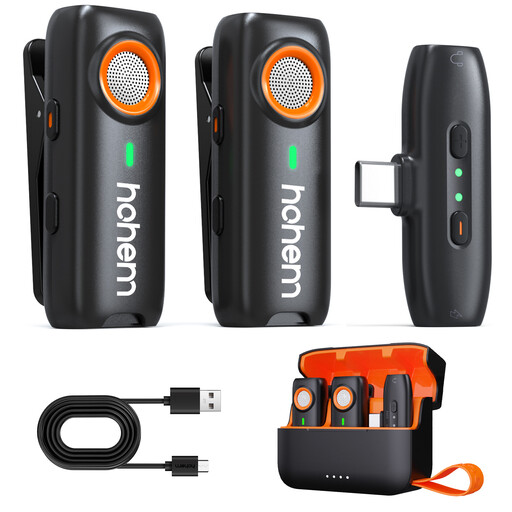 Image unavailable
hohem Wireless Lavalier Microphone, 3-Level DSP, TF Backup Recording
The product description lists local backup recording to a TF card. The TF card isn’t included, so bear that in mind if you want to use this recording feature.
View at Joybuy
 Image unavailable
SYNCO S8 Lavalier Microphone for Smartphone, PC, Laptop and Camera
This wired lavalier microphone is an option for recording at a fixed desk; the product name lists smartphones, PCs, laptops and cameras. Its stated omnidirectional pickup pattern may also capture background noise, so check that the connection works with your specific device.
View at Joybuy
Frequently asked questions
Can I plug a 3.5 mm lapel microphone straight into my smartphone?
Don’t decide based on the plug size alone. For the Lavalier GO, RØDE specifies a TRS-to-TRRS adapter when using a compatible 3.5 mm TRRS smartphone input. Devices without a suitable socket may need another connection adapter too. Check whether your recording app will use the external microphone as well.
How can I check the recording before uploading it?
Record a short test, listen back and check for clipping. The Audacity manual recommends lowering the recording level and recording again if clipping occurs. Its noise reduction isn’t suitable for irregular voices from the next desk.
What file format does my phone system need?
It depends on the specific phone system model and greeting function. For custom voicemail greetings on the FRITZ!Box 6850 5G, FRITZ! specifies a maximum length of 60 seconds and recommends WAV at 8000 Hz, 16-bit and mono, or MP3 at a constant bit rate of 128 kbit/s, 44.1 kHz and stereo. Don’t apply these requirements to other models or to hold music without checking first.
Can I record colleagues or callers in my greeting?
Recording a greeting in your own voice is different from recording other people’s conversations. Section 201 of the German Criminal Code (StGB) covers the unauthorised recording of other people’s words spoken in private, so avoid capturing other conversations. For actual phone calls, the German Data Protection Conference states that recording is generally permissible only with the consent of the other person on the call as well.
Do wireless microphones always need an individual licence in Germany?
Not in every case. The German Federal Network Agency has general frequency allocations for certain bands, which allow use without registration subject to the relevant conditions. This isn’t blanket approval for every wireless microphone: check the frequency band of your specific set and the conditions that apply. Decision 37/2026, dated 15 April 2026, replaces the earlier general allocations listed in it.


